Introduction and Key Takeaways
AWS Savings Plans reduce compute costs by 66-72% through hourly dollar commitments instead of instance-specific reservations
Three plan types available: Compute Savings Plan (most flexible, 66% savings), EC2 Instance Savings Plan (highest discount at 72%, region-specific), and SageMaker Savings Plan (64% for ML workloads)
Payment options: All Upfront (maximum discount), Partial Upfront (balanced), No Upfront (cash flow friendly) with 1-year or 3-year terms
Automatic application: Savings Plans prioritize highest-discount resources first, with remaining usage charged at On-Demand rates
Best practices: Purchase in empty AWS accounts, right-size resources first, use rolling quarterly plans to reduce commitment risk
AWS compute costs add up fast. A development team spins up instances for testing, production workloads scale during peak hours, and by month-end, finance is staring at a five-figure bill charged entirely at On-Demand rates. Most engineering teams know they're overpaying, but Reserved Instances feel too rigid, lock into the wrong instance family or region, and you're stuck for three years.
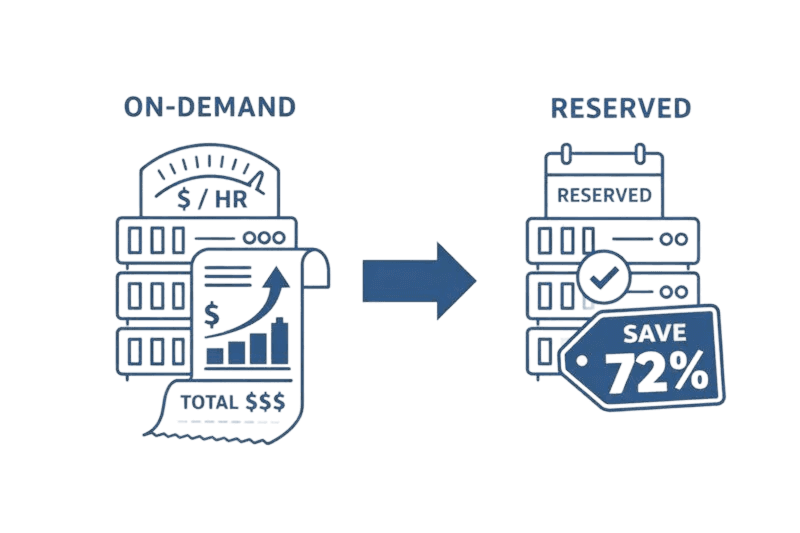
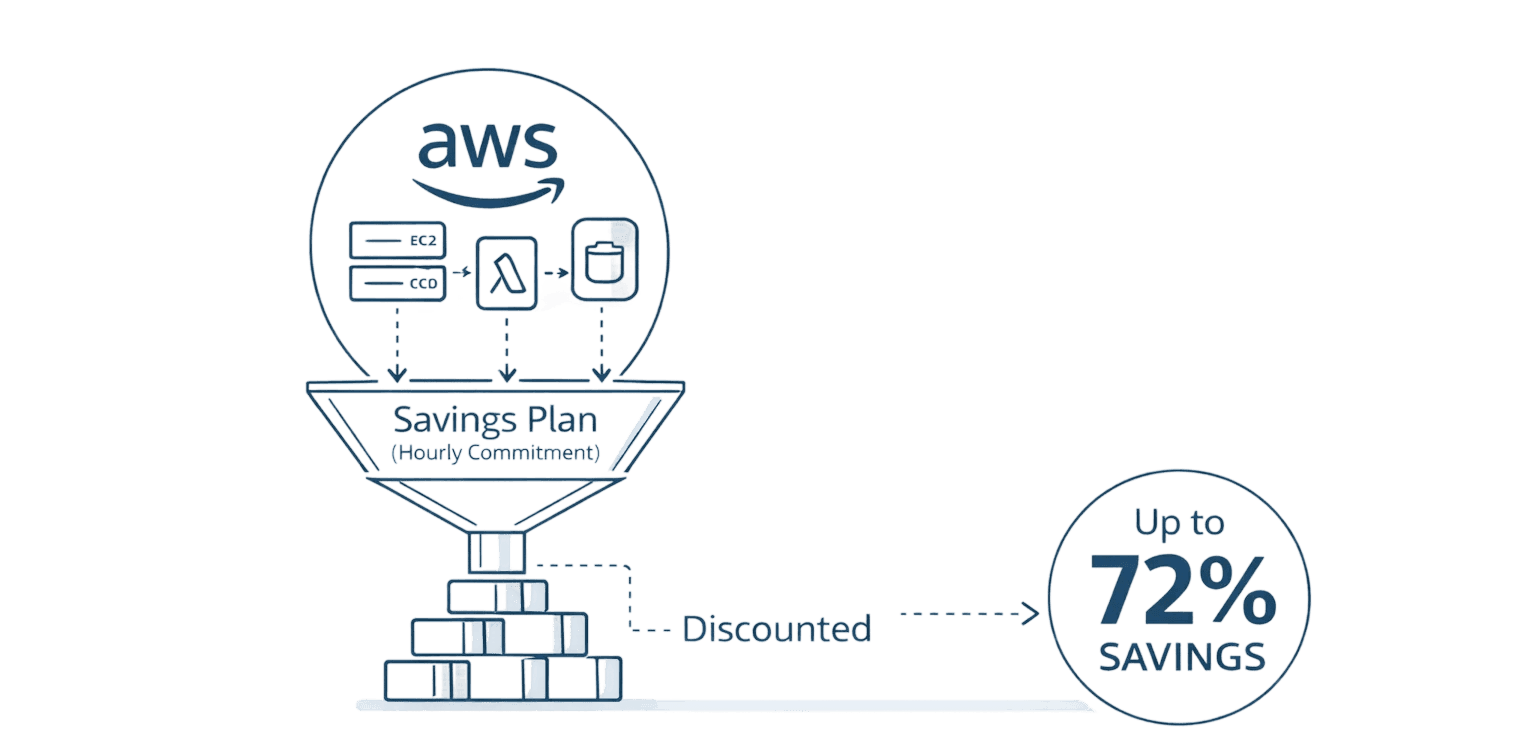
AWS Savings Plans solve this problem. Commit to a consistent dollar-per-hour spend (say, $10/hour), and AWS automatically applies up to 72% discounts across your EC2, Lambda, and Fargate usage, regardless of instance type, region, or operating system. No configuration headaches. No marketplace reselling. Just straightforward savings that adapt to your infrastructure changes.
This guide shows you exactly how to choose the right Savings Plan type, purchase strategically, and maximize your return without over-committing.
What Are AWS Savings Plans?
AWS Savings Plans are a flexible discount model where you commit to a specific dollar amount per hour (like $5/hour or $50/hour) for one or three years. In exchange, AWS reduces your compute costs by 66-72% compared to On-Demand pricing.
Unlike Reserved Instances that lock you into specific instance configurations, Savings Plans automatically apply to eligible compute usage across your entire AWS organization. Change from m5.large to c5.xlarge instances? Your discount follows. Migrate workloads from us-east-1 to eu-west-1? Savings apply automatically. The system prioritizes resources with the highest discount percentages first, ensuring you extract maximum value from every committed dollar.
AWS officially recommends Savings Plans over Reserved Instances for compute workloads because they deliver comparable savings with dramatically less management overhead.
The Three Types of AWS Savings Plans
AWS offers three distinct Savings Plan types, each balancing flexibility against discount depth.
Compute Savings Plans provide maximum flexibility with up to 66% savings. They apply to EC2 instances, Lambda functions, and Fargate containers across any region, instance family, size, tenancy, or operating system. If you run diverse workloads that change frequently, Compute Savings Plans adapt automatically.
EC2 Instance Savings Plans deliver the highest discounts at up to 72% but require regional commitment to a specific instance family. Choose m5 instances in us-east-1, and your discount applies only to m5 instances in that region, though you can freely change instance sizes and operating systems. This works well for stable production workloads where you've standardized on specific instance families.
SageMaker Savings Plans provide up to 64% savings on machine learning workloads running on SageMaker, applying regardless of instance family, size, or region.
Plan Type | Flexibility | Discount | Applies To | Best For |
Compute Savings Plan | High - any instance, region, OS | Up to 66% | EC2, Lambda, Fargate | Dynamic architectures, multi-region |
EC2 Instance Savings Plan | Medium - one family, one region | Up to 72% | EC2 only | Stable production workloads |
SageMaker Savings Plan | High - any instance, region | Up to 64% | SageMaker | ML training and inference |
Most teams start with Compute Savings Plans. The 6% discount difference rarely justifies the inflexibility of EC2 Instance plans unless you're running massive, unchanging production fleets.
How AWS Savings Plans Work: Application Logic
Understanding the application logic helps you maximize savings and avoid common mistakes.
When your hourly commitment activates, AWS scans your eligible compute usage and applies discounts in priority order:
Highest discount percentage first - 72% opportunities before 66%
Then next-highest discounts - Working down the discount scale
Stops at commitment limit - Remaining usage bills at On-Demand rates
Resets every hour - No rollover of unused commitment
Concrete example: You commit to $10/hour with a Compute Savings Plan. This hour, you run $13 worth of On-Demand equivalent compute (EC2 and Lambda at 66% discount). Your $10 commitment covers it all, costing you exactly $10. You saved $3 compared to On-Demand.
Next hour, usage spikes to $15 On-Demand equivalent. Your $10 commitment covers the first $13 of usage (with discount). The remaining $2 charges at On-Demand rates. You pay $12 this hour: $10 commitment + $2 overage.
This automatic application means you never "lose" your discount, it always applies to eligible resources. The risk is committing to more than your baseline usage, paying for capacity you don't use.
Payment Options and Commitment Terms
Three payment structures affect your effective discount rate and cash flow.
All Upfront payment maximizes savings by paying the entire commitment immediately. Partial Upfront splits the cost roughly 50% upfront with the remainder spread across monthly charges. No Upfront requires zero initial payment, spreading the entire commitment across monthly bills while preserving cash flow.
Commitment duration matters more than payment structure. Three-year terms deliver dramatically higher discounts than one-year terms 66% versus 30% for Compute Savings Plans. But three years is a long time in cloud architecture. If you're migrating to containers or facing business uncertainty, one-year terms reduce commitment risk.
Most teams start with one-year Partial Upfront commitments, providing solid discounts (50-55% range) without locking capital or committing beyond reasonable planning horizons.
How to Purchase AWS Savings Plans
Purchasing happens through AWS Cost Explorer in the Cost Management Console.
Analyze recommendations. Navigate to Cost Management > Savings Plans > Recommendations. AWS analyzes your past 7, 30, or 60 days of usage and suggests commitment levels with estimated monthly savings.
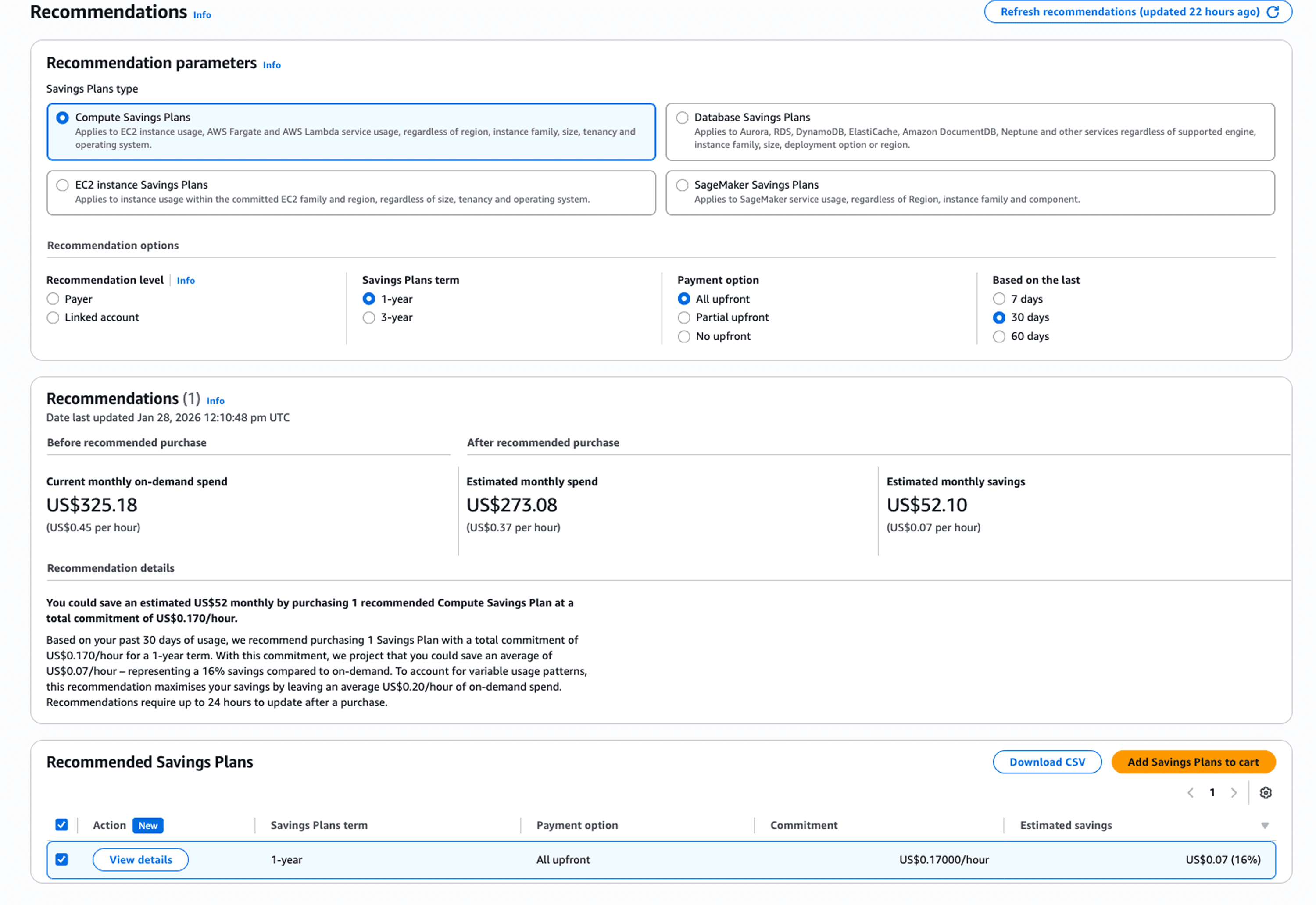
Review utilization data. Examine 60-90 days of historical usage patterns before committing. Look for your consistent baseline spend, the amount you spend every day regardless of traffic spikes. You want the floor, not the ceiling.
Configure your plan. Select plan type, choose term length, pick payment option, and set your hourly commitment amount. Start conservative aim for 60-75% of your baseline usage.
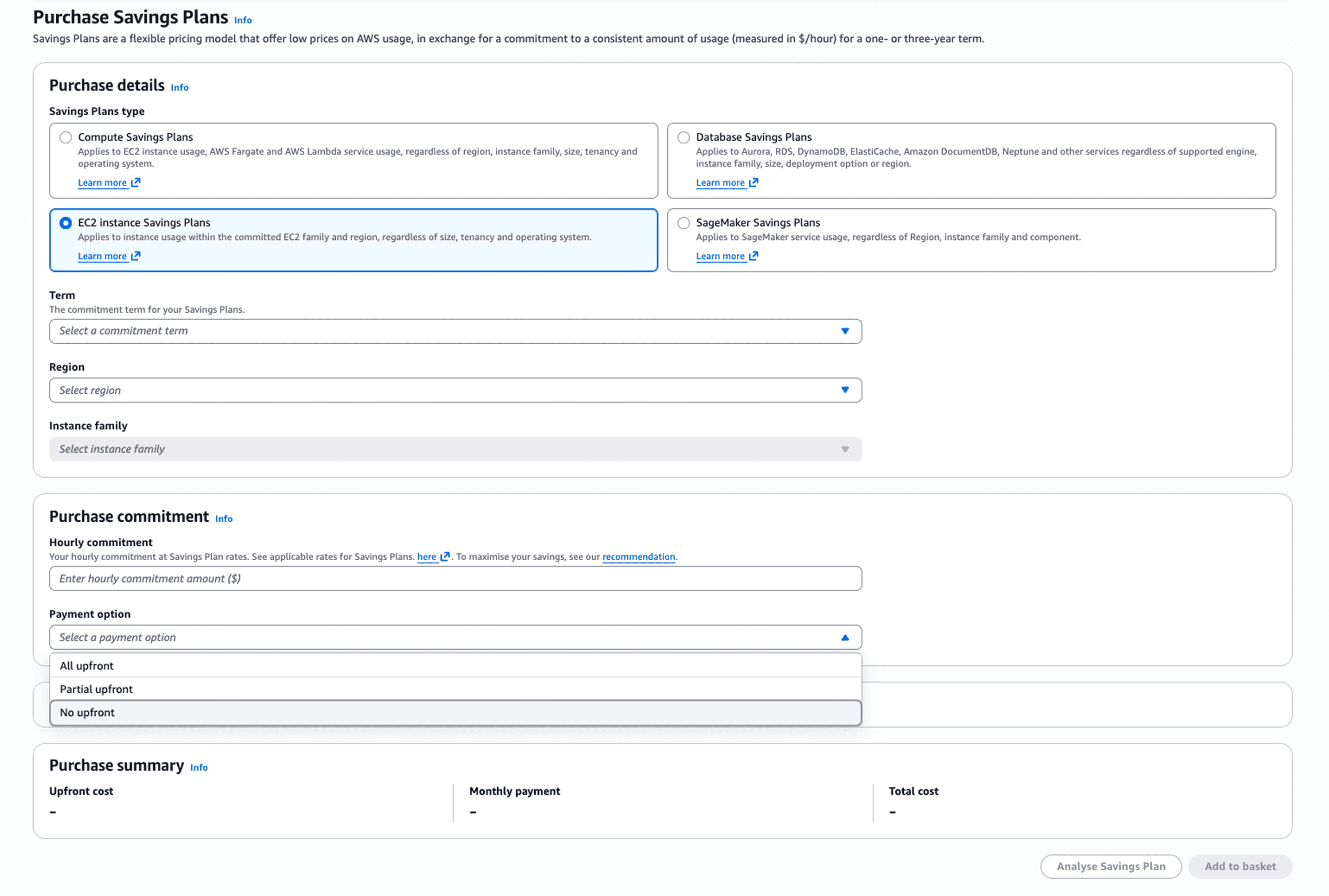
Queue future purchases. Schedule Savings Plans to start on specific future dates, aligning purchases with Reserved Instance expirations to avoid coverage gaps.
The entire process takes 10 minutes once you've analyzed your usage patterns. The hard part isn't purchasing - it's determining the right commitment level.
Monitoring: Utilization and Coverage Reports
Two key metrics tell you if your Savings Plan is working.
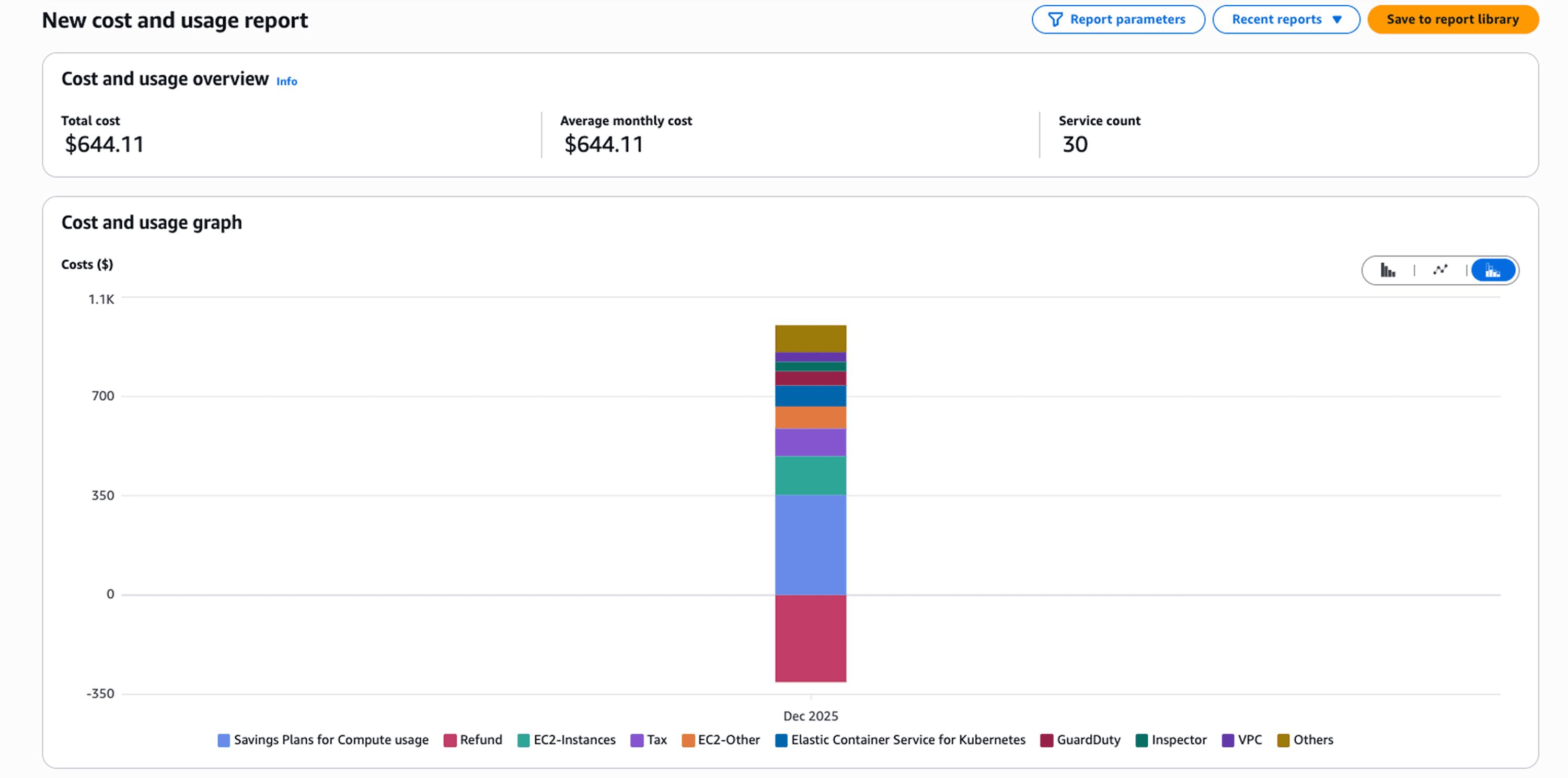
Utilization Report measures what percentage of your hourly commitment you're actually using. If you commit to $10/hour but only use $8/hour of eligible compute, your utilization is 80%. You're paying for $2/hour of unused commitment roughly $1,460/month wasted. Target utilization above 95%.
Reality check on utilization targets While 95%+ utilization represents the optimal steady state, most teams initially achieve 80-90% utilization in their first 2-3 months. This is normal and expected. You're learning your usage patterns, adjusting for architectural changes, and refining your commitment strategy. If you're hitting 85% utilization in month one, you're doing well, focus on understanding the gaps before over-correcting. Teams that obsess over perfect utilization from day one often under-commit so severely that they miss substantial savings opportunities. Start at 80-85%, tune toward 90-95% over your first renewal cycle.
Coverage Report shows what portion of your eligible compute spend is covered by Savings Plans versus paying On-Demand rates. If you're spending $15/hour on compute but only have $10/hour committed, your coverage is 67%. The remaining 33% offers additional savings opportunity.
Both reports live in AWS Cost Explorer under Savings Plans. Check monthly. If utilization stays high (95%+) but coverage is low (below 70%), increase your commitment. If utilization drops below 90%, you've over-committed reduce at next renewal.
Advanced Strategy: Rolling Savings Plans
Most organizations struggle with commitment anxiety. What if business slows? What if usage patterns shift?
Rolling Savings Plans address this by splitting your target commitment across four quarterly staggered purchases instead of one annual commitment.
Instead of committing to $40/hour for one year, you purchase:
Q1: $10/hour for one year
Q2: $10/hour for one year (three months later)
Q3: $10/hour for one year (six months later)
Q4: $10/hour for one year (nine months later)
Now you have four independent plans, each renewing quarterly. Every three months, you reassess. If usage dropped, reduce the renewing plan. If usage increased, bump it up. You maintain the same total coverage while gaining quarterly adjustment points.
This strategy reduces commitment risk by approximately 25% per quarter. The downside: more management overhead. Rolling plans work exceptionally well for high-growth companies with unpredictable scaling patterns.
Best Practices for Maximum ROI
Purchase in empty AWS accounts. When you buy a Savings Plan in an account running resources, AWS may apply it suboptimally. Purchasing in a dedicated empty account forces AWS to evaluate all resources organization-wide, guaranteeing application to highest-discount opportunities.
Right-size resources before committing. A $10/hour commitment to over-provisioned instances saves less than the same commitment to right-sized resources. Downsize over-provisioned instances, terminate idle resources, then commit to your leaner baseline.
Analyze at least 60 days of usage. Look for your absolute minimum daily spend across the period, that's your commitment target.
Combine with Spot Instances. Use Savings Plans for baseline, always-running capacity. Use Spot Instances for variable workloads. This combination maximizes savings across both stable and dynamic infrastructure.
Implement automated monitoring. Set up alerts when utilization drops below 90% or coverage falls below 70%. These thresholds signal needed adjustments at renewal time.
Common Pitfalls to Avoid
Over-committing without usage analysis wastes thousands monthly. Always commit to baseline, not peaks.
Purchasing in accounts with existing Reserved Instances creates allocation conflicts. AWS prioritizes RIs first, which can prevent optimal Savings Plan application.
Failing to right-size before purchase locks in savings on inefficient infrastructure.
Not accounting for seasonal patterns leads to poor commitment levels. If you're an e-commerce company with December peak traffic, don't purchase in November.
What Savings Plans don't cover: RDS databases, DynamoDB, S3 storage, Spot Instances, and most non-compute services. For RDS, use Reserved Instances.
How Opsolute Maximizes Savings Plan Value
Managing Savings Plans manually becomes complex at scale multiple accounts, diverse workloads, quarterly renewals, and continuous optimization create substantial overhead.
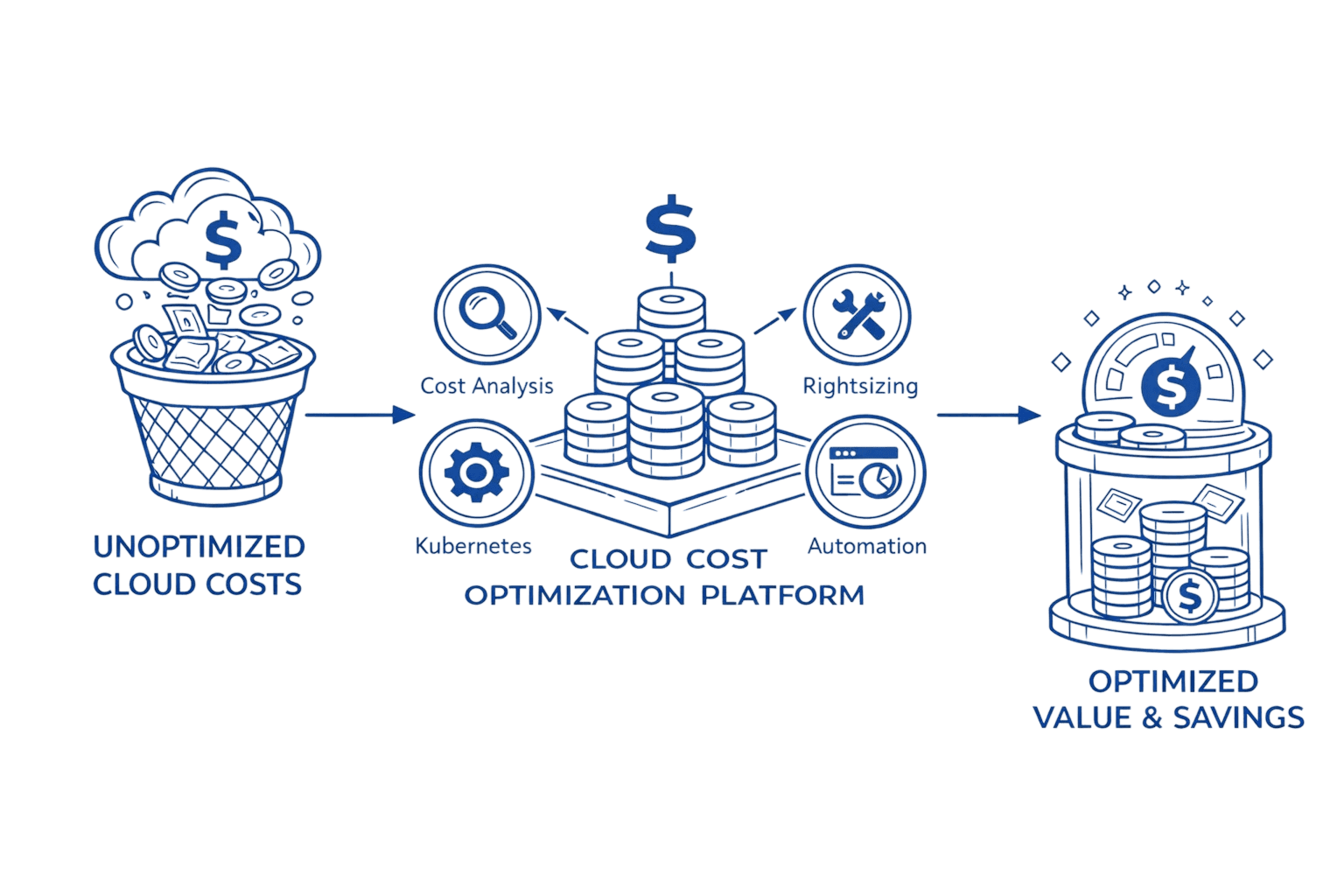
Opsolute's FinOps platform automates this workflow. The Savings Plans module analyzes usage patterns across all AWS accounts, recommends optimal commitment levels, and tracks coverage and utilization in real-time. When utilization drops below target thresholds, automated alerts notify your team to adjust upcoming renewals.
The Cost Optimization engine integrates Savings Plans with complementary strategies identifying idle resources to terminate before committing, recommending right-sizing actions, and suggesting Spot Instance migration. Budget Guardrails prevent over-commitment by flagging when proposed purchases would breach spending limits.
For organizations managing $100K+ in monthly AWS spend, the automation and analytics provided by platforms like Opsolute typically pays for itself within the first quarter.
FAQ
Q: Can I modify or cancel my AWS Savings Plan after purchase?
A: No, Savings Plans cannot be modified, exchanged, or canceled during the commitment period. However, you can purchase additional plans anytime to increase your commitment. Queued plans (not yet started) can be deleted before their start date.
Q: Do AWS Savings Plans apply to Spot Instances or RDS databases?
A: No, Savings Plans don't apply to Spot Instances or any RDS usage. For RDS optimization, use Reserved Instances. Savings Plans only cover EC2, Lambda, Fargate, and SageMaker compute.
Q: How do Savings Plans apply if I also have Reserved Instances?
A: AWS prioritizes Reserved Instances first, then EC2 Instance Savings Plans, then Compute Savings Plans. This hierarchy prevents overlap and maximizes total discount benefit.
Q: What happens when my usage exceeds my Savings Plan commitment?
A: Overage bills at On-Demand rates. If you commit to $10/hour but use $15/hour of resources, the first $10 receives the discount and the remaining $5 pays On-Demand pricing.
Q: Should I choose a 1-year or 3-year commitment?
A: Three-year terms offer dramatically higher discounts (66% vs 30% for Compute plans) but lock you in longer. If your architecture changes frequently, start with 1-year terms or rolling quarterly plans.
Q: Can I use Savings Plans across multiple AWS accounts in my organization?
A: Yes, Savings Plans automatically apply across all accounts in your AWS Organization. For optimal savings, purchase in an empty account with no running resources.
Q: What's the difference between Compute and EC2 Instance Savings Plans?
A: Compute plans offer maximum flexibility (any instance family, region, OS) across EC2, Lambda, and Fargate with up to 66% savings. EC2 Instance plans provide higher discounts (72%) but only apply to a specific instance family in one region.
Q: How much should I commit to with my first Savings Plan?
A: Target 60-75% of your baseline steady-state usage, not peak usage. Analyze 60-90 days of historical data to identify consistent minimum daily spend. You can always add more plans later.
Conclusion
AWS Savings Plans deliver 66-72% compute discounts without the rigidity of Reserved Instances. The key is strategic commitment: analyze your baseline usage, choose the plan type that matches your flexibility needs, and start conservative with 60-75% coverage.
Action steps to implement now:
Analyze 60-90 days of compute spending to identify your baseline usage floor
Purchase a conservative initial plan targeting 60-75% of baseline
Set up monthly monitoring for utilization (target 95%+) and coverage (target 70%+)
Right-size resources before your next renewal to maximize savings
Schedule quarterly reviews to adjust commitment levels based on actual utilization
Ready to optimize your AWS spending strategy? Schedule a free cost optimization consultation with Opsolute. Our FinOps experts will analyze your current usage patterns, identify your exact Savings Plan opportunity, and build a customized commitment strategy that maximizes ROI while minimizing risk.