Introduction
Your AWS bill just hit $150,000 this month. Last month it was $95,000. Finance demands to know why. Engineering says they didn't change anything significant. Development environments are somehow costing more than production.
This scenario plays out in organizations every day. Cloud spending reached $102.6 billion in Q3 2025 alone, with the global cloud computing market valued at approximately $943 billion for the full year and projected to surpass $1 trillion in 2026. Without proper cost management, 21-30% of that spend goes to waste through idle resources, oversized instances, and resources nobody claims ownership of.
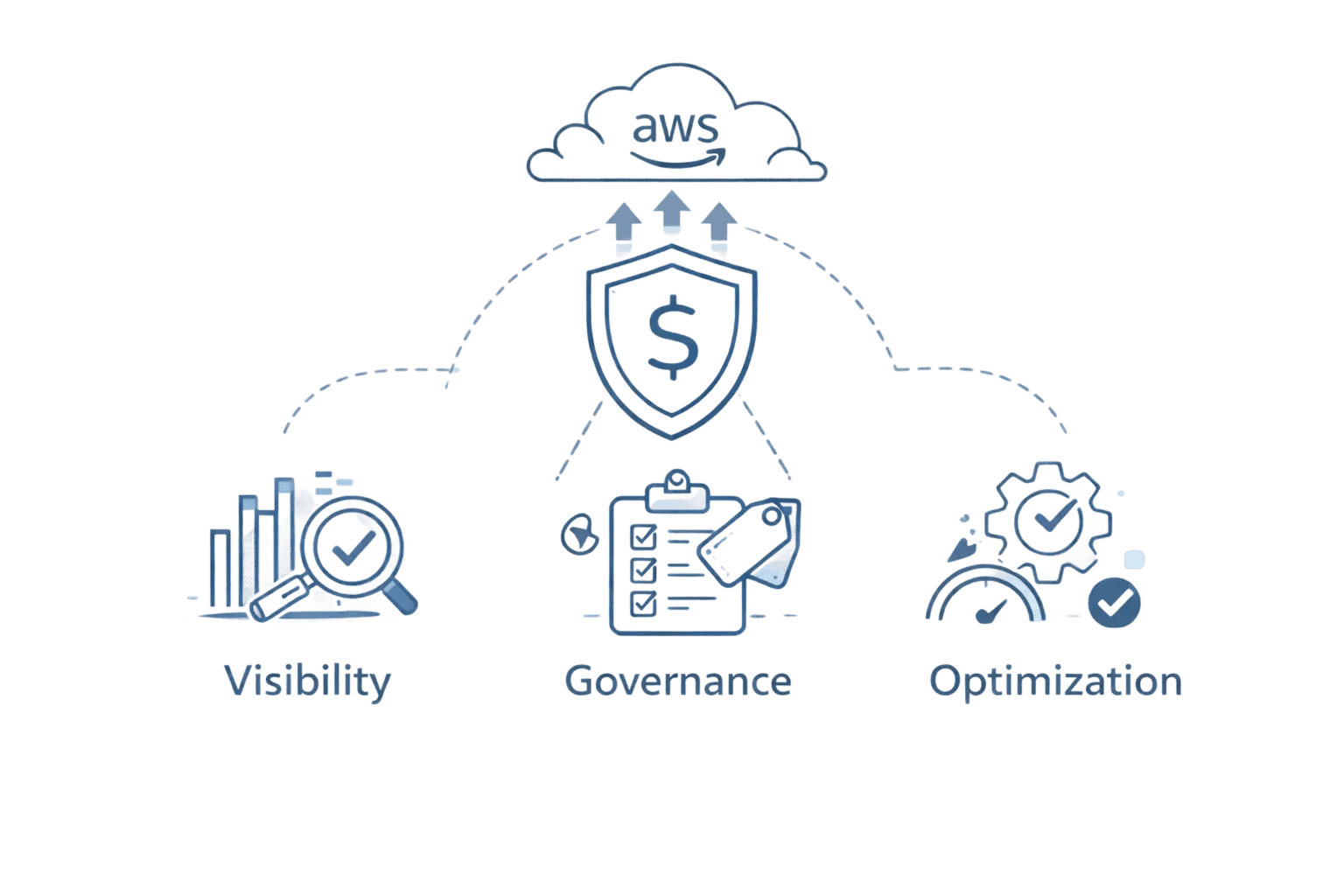
The difference between teams that control costs with AWS Savings Plans and those drowning in surprise bills? A systematic approach to AWS cost management that combines visibility, governance, and continuous optimization.
Key Highlights
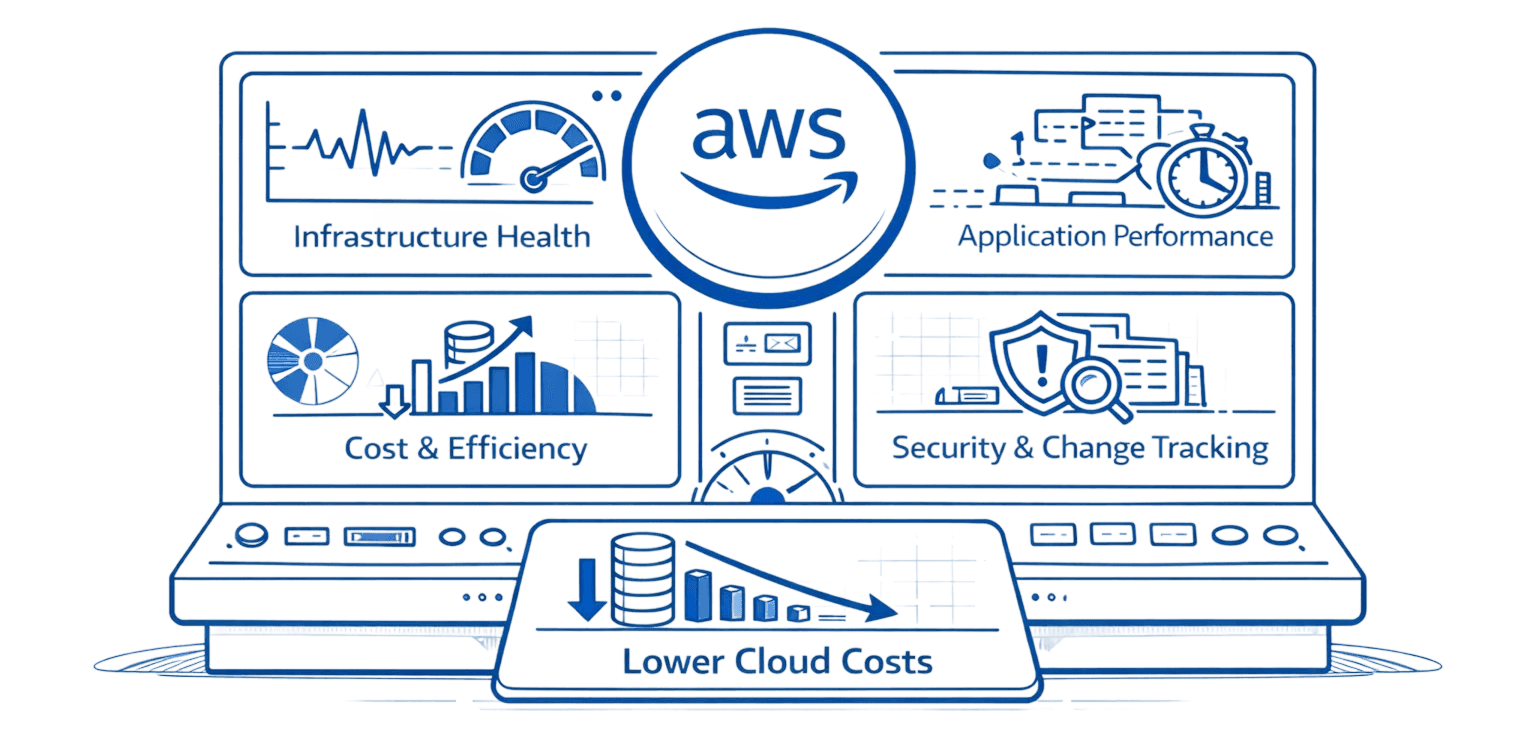
AWS cost management reduces spending by 30-60% through systematic visibility, governance, and optimization practices rather than one-time cost cuts
Five core capabilities form the foundation: Organize resources with tags and categories, Report spending through Cost Explorer and CUR, Control costs with budgets and guardrails, Forecast future spending with predictive analytics, Optimize through rightsizing and discount programs
Native AWS tools provide baseline capabilities: Cost Explorer for visualization, Budgets for threshold alerts, Cost Anomaly Detection for ML-powered spike identification, Trusted Advisor for best practice recommendations, CUR for granular line-item data
Third-party platforms add automation and intelligence: Automated discount management (ProsperOps, nOps), unit cost analytics (CloudZero), unified cloud management (Opsolute), Kubernetes optimization (CAST AI, Densify)
Tagging strategy is foundational: Without consistent cost allocation tags, you cannot attribute spending to teams, products, or projects, making accountability impossible
Quick wins deliver immediate ROI: Schedule non-production instances for 65% savings, delete obsolete snapshots, eliminate zombie resources, move cold data to cheaper storage tiers
Discount programs require strategic planning: Reserved Instances and Savings Plans offer 40-72% discounts but need careful analysis of usage patterns to avoid over-commitment or underutilization
Automation scales with cloud growth: Manual cost management breaks down as environments grow - automated platforms detect anomalies in hours versus weeks, predict budget breaches before they happen, and optimize commitments continuously
What is AWS Cost Management?
AWS cost management is the ongoing practice of tracking, analyzing, and optimizing cloud spending to ensure resources align with business goals while minimizing waste. It goes far beyond checking monthly invoices. It includes visibility into usage, cost allocation across teams, financial governance, and continuous optimization.
AWS groups these capabilities under the term Cloud Financial Management, which spans tagging and cost categorization, reporting through Cost Explorer and data exports, budget controls and alerts, rightsizing recommendations, and discount programs like Savings Plans.
The flexibility of AWS’s pay-as-you-go model also makes spending unpredictable. Resources scale dynamically, teams deploy independently, and usage patterns constantly shift. Without active oversight, costs can escalate quickly.
Effective cost management is a continuous cycle. You build visibility, allocate costs, set budgets and controls, optimize resource usage, forecast future spend, and repeat as your infrastructure evolves.
AWS Cost Management Framework: Core Capabilities
AWS structures cost management around five core capabilities that work together to create comprehensive financial control:
Organize your resources using cost allocation tags and cost categories. Tags let you label resources by team, product, environment, or any dimension relevant to your business. Cost categories group tagged resources into logical buckets that match your organizational structure. This foundation enables everything else.
Report on spending using Cost Explorer for visualization and analysis, data exports for custom analytics, and Cost and Usage Reports (CUR) for granular line-item detail. Without visibility into who spends what, where, and why, you're managing in the dark.
Control costs through AWS Budgets that alert when spending approaches thresholds, guardrails that enforce limits, IAM policies that restrict who can provision resources, and consolidated billing that unifies charges across accounts. These mechanisms prevent surprise overruns.
Forecast future spending using predictive analytics based on historical trends, trend analysis that identifies accelerating costs, and capacity planning that estimates infrastructure needs. Accurate forecasts enable better budgeting and resource allocation.
Optimize resource usage through rightsizing recommendations that match instance sizes to workload demands, Savings Plans and Reserved Instances that discount committed usage, Spot Instances that leverage spare capacity at steep discounts, and resource scheduling that runs non-production environments only during business hours.
These capabilities build on each other. You can't optimize what you can't see. You can't forecast without historical data. You can't allocate costs without tags. Each element strengthens the others.
Use Case | Capability | Primary Tools |
Organize | Tag and categorize resources | Cost allocation tags, Cost Categories |
Report | Visualize and analyze spending | Cost Explorer, CUR, Data Exports |
Control | Set limits and enforce governance | Budgets, IAM, Consolidated Billing |
Forecast | Predict future costs | Cost Explorer forecasting, Budgets |
Optimize | Reduce waste and improve efficiency | Rightsizing, Savings Plans, Spot Instances |
Essential AWS Native Cost Management Tools
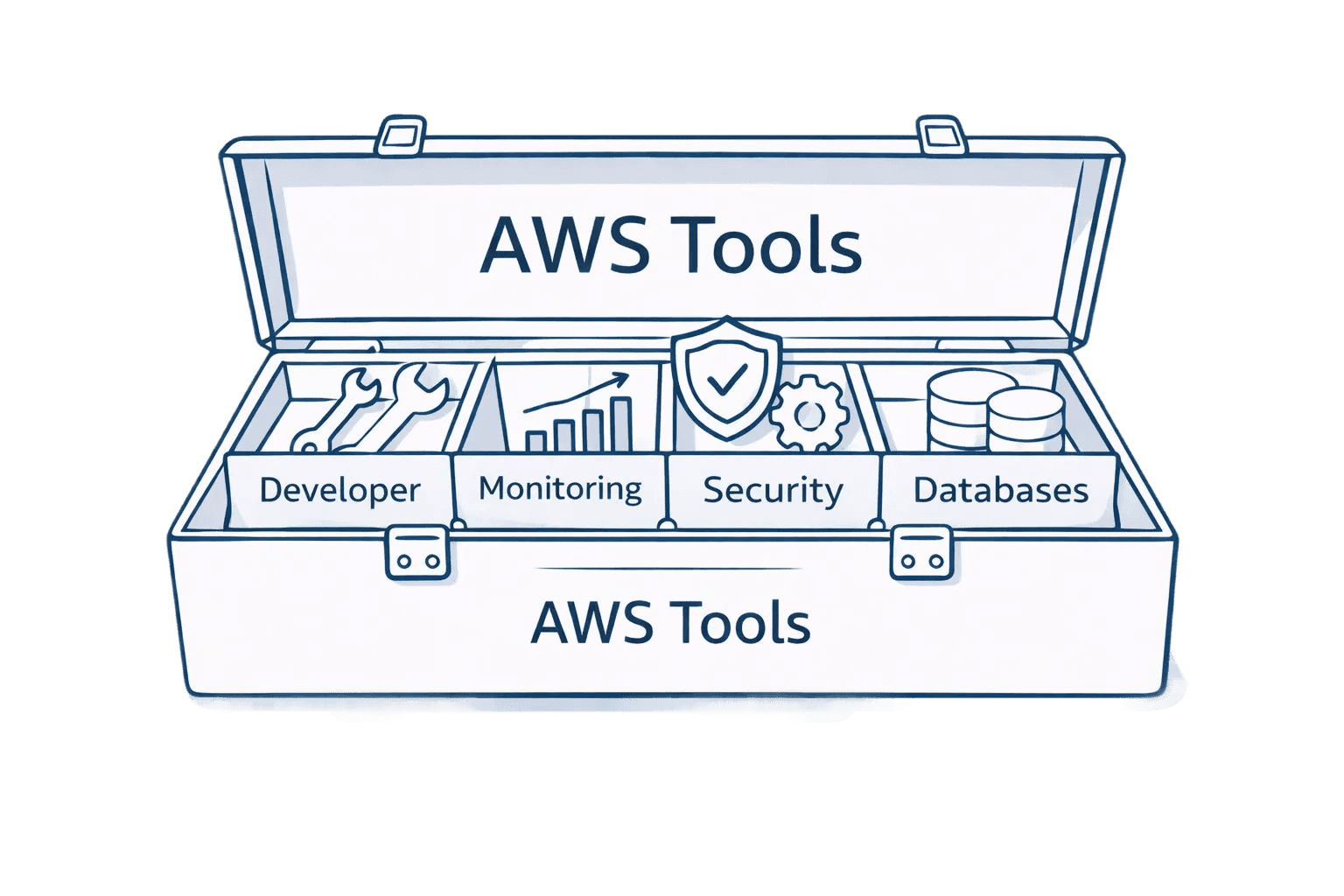
AWS provides several native tools that form the foundation of cost visibility and control. Each serves specific purposes and works best in combination with others.
AWS Cost Explorer gives you the ability to visualize and analyze spending patterns across up to 12 months of historical data. You can create custom reports filtering by service, account, region, or tags. The forecasting feature predicts future costs based on trends. Rightsizing and Reserved Instance recommendations identify optimization opportunities. Teams typically use Cost Explorer for monthly reviews, trend analysis, and identifying top cost drivers.
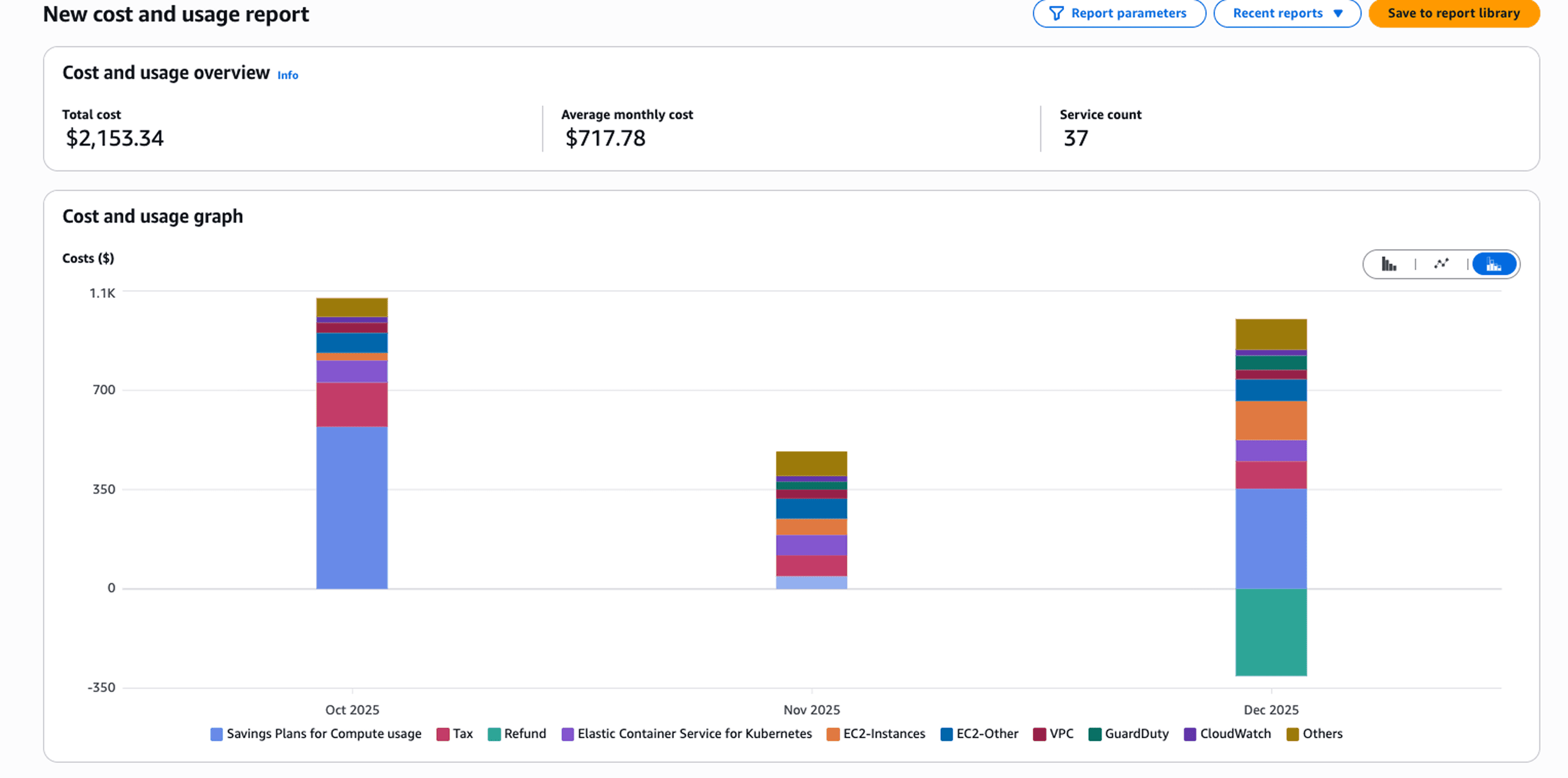
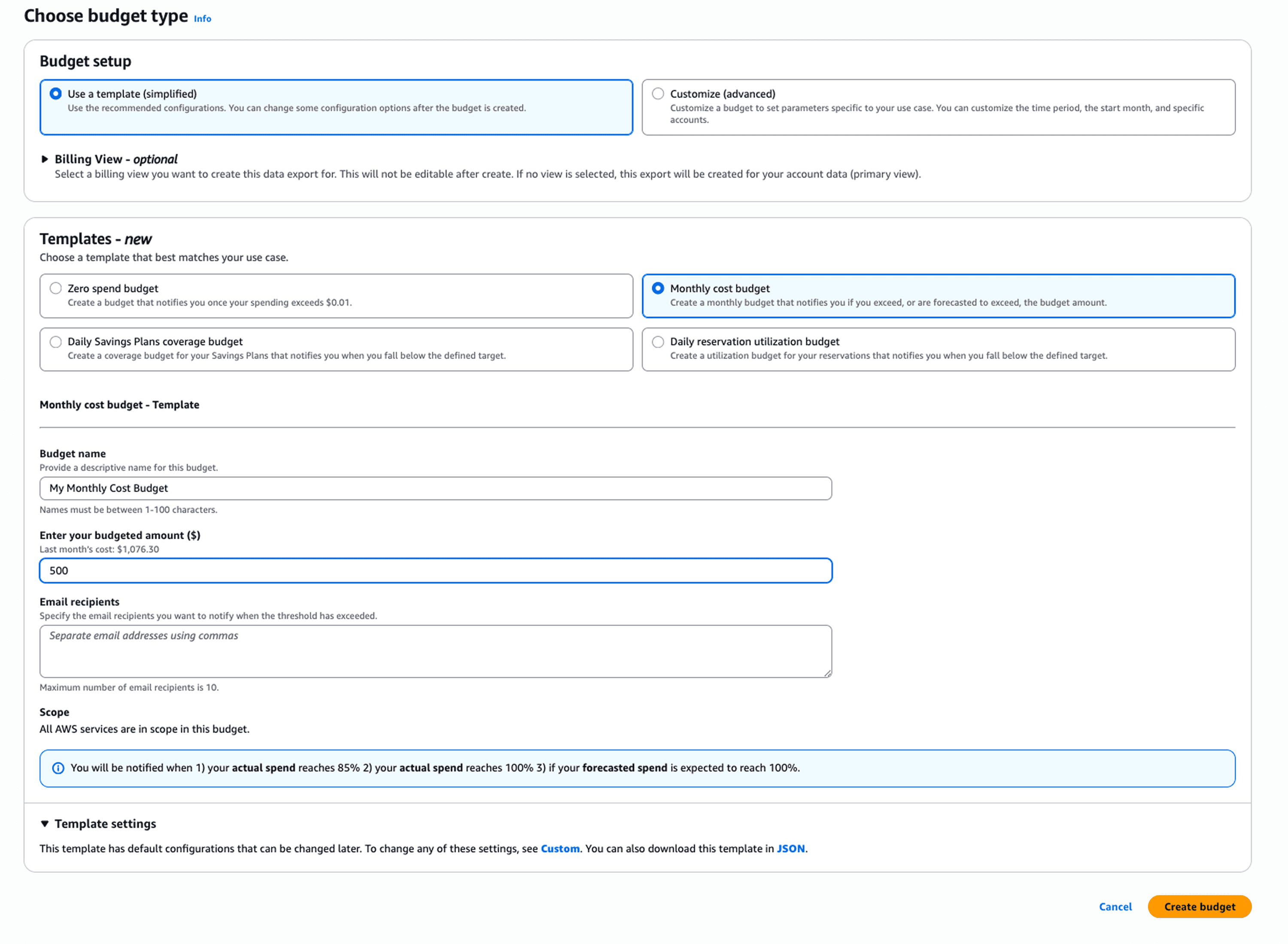
AWS Budgets lets you set custom cost and usage thresholds with automated alerts when spending approaches or exceeds limits. You can create budgets for specific accounts, services, tags, or time periods. The forecasting component warns when projected spending will breach budgets before it happens. Advanced configurations trigger automated actions like stopping instances when budgets are exceeded. This proactive monitoring prevents surprise overruns.
AWS Cost Anomaly Detection uses machine learning to identify unusual spending patterns. The system analyzes your historical usage multiple times daily, detecting spikes that deviate from normal patterns. When anomalies occur, you receive alerts with root cause analysis showing which service or resource drove the increase. This reduces the time to detect cost issues from weeks (when monthly bills arrive) to hours (when anomalies trigger).
AWS Trusted Advisor provides best practice checks across cost optimization, performance, security, resilience, and service limits. The cost optimization checks identify unused resources, idle instances, and underutilized Reserved Instances. Higher support tiers unlock more comprehensive recommendations. Teams use Trusted Advisor as a regular health check to catch common inefficiencies.
AWS Cost and Usage Report (CUR) delivers the most granular billing data available. This hourly or daily line-item report contains every AWS resource you use, with full details on costs, usage metrics, and metadata. Most third-party cost management platforms require CUR data as their foundation. Even if you primarily use Cost Explorer, having CUR available enables deeper analysis when needed.
These native tools provide solid baseline capabilities at no additional cost. Most organizations start here, then layer on third-party platforms for advanced features like automated optimization, predictive analytics, and comprehensive multi-cloud visibility.
AWS Cost Management Best Practices
Effective cost management combines smart account setup with aggressive waste elimination. Start with these foundational practices:
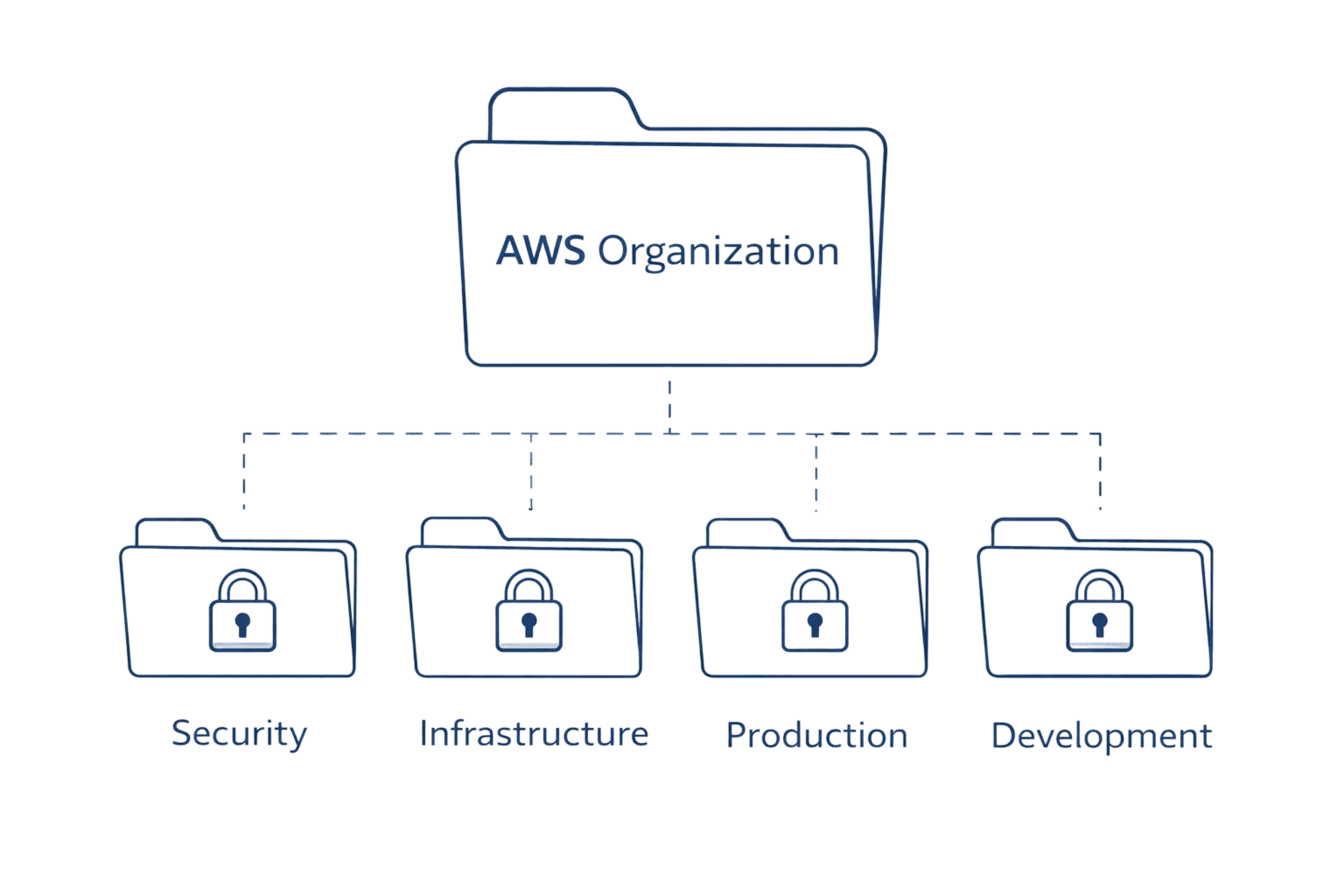
Implement AWS Organizations with consolidated billing to create a unified view of costs across all accounts. This single-payer structure simplifies billing, enables volume discounts, and provides centralized visibility. Structure your organization thoughtfully, with separate accounts for production, development, and testing at minimum.
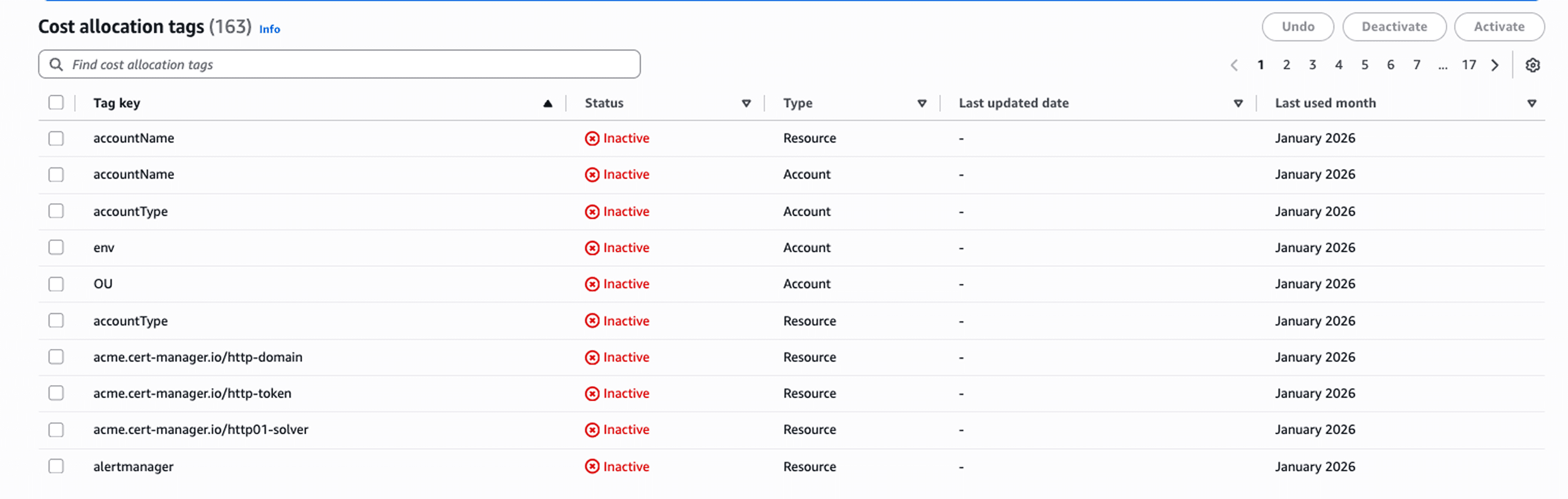
Develop a comprehensive tagging strategy before spinning up significant infrastructure. Decide on required tags like Environment, Team, Product, and CostCenter. Enforce tagging through AWS tag policies that prevent resource creation without mandatory tags. Activate cost allocation tags in AWS Billing so they appear in Cost Explorer. Without consistent tagging, cost allocation becomes impossible.
Set up Cost and Usage Reports early, even before implementing advanced analytics. CUR data takes time to accumulate, and you'll need historical patterns for trend analysis. The storage costs are minimal compared to the value of having granular billing data ready when you need it.
Now focus on waste elimination:
Schedule on/off times for non-production instances. Development and testing environments don't need to run nights and weekends. Instance Scheduler or similar automation tools can save 65% on these workloads by running them only during business hours. A development environment costing $10,000 monthly drops to $3,500 with proper scheduling.
Delete obsolete snapshots regularly. Teams create snapshots for backups but forget to clean them up. Each snapshot costs just a few dollars monthly, but hundreds of forgotten snapshots add thousands to your bill. Implement lifecycle policies that automatically delete snapshots older than your retention requirements.
Move infrequently accessed data to cold storage tiers. S3 offers multiple storage classes with progressively lower costs for data accessed less often. Analytics logs from six months ago don't need S3 Standard pricing. Move them to S3 Glacier and cut storage costs by 80%. Use lifecycle policies to transition data automatically based on age.
Eliminate zombie resources aggressively. Unused elastic IPs cost money. Idle load balancers cost money. Unattached EBS volumes cost money. These orphaned resources accumulate as teams spin up test environments and forget to clean up. Regular audits using AWS Config or third-party tools identify these easy wins.
Rightsize instances based on actual utilization. Teams often over-provision "to be safe," running m5.2xlarge instances when m5.large would handle the load. Cost Explorer provides rightsizing recommendations showing specific instance changes and expected savings. Review these monthly and adjust accordingly.
Use Spot Instances for fault-tolerant workloads. Batch processing, data analysis, and stateless applications can run on Spot with up to 90% savings versus On-Demand. The interruption risk is manageable when you architect for it.
Implement Auto Scaling to match capacity with actual demand. Instead of running 20 instances 24/7 to handle peak traffic that occurs 2 hours daily, scale from 5 instances during quiet periods to 20 during peaks. You pay for resources only when needed.
Cost Allocation and Chargeback Strategies
Cost allocation creates accountability by showing teams what they spend. Without it, cloud costs remain an abstract number that nobody owns.
Tags form the foundation of cost allocation. Tag every resource with Team, Product, Environment, and CostCenter at minimum. Use consistent naming conventions. Enforce tagging through policies. Activate cost allocation tags so AWS includes them in billing reports.
But tags alone have limitations. Multi-tenant resources serve multiple teams. Shared services like VPCs cost money but benefit everyone. Cost Categories solve this by letting you create business logic-based groupings that go beyond simple tags. You can build rules that automatically categorize resources based on multiple criteria.
Chargeback makes teams directly responsible for their consumption. Finance bills each team or department based on their actual usage. This creates strong incentives to optimize, since waste directly impacts team budgets. Chargeback works best for independent business units with clear resource boundaries.
Showback reports costs to teams without actually billing them. Teams see their consumption in dashboards and reports, creating visibility and awareness without financial enforcement. Showback works well when you want to build cost culture before implementing hard budget controls.
Discount Programs: Reserved Instances and Savings Plans
AWS offers three pricing models: On-Demand, Reserved Instances, and Savings Plans. Understanding when to use each maximizes savings.
On-Demand provides maximum flexibility. You pay per-hour or per-second with no commitment. Use On-Demand for unpredictable workloads, spiky traffic, and short-term needs. It costs more but offers complete flexibility.
Reserved Instances require 1-year or 3-year commitments for specific instance types in specific regions. In exchange, you receive up to 72% discounts versus On-Demand. Standard RIs offer the deepest discounts but no flexibility. Convertible RIs allow instance family changes with slightly lower discounts. Use RIs for stable, predictable workloads that won't change.
Savings Plans commit you to a fixed hourly compute spend for 1 or 3 years, providing flexible discounts across EC2, Lambda, and Fargate, with higher but narrower discounts available through EC2 Instance Savings Plans. The safest approach is to analyze 3 to 6 months of usage, commit only to your baseline that never dips below a stable level, and keep variable demand on On-Demand or Spot capacity while increasing commitments gradually once utilization stays above 95 percent. Managing this manually is slow and error-prone, so automated platforms like ProsperOps and nOps continuously adjust commitments based on actual usage to capture maximum savings without overcommitting.
Pricing Model | Commitment | Discount | Flexibility | Best For |
On-Demand | None | 0% | Complete | Variable, unpredictable workloads |
Reserved Instances | 1-3 years | Up to 72% | Low | Stable workloads, specific instances |
Savings Plans | 1-3 years | Up to 66% | High | Dynamic workloads needing flexibility |
Spot Instances | None | Up to 90% | High (interruptible) | Fault-tolerant batch processing |
30-Day AWS Cost Management Action Checklist
Use this step-by-step plan to move from zero visibility to active optimization in your first month.
Week 1: Establish Visibility
Enable AWS Organizations with consolidated billing.
Define and enforce mandatory cost allocation tags (Team, Product, Environment, CostCenter).
Activate tags in AWS Billing.
Enable Cost and Usage Reports (CUR) for detailed line-item tracking.
Review top 10 services and accounts in Cost Explorer.
Week 2: Control Spend
Configure AWS Budgets for each account and major team with alerts at 70%, 85%, and 95%.
Enable Cost Anomaly Detection with alert routing to owner teams.
Restrict unnecessary resource provisioning through IAM policies.
Identify and stop or delete obvious zombie resources (idle EC2, unattached EBS, unused ELBs).
Week 3: Optimize Resources
Review top 10 highest-cost workloads and apply rightsizing recommendations.
Schedule development and test environments to shut down outside business hours.
Implement S3 lifecycle policies to move old data to cold storage tiers.
Introduce Spot Instances for batch jobs or fault-tolerant workloads.
Week 4: Lock in Savings
Analyze 3–6 months of compute usage to establish your Savings Plans baseline.
Commit safely to stable usage only.
Track plan utilization daily to avoid under- or over-commitment.
Set up ongoing reviews with engineering and finance to align budgets with forecasts.
Implementing Automated Cost Management
Manual cost management doesn't scale. As your AWS environment grows to hundreds of resources, thousands of billable line items, and dozens of weekly optimization opportunities, automation becomes essential.
Modern cost platforms move teams from reactive reporting to predictive, action-oriented management. Instead of telling you what you spent last month, automated systems forecast next month’s spend, detect anomalies in real time, and implement optimizations with minimal human effort.
Idle Resource Detection
Automated monitoring continuously evaluates CPU usage, network activity, and disk I/O across your environment.
If an EC2 instance shows negligible utilization for 7+ days, the system flags it as idle, categorizes the risk level, and enables one-click termination for low-risk resources. This prevents waste from persisting for months unnoticed.
AI-Powered Rightsizing
Rightsizing engines analyze real utilization patterns against instance specifications.
For example, when an m5.2xlarge consistently uses under 30% CPU and memory, the system recommends downsizing to an m5.xlarge, complete with estimated savings and confidence scores. Changes can be automated during maintenance windows or executed manually after review.
Proactive Anomaly Detection
Machine learning models learn your normal spend behavior and identify unexpected spikes within hours.
Whether it's a misconfigured Auto Scaling group or a forgotten test cluster, alerts include severity, root cause, and automatic routing to the responsible team based on tags minimizing noise and preventing small issues from becoming large bills.
Predictive Forecasting
Forecasting models project spend at resource, service, and team levels.
You can identify accelerating cost trends before they breach budgets. Variance alerts notify you weeks in advance when your burn rate is likely to exceed monthly limits, enabling proactive action rather than reactive firefighting.
Intelligent Showback & Cost Allocation
Showback engines attribute costs accurately across teams and business units using a combination of tag-based allocation and infrastructure analysis.
Shared costs, such as data transfer or support fees, distribute proportionally. Savings from optimizations are credited to the teams that drive them to reinforce accountability.
Tag Governance & Automation
Tag recommendation systems suggest missing or inconsistent tags based on resource characteristics, while tag organization modules ensure semantic consistency across environments.
This solves the long-standing problem of incomplete, incorrect, or outdated tagging that undermines allocation accuracy.
Real-Time Budget Guardrails
Automated budget guardrails track burn rate continuously and trigger tiered warnings at 70%, 85%, and 95% thresholds.
Teams can define automated responses, notifications, escalation, or even temporary restrictions to prevent uncontrolled overspend.
One Integrated Solution
A modern automated cost management platform should combine all of the above idle detection, rightsizing, anomaly management, forecasting, showback, tag governance, budget controls, and infrastructure context into one unified system. Opsolute delivers this entire end-to-end automation layer, enabling teams to achieve continuous, real-time AWS cost optimization with minimal manual effort.
Frequently Asked Questions
What is the difference between AWS Cost Management and AWS Billing?
AWS Billing handles invoicing, payment processing, and viewing charges - the administrative side of your AWS account. AWS Cost Management encompasses the strategic practice of analyzing, optimizing, and controlling costs through tools like Cost Explorer, Budgets, and optimization recommendations. Billing is retrospective; cost management is proactive.
How much can organizations typically save with effective AWS cost management?
Organizations typically achieve 30-60% cost reduction through comprehensive practices. Savings break down as: 10-20% from eliminating idle resources, 15-25% from rightsizing instances, 40-70% on committed usage through Reserved Instances and Savings Plans, and up to 90% on flexible workloads using Spot Instances. The exact savings depend on your starting efficiency and implementation thoroughness.
Should I use AWS native tools or third-party platforms?
Start with AWS native tools (Cost Explorer, Budgets, Trusted Advisor) for foundational visibility at no additional cost. Consider third-party platforms when you need advanced automation, multi-cloud support, container cost allocation, unit economics analysis, or hands-free commitment management. Many organizations use both: native tools for basic monitoring and third-party platforms for optimization automation.
How do Reserved Instances differ from Savings Plans?
Reserved Instances provide discounts for specific instance types in specific regions, requiring precise capacity planning. Savings Plans offer more flexibility, applying to any instance family, size, or region within the plan scope. Both require 1-year or 3-year commitments with similar discount levels. Savings Plans are generally easier to manage for dynamic workloads while RIs work better for completely stable, unchanging infrastructure.
What is the most important first step in AWS cost management?
Establish a comprehensive tagging strategy. Tags enable cost allocation, resource tracking, and team accountability. Activate cost allocation tags in AWS Billing, enforce tag policies through AWS Organizations, and consider automated tagging solutions for consistency. Without tags, you can see total costs but cannot attribute spending to teams, products, or projects.
Take Control of Your AWS Spending
Effective AWS cost management combines visibility, governance, and optimization into a continuous improvement cycle. Start with the fundamentals: implement Organizations with consolidated billing, establish comprehensive tagging, and set up Cost and Usage Reports. Build visibility through Cost Explorer and Budgets. Eliminate obvious waste by scheduling non-production instances, deleting obsolete snapshots, and terminating zombie resources.
As you mature, layer on automated optimization through intelligent platforms that detect anomalies, predict spending trends, and optimize commitments continuously. The difference between teams that control costs and those surprised by bills comes down to systematic practices, not just tools.
Ready to move beyond manual cost management? Explore how Opsolute's unified cloud management platform automates AWS cost optimization with intelligent anomaly detection, predictive forecasting, and team-based chargeback. Our customers reduce cloud spending by 30-40% while improving engineering velocity. Book a demo to see how automated cost optimization works for your infrastructure.