Introduction
This guide shows how to build AWS monitoring that improves reliability while identifying optimization opportunities worth 20-30% of your monthly cloud spend.
Managing AWS infrastructure without proper monitoring is like flying blind. With organizations running hundreds of services across multiple regions, visibility into performance, security, and costs becomes critical for operational success. This comprehensive guide walks you through the AWS monitoring ecosystem, from native CloudWatch capabilities to third-party observability platforms, helping you build a monitoring strategy that catches issues before they impact users while keeping costs under control.
Key Highlights
AWS CloudWatch provides native monitoring for 80+ AWS services with metrics, logs, and distributed tracing capabilities
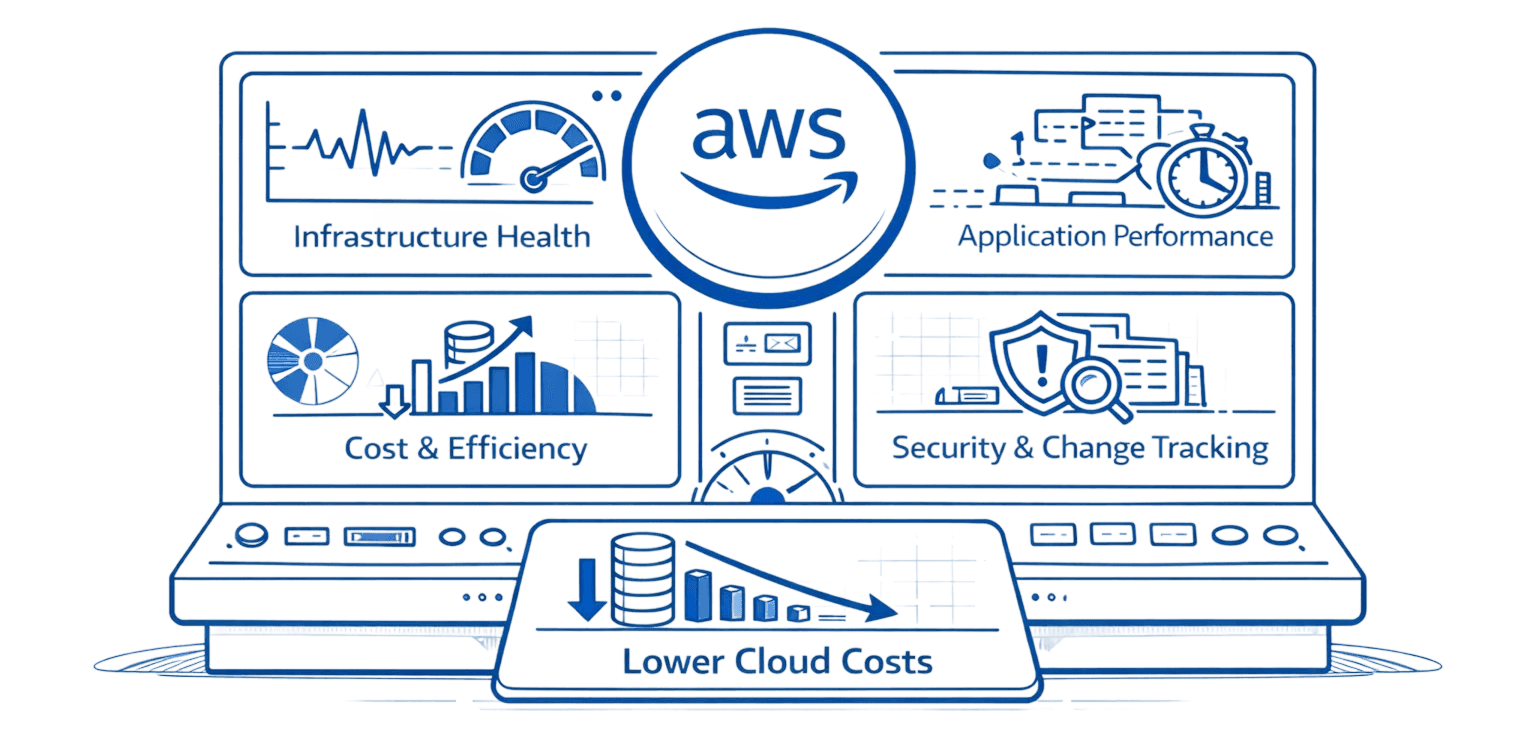
Effective monitoring requires tracking four pillars: infrastructure metrics, application performance, security events, and cost anomalies
Third-party tools like Datadog, Grafana, and Prometheus offer advanced visualization and multi-cloud support beyond CloudWatch
Strategic monitoring can reduce MTTR by 90% and identify optimization opportunities worth 20-30% of monthly cloud spend
Unified observability platforms eliminate tool sprawl and provide correlation between metrics, logs, and traces for faster troubleshooting
What Is AWS Monitoring and Why It Matters
AWS monitoring is the continuous collection, analysis, and visualization of metrics, logs, and traces from your cloud infrastructure and applications. Unlike traditional on-premises monitoring that focused on hardware health, AWS Tags spans elastic compute instances, serverless functions, managed databases, storage systems, and networking components that scale dynamically.
The business impact is substantial. Teams with proper monitoring reduce mean time to resolution by 90% compared to reactive troubleshooting. They catch performance degradation before users complain. More importantly, monitoring data reveals cost optimization opportunities that typically reduce monthly cloud spend by 20-30%.
Modern cloud architectures demand comprehensive observability. When a single API request flows through Lambda functions, containers, databases, and caching layers across multiple availability zones, you need visibility at every hop. Without it, you're debugging production incidents blind, burning engineering hours and customer trust simultaneously.
But monitoring serves two distinct purposes that require different approaches. Reliability monitoring tracks performance, errors, and availability to keep systems running smoothly. Cost intelligence monitoring analyzes utilization patterns and spending to eliminate waste. Most teams treat CloudWatch as operations-only tooling and miss the cost optimization signal hidden in their metrics data.
Understanding the AWS Monitoring Ecosystem
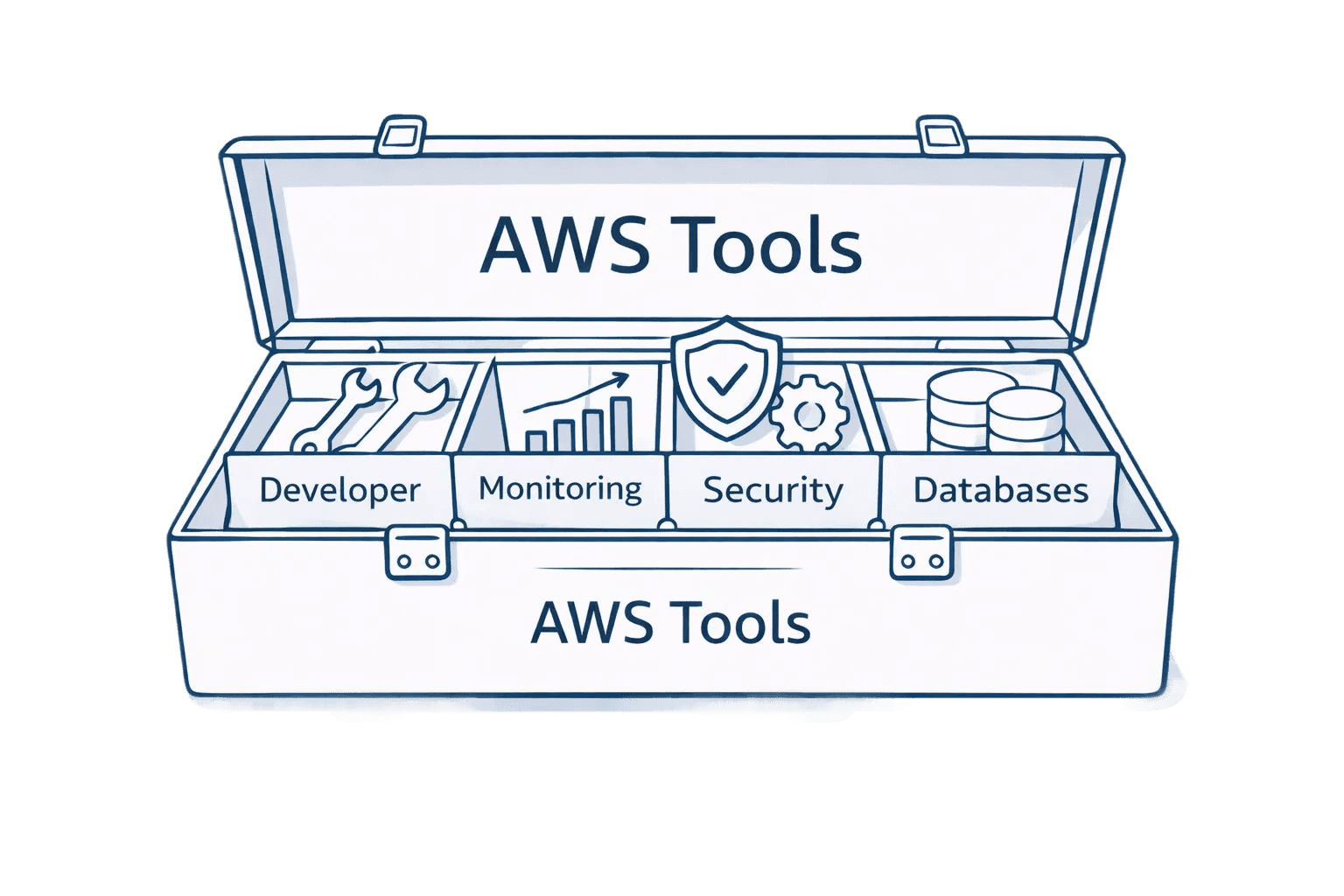
AWS provides four core monitoring services, each serving distinct purposes. CloudWatch handles metrics, logs, and alarms across 80+ AWS services like AWS Savings Plans. It's your central nervous system, tracking everything from EC2 CPU utilization to Lambda invocation counts.
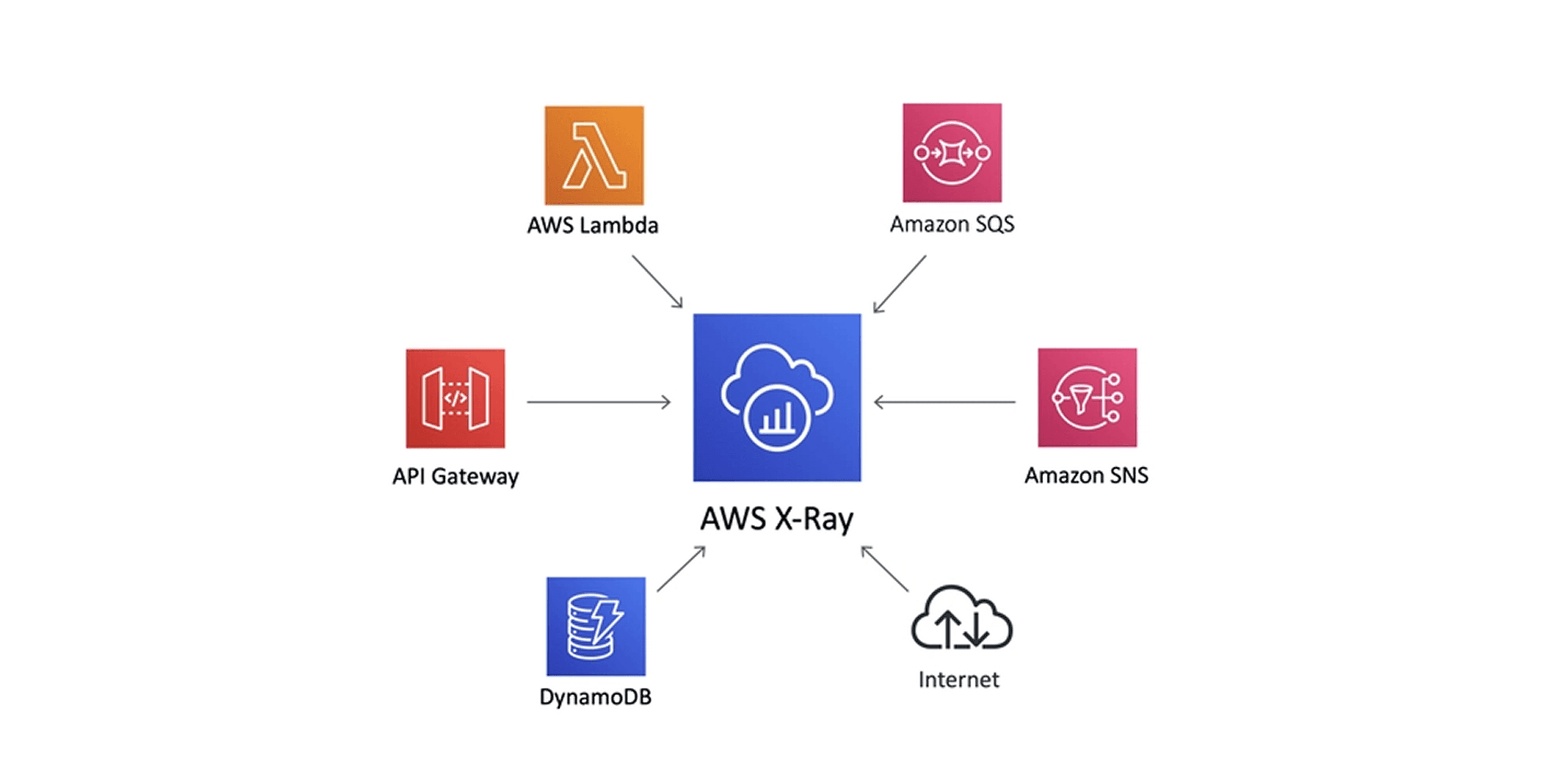
X-Ray provides distributed tracing, showing exactly how requests flow through your application. When users report slow checkout times, X-Ray reveals whether the bottleneck is your authentication service, payment processor, or database query.
CloudTrail records every API call made in your AWS account. It's your security and compliance audit log, tracking who did what, when, and from where. GuardDuty analyzes CloudTrail logs, VPC flow logs, and DNS logs to detect threats automatically.
The AWS Health Dashboard shows real-time service status across regions. When AWS experiences outages, this dashboard provides official updates and service-specific impact assessments, improving AWS Cost Management.
Native AWS Tools vs Third-Party Solutions
Capability | CloudWatch | Third-Party Tools |
AWS Integration | Native, automatic | Requires configuration |
Multi-cloud Support | AWS only | AWS, Azure, GCP, on-prem |
Data Egress Costs | None | Can be significant |
Advanced Visualization | Basic dashboards | Sophisticated, customizable |
Alerting Logic | Threshold-based | ML-powered, correlation-based |
Learning Curve | Moderate | Varies by tool |
Essential Metrics to Track Across AWS Services
Different AWS services require different monitoring approaches. Here's what matters for each major service type.
EC2 Instances: Monitor CPU utilization (sustained above 80% signals right-sizing needs), memory utilization (requires CloudWatch agent installation), disk I/O operations per second, network bytes in/out, and status check failures. Set alarms when CPU crosses 80% for 10 consecutive minutes.
Lambda Functions: Track invocation count, duration (watch for timeouts), error rate (set threshold at 1%), throttles (indicates concurrent execution limits), and concurrent executions. Cold starts matter for latency-sensitive applications, so monitor initialization time separately.
RDS Databases: Watch database connections (approaching max connections causes failures), CPU utilization, read/write IOPS, freeable memory, and replication lag for read replicas. Database CPU above 80% or low freeable memory indicates scaling requirements.
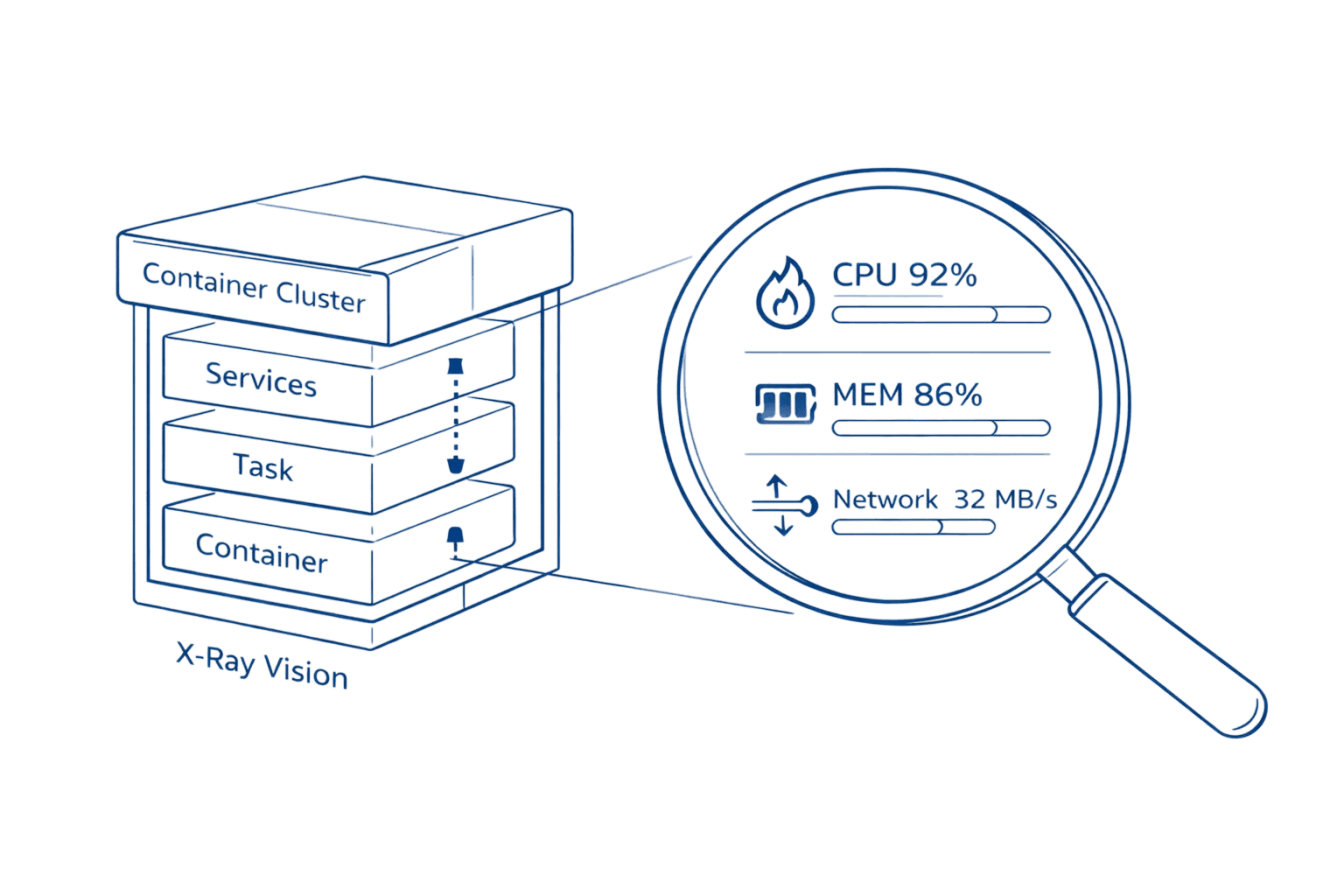
ECS/EKS Containers: Monitor CPU and memory reservation vs utilization, task count, service deployment success rate, and target group health. Container orchestration adds complexity, so correlate infrastructure metrics with application performance data.
ELB Load Balancers: Track request count, target response time, HTTP error codes (4xx and 5xx), healthy vs unhealthy target counts, and consumed load balancer capacity units. Sudden spikes in 5xx errors indicate backend service issues.
Setting Up CloudWatch for Comprehensive Monitoring
Start by installing the CloudWatch agent on your EC2 instances and on-premises servers. The agent collects system-level metrics beyond the default five-minute basic monitoring.
# Install CloudWatch agent on Amazon Linux 2 |
This wizard walks you through selecting which metrics to collect. Enable memory utilization, disk usage, and network statistics. The agent pushes metrics to CloudWatch every minute for granular visibility.
Choose metric granularity carefully to control costs. Detailed monitoring (1-minute intervals) costs $2.10 per instance monthly versus basic monitoring (5-minute intervals) which is free. Use 1-minute granularity only for production instances where quick detection matters. For logs, metrics are cheaper than raw log ingestion: extracting error counts via metric filters costs $0.30 monthly per metric versus $0.50 per GB for storing logs you'll query repeatedly. A single noisy application logging 100 GB monthly costs $50 in ingestion alone.
Create a dashboard that provides at-a-glance health status. Group related metrics logically: one section for compute resources, another for databases, a third for application-layer metrics. Use line graphs for trends, number widgets for current values, and logs insights widgets for real-time log queries.
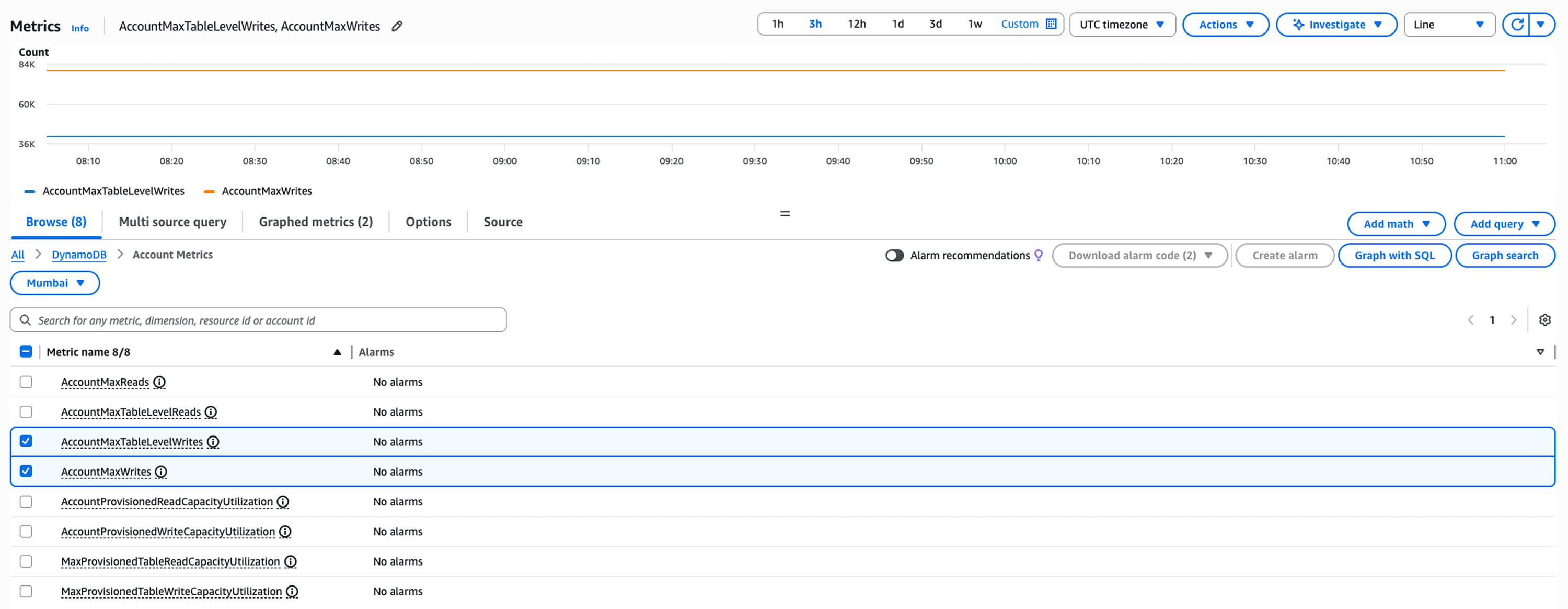
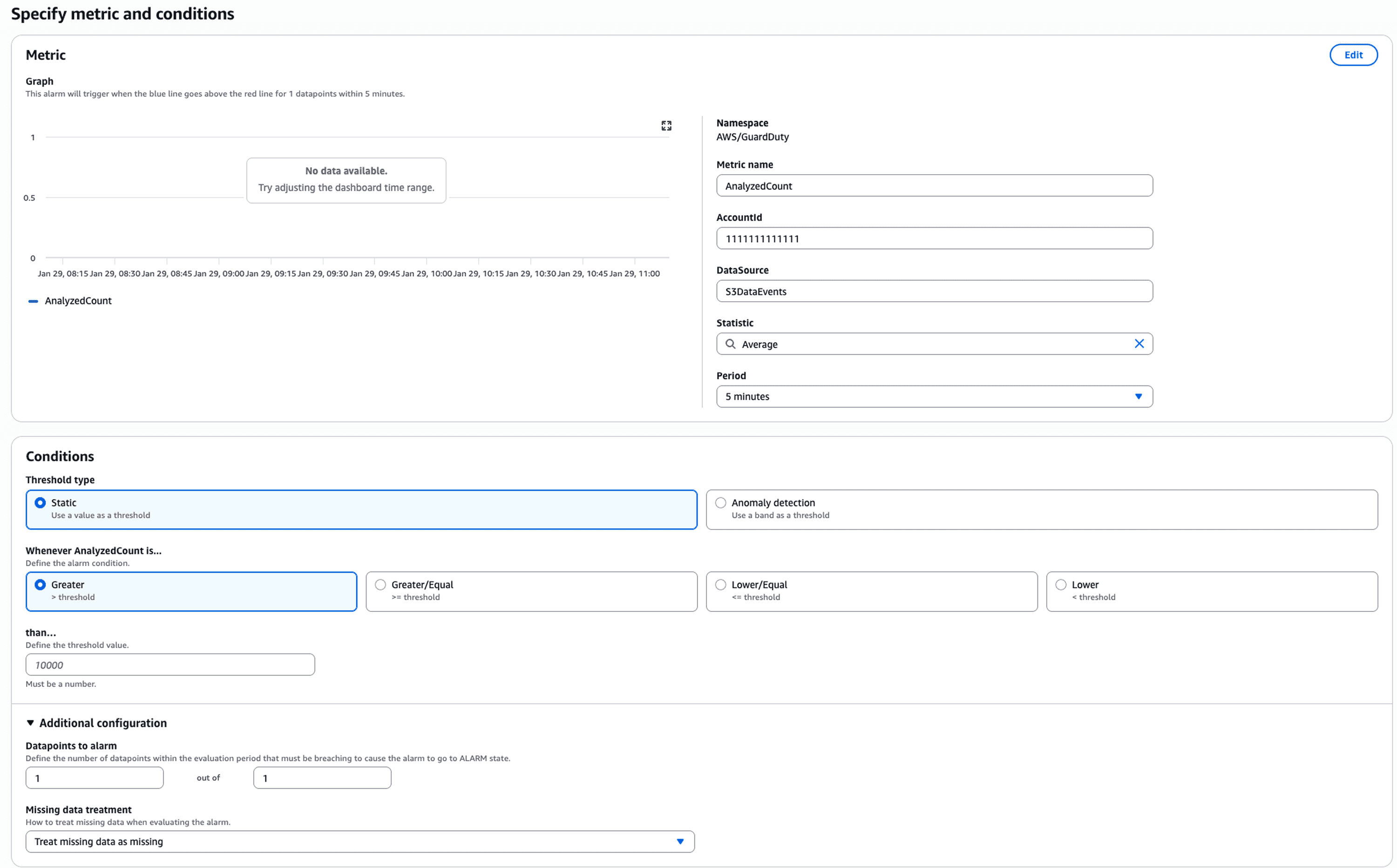
Configure alarms strategically. Start with critical metrics that indicate customer-facing issues: load balancer 5xx error rate, database connection failures, Lambda throttling. Set appropriate thresholds based on your baseline performance data, not arbitrary numbers. An alarm that fires daily loses credibility fast.
Top AWS Monitoring Tools Compared
CloudWatch handles AWS-native monitoring well, but specialized tools offer capabilities it lacks. Here's how leading solutions compare:
Tool | Best For | Pricing Model | Key Strength |
CloudWatch | AWS-only shops | Pay per metric/log | Native integration, no egress costs |
Datadog | Multi-cloud enterprises | Per host + custom metrics | Unified APM and infrastructure |
Grafana + Prometheus | Kubernetes workloads | Open source + hosting costs | Customizable, flexible queries |
New Relic | Application-centric teams | Per user + data ingestion | Deep code-level insights |
Dynatrace | Large enterprises | Annual contracts | AI-powered root cause analysis |
Choose based on your environment complexity and budget.
Use this decision framework: Single AWS account with no Kubernetes? Start with CloudWatch alone. Multiple accounts or any Kubernetes workload? Add Grafana and Prometheus. Running multi-cloud or need cost correlation with performance data? Unified platforms like Opsolute justify their cost by connecting reliability metrics to spending intelligence.
Small teams running pure AWS workloads save money with CloudWatch. Organizations running Kubernetes across multiple clouds benefit from Grafana's flexibility. Teams needing sophisticated APM justify Datadog or New Relic's higher costs with faster troubleshooting.
Security and Compliance Monitoring
CloudTrail logs every action taken in your AWS account. Someone deleted an S3 bucket? CloudTrail shows who, when, and from which IP address. Configure CloudTrail to log to a dedicated S3 bucket with restricted access and enable log file integrity validation to detect tampering.
GuardDuty analyzes CloudTrail logs, VPC flow logs, and DNS logs continuously, using machine learning to detect threats. It identifies compromised instances communicating with known malicious IPs, unusual API call patterns indicating credential theft, and cryptocurrency mining activity.
# Enable GuardDuty via CLI |
AWS Config tracks resource configuration changes over time. It answers questions like "which security groups allowed SSH from 0.0.0.0/0 last month?" Configure Config rules for compliance requirements: encryption at rest, approved AMIs only, MFA on root accounts.
Set up EventBridge rules to trigger automated remediation. When Config detects a non-compliant security group, trigger a Lambda function that either fixes it automatically or notifies the security team with full context.
Cost Optimization Through Monitoring Intelligence
Monitoring data reveals where you're wasting money. Instances with consistent CPU utilization below 20% are oversized. Storage volumes attached but unused are pure waste. Lambda functions with excessive memory allocation relative to actual usage are overpaying.
Most organizations discover 20-30% of their cloud spend goes to resources that could be downsized or eliminated. The challenge isn't identifying waste conceptually but operationalizing that identification at scale across hundreds of accounts and thousands of resources.
This is where unified platforms like Opsolute transform monitoring from a reliability tool into a cost optimization engine. Opsolute's FinOps Dashboard correlates CloudWatch performance metrics with actual spending, showing exactly which resources consume budget without delivering proportional value.
The platform's Anomaly Detection continuously analyzes spending patterns, alerting within 24 hours when costs spike unexpectedly. When a developer accidentally launches 50 instances instead of 5, you catch it immediately rather than discovering it during month-end billing reconciliation.
Opsolute's Cost Optimization recommendations go beyond generic suggestions. The platform analyzes actual utilization patterns from CloudWatch to recommend specific instance right-sizing: "Downsize this r5.4xlarge to r5.2xlarge based on 6 weeks of 35% average CPU utilization, saving $1,200 monthly without performance risk."
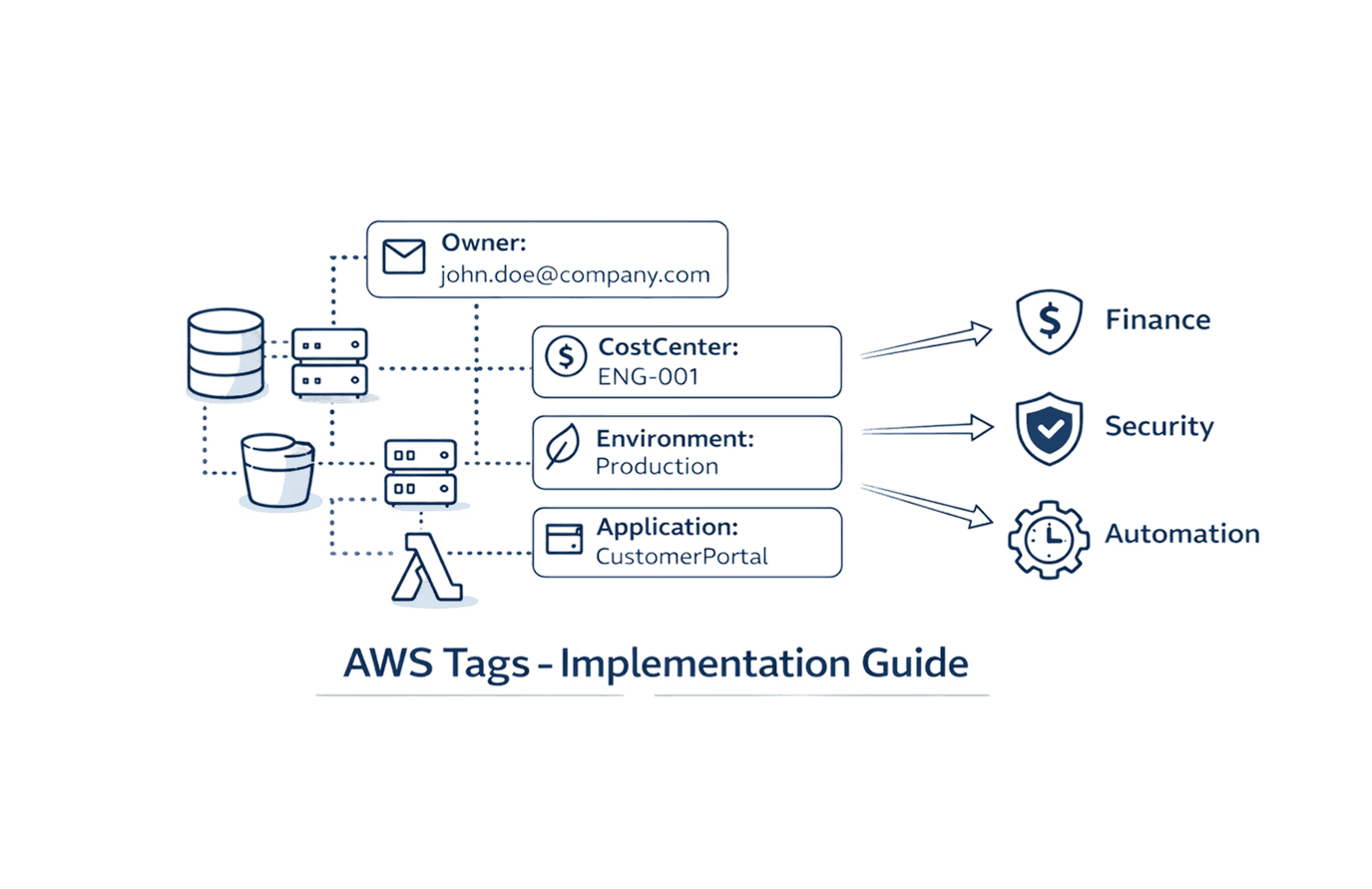
The Heatmap visualization reveals utilization patterns over time, helping identify resources that could shift to spot instances or be scheduled on/off based on usage windows. Integration with Resource Inventory and Tag Management enables precise cost attribution, so teams see exactly how their infrastructure spending correlates with performance metrics.
Building an Effective Monitoring Strategy
Start with the four pillars: infrastructure health, application performance, security posture, and cost efficiency. Each pillar requires different metrics, different alert thresholds, and different stakeholder dashboards.
For infrastructure: Monitor resource utilization, service availability, and error rates. Alert on conditions that indicate imminent failures or customer impact.
For applications: Track request rates, response times, error rates, and saturation (how full your services are). The RED method (Rate, Errors, Duration) provides comprehensive application health visibility.
For security: Watch for unusual access patterns, configuration changes, and threat detections. Alert on high-severity findings immediately, batch medium-severity findings for daily review.
For costs: Track daily spending trends, budget burn rates, and anomalies. Alert when spending exceeds forecasts by meaningful percentages, not minor fluctuations.
Structure dashboards by audience. Executives need high-level spend trends and service availability. Engineers need granular metrics for their specific services. Finance needs cost allocation by team and project with variance explanations.
Set meaningful alert thresholds. An alarm that fires daily becomes noise. Use dynamic baselines rather than static thresholds when possible. CloudWatch Anomaly Detection learns normal patterns and alerts on statistically significant deviations.
Troubleshooting with AWS Monitoring Tools
When production issues occur, systematic troubleshooting separates great teams from struggling ones. Start with service-level metrics to identify which component is failing, then drill into resource-level details.
Example scenario: Users report slow checkout. Check load balancer metrics first. Target response time increased from 200ms to 3 seconds. Now check target health. All targets are healthy, so it's not availability. Check RDS metrics. CPU at 95%, read IOPS maxed. The bottleneck is clear.
CloudWatch Logs Insights queries the application logs to understand what changed. Use this query to find slow database queries:
fields @timestamp, @message |
Results show a particular report query executing 100x more frequently than normal. Check X-Ray traces to see which API endpoint is calling it. Turns out a third-party integration is polling the endpoint every second instead of every minute due to a configuration change.
This systematic approach using correlated monitoring data reduces MTTR from hours to minutes. Without monitoring, you're restarting services randomly hoping something fixes it.
Your Monitoring Maturity Roadmap
Most teams evolve through four stages of monitoring capability:
Reactive (Stage 1): You discover problems when users complain. Monitoring exists but alerts fire after impact occurs. Focus here on basic CloudWatch dashboards and alarms for critical metrics.
Proactive (Stage 2): Monitoring catches issues before users notice. You've tuned alert thresholds to detect degradation early and eliminated false positives. Add distributed tracing and log correlation at this stage.
Predictive (Stage 3): Baseline analysis and anomaly detection warn you about resource exhaustion before it happens. Capacity planning uses actual utilization trends rather than guesswork. This requires either CloudWatch Anomaly Detection or third-party ML-powered tools.
Cost-Aware (Stage 4): Performance monitoring drives cost optimization decisions. You correlate spending with utilization to rightsize resources confidently, spot waste automatically, and attribute costs accurately. Platforms combining observability with FinOps intelligence operate at this level.
Assess where you are today and focus on reaching the next stage rather than jumping directly to advanced capabilities your team isn't ready to operationalize.
FAQ
Q: What is the difference between AWS monitoring and AWS observability?
A: AWS monitoring focuses on tracking predefined metrics and alerting on threshold breaches, while observability provides deeper insights through correlation of metrics, logs, and traces to understand system behavior. Monitoring tells you when something breaks; observability helps you understand why it broke and how components interact.
Q: How much does AWS CloudWatch cost for a typical application?
A: CloudWatch costs vary based on metrics volume, log ingestion, and API calls. A small application might spend $50-200/month, while enterprise workloads can reach thousands monthly. Costs include custom metrics ($0.30 per metric/month), log ingestion ($0.50/GB), and dashboard usage, making it essential to optimize retention policies and metric granularity.
Q: Can I monitor multiple AWS accounts from a single dashboard?
A: Yes, through CloudWatch cross-account observability, AWS Organizations integration, or third-party platforms like Datadog and Grafana. Unified platforms like Opsolute provide centralized monitoring across multiple AWS accounts, GCP projects with consolidated dashboards and cost attribution.
Q: What are the most critical metrics to monitor for EC2 instances?
A: Monitor CPU utilization (sustained above 80% indicates right-sizing needs), memory utilization (requires CloudWatch agent), disk I/O (IOPS and throughput), network traffic (bytes in/out), and status checks. Combine with application-level metrics like response times and error rates for complete visibility.
Q: How do I reduce CloudWatch costs without losing visibility?
A: Optimize log retention periods (reduce from default indefinite to 30-90 days), use metric filters to extract specific insights rather than querying raw logs, aggregate detailed metrics at lower resolution, implement sampling for high-volume traces, and use CloudWatch Logs Insights instead of exporting all logs to S3.
Q: Should I use CloudWatch or a third-party monitoring tool?
A: CloudWatch works well for AWS-native monitoring with tight service integration and no data egress costs. Choose third-party tools when you need multi-cloud monitoring, advanced visualization, better alerting logic, longer retention, or specific APM capabilities that CloudWatch doesn't provide natively.
Q: How does monitoring help with AWS cost optimization?
A: Monitoring reveals idle resources (low CPU/network over time), oversized instances (consistently low utilization), storage waste (unused volumes), and usage patterns for right-sizing decisions. Platforms combining monitoring with FinOps like Opsolute correlate performance metrics with costs to identify optimization opportunities without risking performance.
Q: What is the best way to monitor AWS Lambda functions?
A: Track invocation count, duration, error rate, throttles, and concurrent executions using CloudWatch metrics. Enable X-Ray tracing for request-level insights, monitor cold starts, set alarms on error rates above 1%, and analyze memory utilization to optimize function configuration and reduce costs.