Introduction
Your AWS bill just jumped 40%. Finance is demanding answers. Three teams claim they didn't authorize the new resources. Nobody knows who owns the mystery EC2 instances running in us-west-2.
This chaos is preventable. AWS tags transform your cloud from an unmanaged sprawl into an organized, trackable infrastructure where every resource has an owner, every cost has a destination, and every access decision follows policy. This guide shows you how to implement AWS tags the right way, from foundational concepts through enterprise enforcement.
Key Highlights
AWS tags are key-value metadata pairs that organize resources across all AWS services for cost tracking, security, and automation
Three implementation paths: Console for quick tagging, CLI for automation, and Infrastructure as Code for systematic deployment
Tagging strategy requires mandatory tags (Owner, CostCenter, Environment) plus discretionary tags for specific use cases
Enforcement through AWS Organizations using tag policies and Service Control Policies prevents non-compliant resource creation
Tag-based access control (ABAC) replaces hundreds of individual IAM policies with dynamic permission systems
Cost allocation tags need 24-hour activation before appearing in billing reports
What Are AWS Tags and Why They Matter
AWS tags are metadata labels you attach to cloud resources. Each tag consists of a key and a value think of them as custom fields you define for every EC2 instance, S3 bucket, RDS database, or Lambda function you create.
A tag might look like Environment: Production or CostCenter: Engineering. Simple concept, massive impact.
Without tags, your AWS environment is a black box. You see total spend even with AWS Savings Plans but can't answer basic questions: Which team caused the $15K spike? What percentage goes to development versus production? Which applications cost the most to run?
Tags solve this. They create a metadata layer that powers cost allocation, access control, automation, and compliance tracking. Companies implementing systematic tagging typically identify 20-30% of their resources as idle or oversized within the first month.
Real-World Impact: SaaS Company Reduces Mystery Costs by $47K Monthly
A mid-sized SaaS platform with 1,200+ AWS resources discovered they couldn't attribute 35% of their $135K monthly bill. Finance knew the total, but couldn't identify which products or teams were responsible.
They implemented a mandatory four-tag system: Owner, CostCenter, Environment, and Application. Within 30 days of enforcement:
Identified $47K in orphaned resources from a cancelled project still running
Discovered the data analytics team was spending $28K monthly on oversized RDS instances in development
Found 85 unattached EBS volumes costing $3,200 monthly that nobody claimed
The tagging initiative paid for itself in week one. By month three, their cost allocation accuracy jumped from 65% to 97%, enabling accurate chargeback and informed budget decisions.
What Tags Enable:
Track spending by team, project, application, or customer for accurate chargebacks
Control who can access which resources using tag-based IAM policies
Automate backups, scheduling, and monitoring based on environment tags
Demonstrate regulatory compliance during audits with queryable metadata
AWS supports two types of tags. User-defined tags are the ones you create, you pick the key, set the value, manage the lifecycle. AWS-generated tags come from AWS services automatically using the aws: prefix like aws:cloudformation:stack-name. You can't edit them or create your own tags with the aws: prefix.
The key difference matters for implementation. User-defined tags represent your business logic and organizational structure. AWS-generated tags help with operational tracking but can't be customized.
AWS Tags Use Cases: From Cost Tracking to Security Control
Tags unlock capabilities that feel like superpowers once you implement them properly. The same metadata layer serves completely different purposes across your organization.
Cost Allocation: Follow the Money
Your finance team needs to allocate $250K in monthly AWS spending across five departments. Without tags, they're guessing. With tags, they know.
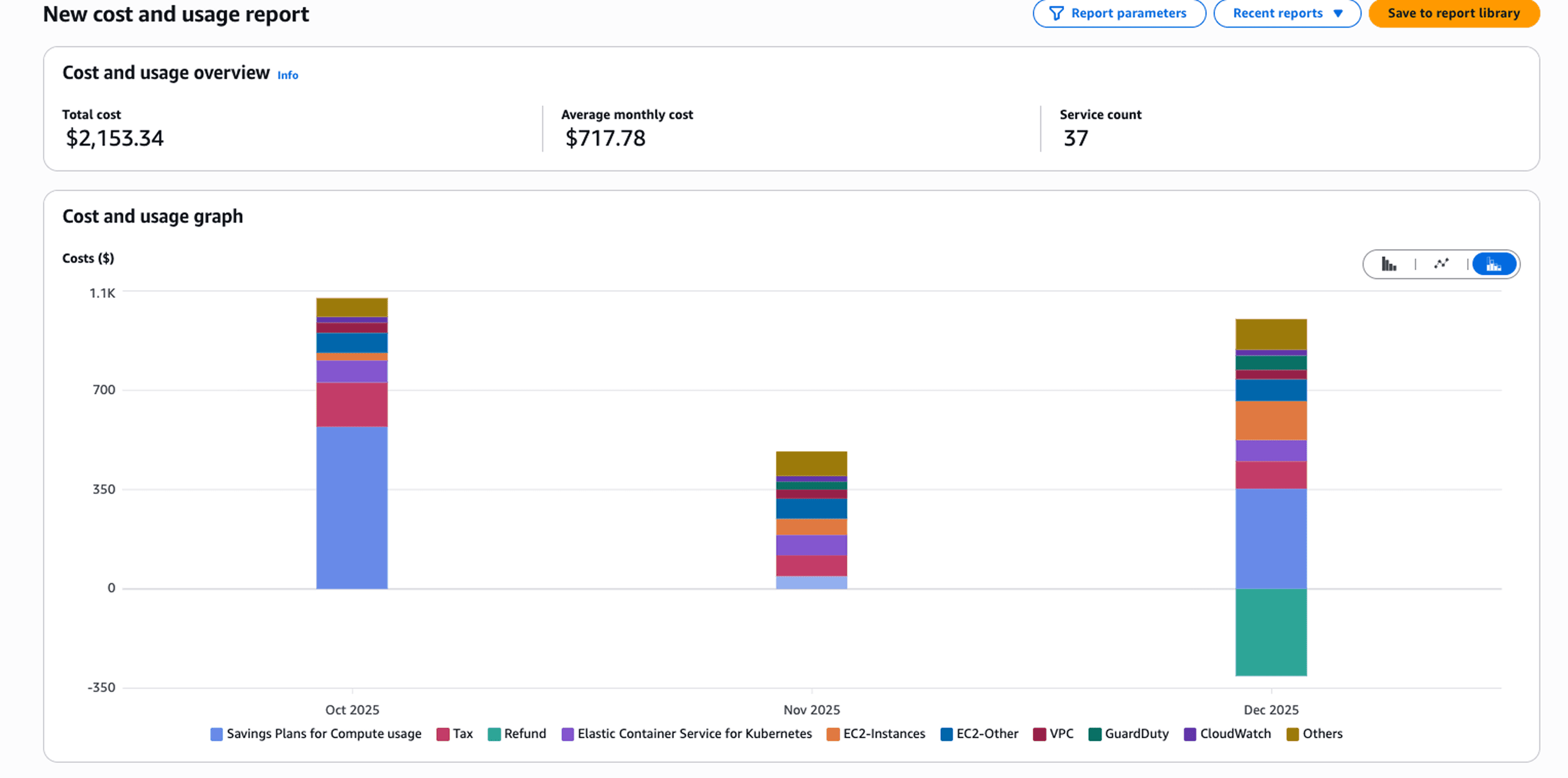
Activate cost allocation tags in the Billing Console. Add CostCenter tags to every resource. Within 24 hours, your cost reports break down spending by department automatically. The engineering team spent $87K last month. Marketing spent $34K. DevOps infrastructure cost $41K.
Cost Explorer lets you filter by any tag combination. Want production costs for the CustomerPortal application in the Engineering cost center? Filter by Environment: Production, Application: CustomerPortal, and CostCenter: ENG-001. The exact cost appears instantly.
Attribute-Based Access Control: Security That Scales
Traditional IAM policies don't scale. You create a policy for each team, each environment, each application. Maintaining 200 policies across 50 teams becomes impossible.
ABAC replaces that complexity with tag-based conditions. One policy states: "Users can only manage resources tagged with their team name." Every developer automatically gets access to their team's resources, nothing else.
{ |
Security Transformation: 200 IAM Policies Replaced by 5 Tag-Based Rules
A financial services company managed 47 development teams across 12 AWS accounts. Their security team maintained 200+ individual IAM policies one for each team-environment-service combination. Every new hire required policy updates. Every team reorganization meant policy rewrites.
They migrated to ABAC using three tags: Team, Environment, and DataClassification. Five master policies now govern all access:
Developers access resources matching their Team tag
Production access requires explicit Environment: Production permissions
Confidential data requires additional DataClassification authorization
New developer onboarding dropped from 2 hours to 5 minutes. Security policy maintenance fell by 80%. The team eliminated the backlog of 40+ pending access requests because permissions now flow automatically from tag assignments.
The unexpected benefit: improved security posture. Tag-based policies prevent developers from accidentally accessing production or sensitive data violations that happen regularly with manual policy management.
This policy grants instance control only when the resource's Team tag matches the user's Team tag. New developer joins the frontend team? Tag their IAM user with Team: Frontend. They immediately get appropriate access. No policy updates required.
Operational Automation: Work Smarter
Tags drive automation workflows that eliminate manual operations. An e-commerce company tags development resources with Environment: Development and Schedule: 9to5. A Lambda function runs twice daily: start instances at 9 AM, stop them at 6 PM. This simple automation cut their development environment costs by 55%.
Building Your Tagging Dictionary: Mandatory vs Discretionary Tags
A tagging dictionary defines which tags exist, what values they accept, and which ones are required versus optional. Without a dictionary, every team invents their own tags. You get environment, env, and Environment all meaning the same thing.
Mandatory Tags: The Non-Negotiables
These tags apply to every AWS resource, no exceptions.
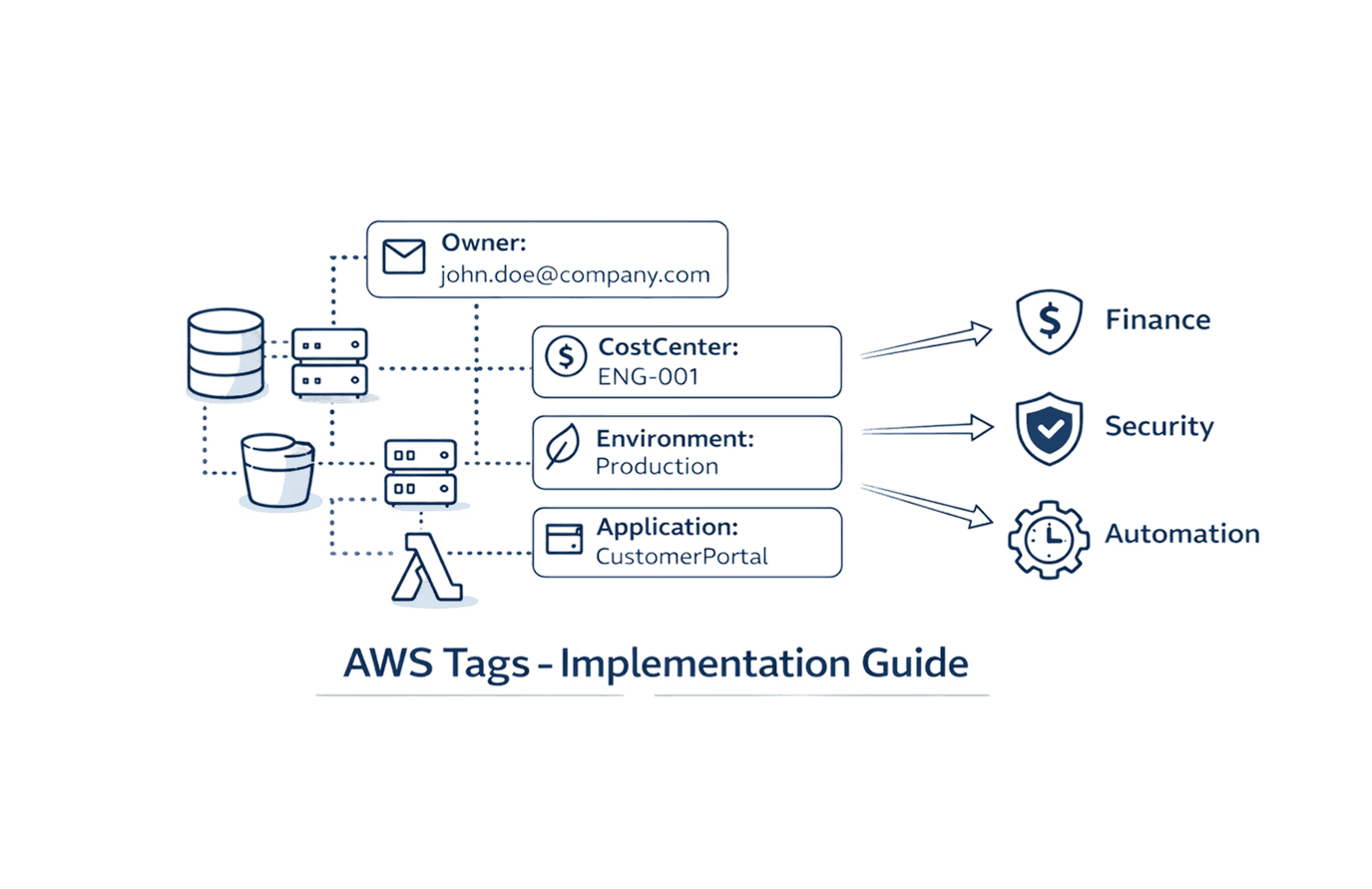
Owner identifies who's responsible for the resource. Use email addresses for accountability: john.doe@company.com. When something breaks at 3 AM, you know exactly who to contact.
CostCenter tracks financial responsibility using your organization's existing cost center codes: ENG-001, MKT-050, OPS-010. This enables accurate cost allocation without manual spreadsheet reconciliation.
Environment separates production from non-production workloads with standard values: Production, Staging, Development, QA. Security policies differ by environment. Production gets 24/7 monitoring. Development shuts down at night to save costs.
Application groups resources that work together as a service: CustomerPortal, DataPipeline, PaymentProcessing. When you need the total cost of running your customer portal, filter by Application: CustomerPortal.
Mandatory Tag | Purpose | Example Values |
Owner | Accountability | john.doe@company.com |
CostCenter | Financial tracking | ENG-001, MKT-050 |
Environment | Lifecycle stage | Production, Development |
Application | Service grouping | CustomerPortal, DataPipeline |
Discretionary Tags: Specific Use Cases
These tags apply when relevant. Not every resource needs them.
Backup indicates whether the resource needs automated backups: Daily, Weekly, None. Your backup automation scans for Backup: Daily and creates snapshots automatically.
DataClassification enforces security controls based on data sensitivity: Public, Internal, Confidential, Restricted. S3 buckets tagged DataClassification: Confidential require encryption.
Schedule enables automated start/stop for cost optimization: 24x7, BusinessHours, Weekdays. Development instances tagged Schedule: BusinessHours shut down at 6 PM and restart at 9 AM, cutting costs by 60-70%.
Document your schema in a format your entire organization can reference. Store it in your internal wiki and share it during onboarding. The dictionary prevents tag sprawl by requiring justification before adding new tags.
How to Apply Tags: Console, CLI, and Infrastructure as Code
You have three paths for applying tags based on your situation: one-off tagging, bulk operations, or systematic deployment.
AWS Console: Tag Editor for Quick Operations
Tag Editor lives in the AWS Console under Resource Groups & Tag Editor. Search for resources by type, region, or existing tags. Select multiple resources. Add, modify, or remove tags in bulk.
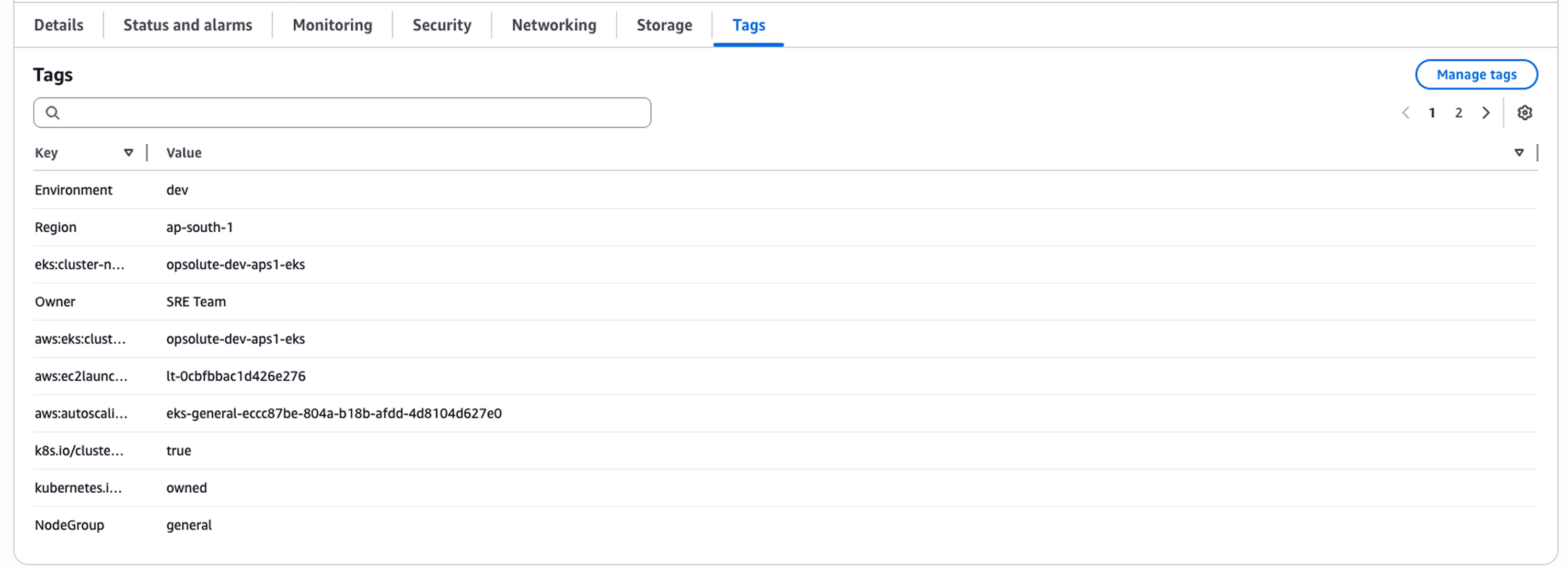
Use Tag Editor when fixing untagged resources discovered during audits, adding new mandatory tags to existing infrastructure, or handling one-time cleanup. Finding 50 untagged EC2 instances across three regions? Tag Editor lets you select them all and add Owner: unassigned immediately.
Infrastructure as Code: Systematic Deployment
IaC tools like AWS CDK, CloudFormation, and Terraform apply tags during resource creation. Every new resource gets tagged automatically based on your defined standards.
CDK example in TypeScript:
import * as cdk from 'aws-cdk-lib'; |
Stack-level tags apply to every resource in the stack. This approach ensures consistency. Developers can't forget the tags are part of the infrastructure code.
Tag Naming Conventions and Technical Restrictions
AWS imposes technical limits you must understand. Each resource supports up to 50 user-defined tags maximum. Tag keys: maximum 128 characters. Tag values: maximum 256 characters.
Case Sensitivity: The Hidden Gotcha
AWS tags are case-sensitive. Environment and environment are different tags. Production and production are different values.
This trips up everyone. One team tags resources with Environment: Production. Another team filters cost reports by environment: production. Nothing matches. The costs appear unallocated.
Standardize on a casing convention and enforce it religiously. Use PascalCase for both keys and values: CostCenter, DataClassification, Production, Development. Document your convention in the tagging dictionary.
The aws: Prefix Reservation
You cannot create tags with keys starting with aws:. That namespace belongs to AWS-generated tags only. Use company-specific prefixes instead if needed, but most organizations skip prefixes entirely.
Naming Best Practices
Use descriptive keys. Owner is better than O or ResourceOwner. Avoid abbreviations. Environment is clearer than Env. Be specific with values. john.doe@company.com is better than john. Standardize value formats to prevent split data in cost reports.
Good Practice | Bad Practice | Why It Matters |
|
| Clear key, standardized value |
|
| Unambiguous identification |
|
| Matches financial systems |
Enforcing Tag Compliance with AWS Organizations
A tagging strategy without enforcement is just documentation nobody follows. AWS Organizations provides two mechanisms that prevent non-compliant resources from being created.
Service Control Policies: The Enforcement Hammer
SCPs prevent API calls entirely when tagging requirements aren't met: |
This denies resource creation if CostCenter is missing. The approach is more aggressive than tag policies. Many organizations use both: tag policies for guidance, SCPs as backup enforcement.
Monitoring and Auditing Tags for Ongoing Governance
Tag compliance isn't a one-time setup. Resources drift, teams forget, new services launch without tags.
AWS Tag Editor for Bulk Operations
Tag Editor finds untagged resources across your entire organization. Search for resources missing specific tags. Apply corrections in bulk. The tool shows tag coverage metrics—how many resources have specific tags, how many are missing tags, which services have gaps.
Cost Explorer for Cost Allocation
After activating cost allocation tags in the Billing Console, Cost Explorer breaks down spending by any tag dimension. Filter by CostCenter, group by Environment, analyze trends by Application. The 24-hour activation period means tags applied Monday appear in reports Wednesday.
Resource Groups for Operational Organization
Create resource groups based on tag queries. A group for Environment: Production and Application: CustomerPortal contains all production resources for that application. Use groups for bulk operations, monitoring dashboards, and access control boundaries.
Quarterly Audit Schedule
Implement a quarterly tagging audit:
Identify untagged resources using Tag Editor
Review tag value consistency across teams
Update deprecated tags to current standards
Remove tags no longer in the tagging dictionary
Report compliance metrics to leadership
Common Tagging Mistakes and How to Avoid Them
Inconsistent Naming
Teams use costcenter, CostCenter, and cost_center interchangeably. Cost reports split the data three ways. Solution: Document casing standards in your tagging dictionary and enforce through tag policies.
Over-Tagging Beyond the 50-Tag Limit
Organizations add tags for every possible use case and hit the 50-tag limit. Solution: Use discretionary tags strategically. Not every resource needs every tag.
Missing Mandatory Tags
Resources get created without required tags because enforcement isn't active. Solution: Implement tag policies in development accounts first, then production. Use SCPs as backup.
Lack of Automation
Teams manually tag resources, leading to inconsistency and forgotten tags. Solution: Use Infrastructure as Code for all new resources. Automate tag application in CI/CD pipelines.
No Validation Process
Tags get applied without checking format or values. Solution: Implement tag validation in your deployment pipeline. Check mandatory tags, case validation, and value format before resources reach production.
Streamlining Tag Management with Cloud Optimization Platforms
While AWS provides native tools for tagging, enterprise organizations often need additional capabilities for tag governance at scale. Cloud optimization platforms extend AWS's tagging capabilities with features like tag recommendations, semantic organization across hierarchical structures, and AI-powered resource management.
These platforms complement AWS Tag Editor by analyzing your existing tag patterns, identifying gaps in coverage, and suggesting tags based on resource relationships and usage patterns. For organizations managing thousands of resources across multiple accounts, these additional layers of intelligence help maintain tag hygiene without manual overhead.
The key is integrating these capabilities into your existing workflow. Tag recommendations should feed into your Infrastructure as Code templates. Tag organizers should align with your documented tagging dictionary. The goal remains the same: consistent, enforced tagging that delivers cost visibility and operational control.
Conclusion
AWS tags transform cloud chaos into organized infrastructure. They're not optional metadata they're the foundation of cost management, security enforcement, and operational automation.
Start with mandatory tags: Owner, CostCenter, Environment, and Application. Implement these across all resources before expanding to discretionary tags. Use Infrastructure as Code for new resources, CLI for bulk operations, and Tag Editor for audits.
Enforce compliance through tag policies and Service Control Policies. Don't rely on documentation and training alone. The policies prevent mistakes before they become audit findings.
Monitor tag coverage quarterly. Untagged resources appear constantly as teams launch new services. Regular audits catch drift before it compounds.
The investment pays off immediately. Teams implementing systematic tagging see cost allocation accuracy jump from 50% to 95%+ within weeks. Security teams replace hundreds of IAM policies with a handful of tag-based ABAC policies. Operations teams automate backup, scheduling, and monitoring without custom scripts.
Your next step: document your tagging dictionary. Define mandatory tags, establish naming conventions, and get organizational buy-in. Then implement tag policies in a development account to test enforcement before rolling to production.
Ready to transform your AWS cost visibility and governance? Schedule a free consultation with Opsolute's cloud experts to design a tagging strategy that fits your organization's structure and scales with your growth.
FAQ
Q: What is the maximum number of tags allowed per AWS resource?
A: AWS allows up to 50 user-defined tags per resource across most services. This limit applies to user-created tags only and does not include AWS-generated tags that use the aws: prefix.
Q: How long does it take for cost allocation tags to appear in billing reports?
A: After activating cost allocation tags in the Billing Console, they take up to 24 hours to appear in your Cost and Usage Reports and Cost Explorer. Plan your cost tracking implementation timeline accordingly.
Q: Can I use tags to control access to AWS resources?
A: Yes, through Attribute-Based Access Control (ABAC). You can create IAM policies that use tag conditions like aws:ResourceTag or aws:RequestTag to grant or deny permissions based on tag values, enabling dynamic access control that scales.
Q: What is the difference between user-defined and AWS-generated tags?
A: User-defined tags are custom key-value pairs you create for organizational purposes. AWS-generated tags are automatically created by AWS services, always use the aws: prefix, and cannot be modified or deleted by users.
Q: Are AWS tags case-sensitive?
A: Yes, tag keys and values are case-sensitive. Environment and environment are treated as different tags, which can cause cost allocation and automation issues if not standardized across your organization.
Q: Can I change tags on existing resources without downtime?
A: Yes, adding, modifying, or removing tags is a metadata operation that does not affect resource availability or performance. You can update tags on running resources without interruption.
Q: How do I find all untagged resources in my AWS account?
A: Use AWS Tag Editor to search for resources with empty tag values or AWS Config Rules to identify non-compliant resources. Tag Editor provides coverage metrics showing which resources lack specific tags.
Q: Do tags apply automatically to all resources in a CloudFormation stack?
A: Tags applied at the stack level propagate to supported resources, but not all AWS resources support automatic tag inheritance. You may need to explicitly tag certain resources within your template for complete coverage.