Introduction
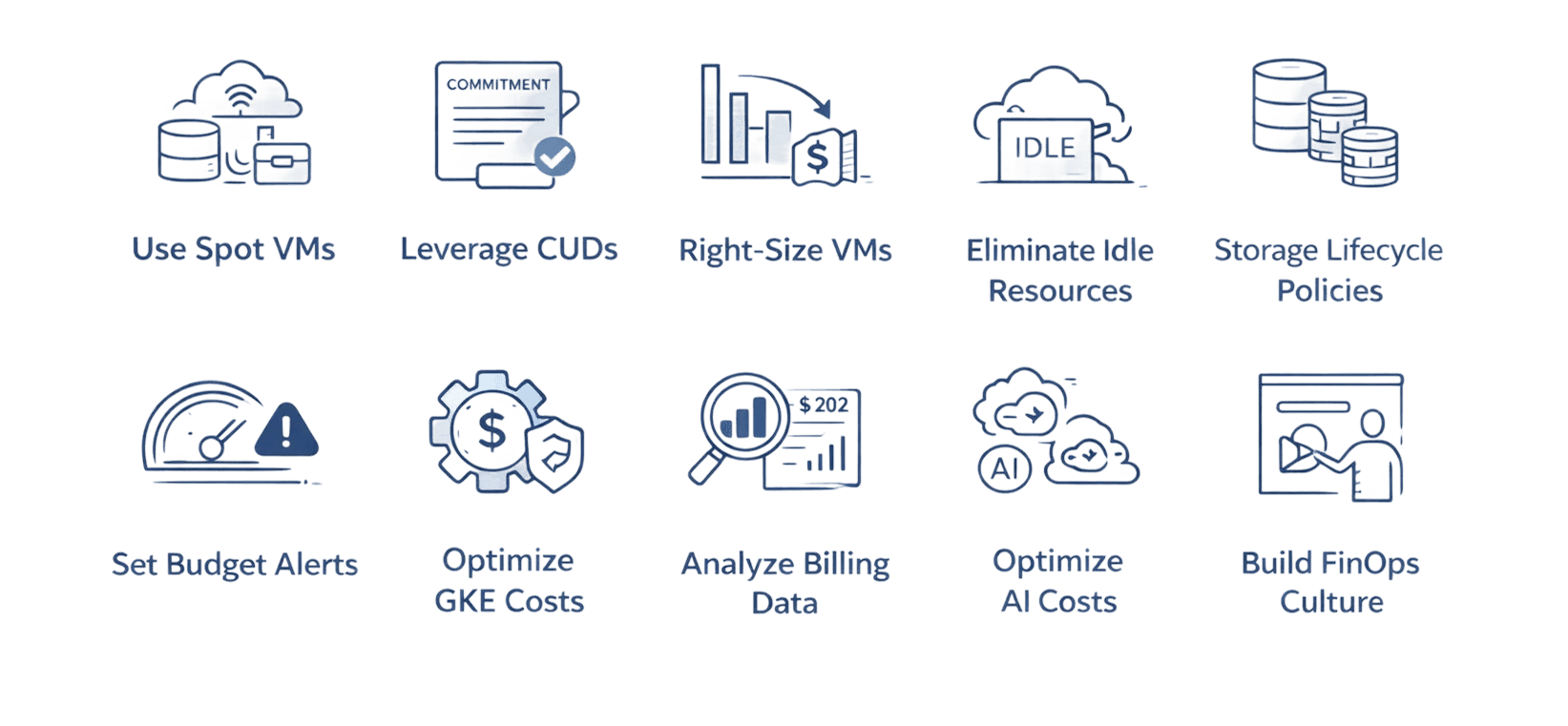
Cloud spending has become one of the fastest-growing line items in IT budgets, with many organizations experiencing unexpected cost overruns that derail financial planning. Google Cloud Platform users face unique challenges managing costs across compute engines, storage classes, networking, and managed services. This guide explores ten battle-tested strategies that help organizations reduce Google Cloud spending by 20-60% while maintaining optimal performance.
Key Highlights
Spot VMs deliver 60-91% cost savings for fault-tolerant workloads
Committed Use Discounts provide up to 70% savings with three-year commitments
Idle resource elimination reduces waste by 30-40%
Storage lifecycle management automatically transitions data to cheaper tiers
Right-sizing instances eliminates 20-35% of overprovisioned capacity
Understanding Google Cloud Cost Structure
Google Cloud pricing operates on operational expenditure where you pay only for consumed resources. The platform offers three primary billing models that significantly impact your spending.
Pay-as-you-go provides maximum flexibility with per-second billing after a one-minute minimum. You're charged precisely for compute time, storage capacity, and network bandwidth during each billing cycle.
Sustained Use Discounts apply automatically when instances run more than 25% of the month, reaching up to 30% savings without commitment. Google calculates and applies these discounts automatically.
Committed Use Discounts require advance commitment but offer substantially higher savings. Resource-based commitments lock you into specific vCPU and memory amounts, delivering 37-70% discounts depending on term. Spend-based commitments provide 28-46% discounts across multiple services and regions.
Leveraging Google Cloud Recommender
Google Cloud Recommender uses machine learning to analyze resource usage patterns and surface actionable optimization opportunities. The tool examines CPU utilization, memory consumption, network throughput, and disk I/O across your entire environment.
Recommender excels at three core areas. First, idle resource identification flags virtual machines with consistently low utilization, unattached persistent disks, and orphaned IP addresses. Second, right-sizing suggestions analyze actual consumption and recommend downsizing overprovisioned instances. Third, commitment purchase guidance evaluates usage patterns and recommends optimal Committed Use Discount configurations.
Access Recommender through the Optimization Hub, launched in late 2025, which consolidates all cost optimization recommendations in a single dashboard. Review recommendations weekly and implement high-impact suggestions immediately.
Implementing Spot VMs for Flexible Workloads
Spot VMs offer 60-91% discounts compared to standard virtual machines. These instances utilize Google Cloud's excess capacity but come with a trade-off: Google can preempt them at any time with 30 seconds notice.
This makes Spot VMs perfect for fault-tolerant workloads including batch processing jobs, CI/CD pipelines, data analysis workloads, and rendering farms. Never use Spot VMs for stateful applications requiring continuous availability like databases or user-facing web servers.
Spot prices can change up to once every 30 days based on regional supply and demand. You always pay the rate in effect when your instances run. Implement Spot VMs effectively by using managed instance groups that automatically recreate terminated instances when capacity becomes available.
Maximizing Savings with Committed Use Discounts
Committed Use Discounts transform predictable workload costs into substantial savings by locking in usage commitments for one or three years. Resource-based CUDs commit to specific amounts of vCPUs and memory, providing 37% discounts with one-year terms or 55-70% with three-year terms.
Spend-based CUDs, enhanced with the multiprice model in 2025, commit to minimum spending levels at the billing account level. You receive 28-46% discounts covering BigQuery, memory-optimized machine families, Cloud Run, and GKE cluster management fees.
Analyze your minimum baseline usage over the past 12 months. Commit only to levels you'll consistently maintain. Start conservatively with one-year commitments covering 60-70% of baseline usage, then monitor and adjust quarterly.
Right-Sizing Virtual Machines
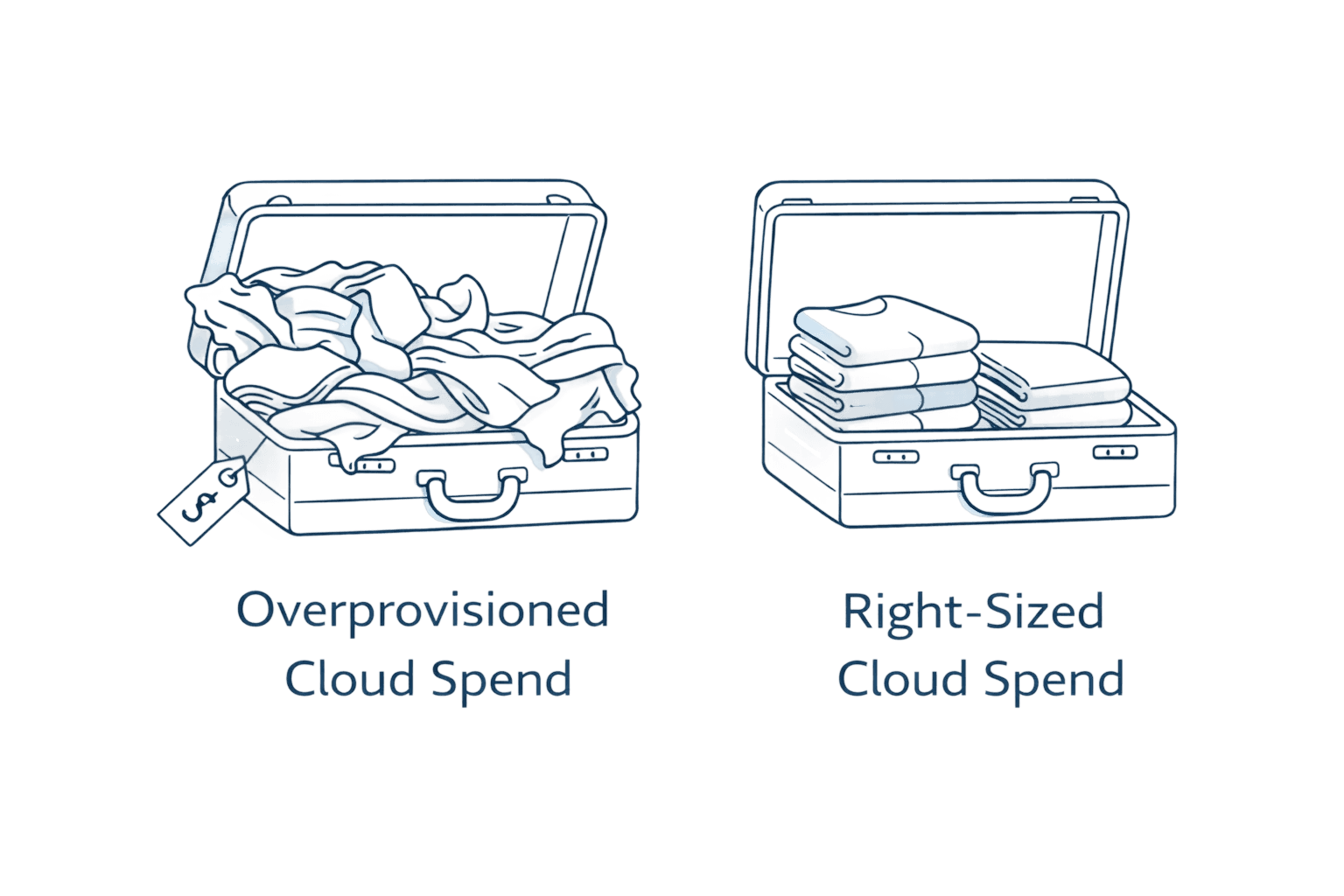
Overprovisioned instances silently drain budgets. An engineer deploys an n2-standard-8 VM but monitoring shows only 15% CPU and 30% memory utilization. You're paying $245 monthly for unused capacity.
Cloud Recommender's machine type suggestions evaluate utilization patterns and recommend optimal configurations. The recommendations account for peak usage periods while eliminating waste. Test right-sizing changes in non-production first, run realistic load tests, then confidently migrate production workloads.
Custom machine types deserve consideration for workloads with unusual resource ratios. If your application needs 6 vCPUs and only 12GB memory, custom configurations avoid payment for unnecessary resources. Establish quarterly right-sizing reviews as workloads evolve over time.
Eliminating Idle Resources
Idle resources easily consume 30-40% of cloud spending. A developer spins up a test VM and forgets about it over the weekend, accumulating charges despite zero utilization.
Google Cloud Recommender identifies idle VMs by analyzing utilization patterns. Instances showing less than 5% average CPU utilization over 14 consecutive days trigger idle recommendations. Use Cloud Scheduler to trigger Cloud Functions that query instance metadata and implement automated cleanup policies.
Unattached persistent disks accumulate silently. A 500GB SSD persistent disk costs roughly $85 monthly. Leave 20 orphaned disks and you're paying $1,700 monthly for storage serving no purpose. Implement disk cleanup automation identifying disks unattached for more than 30 days.
Reserved IP addresses cost $0.01 hourly when not attached to running instances. Audit IP addresses quarterly, releasing those with no legitimate business purpose.
Optimizing Cloud Storage with Lifecycle Policies
Google Cloud Storage offers four storage classes with dramatically different pricing. Standard storage costs $0.020 per GB monthly. Nearline drops to $0.010 per GB. Coldline costs $0.004 per GB. Archive storage costs just $0.0012 per GB monthly.
Lifecycle policies automate storage class transitions based on object age. Define rules specifying that objects move from Standard to Nearline after 30 days, then to Coldline after 90 days, and finally to Archive after one year.
Consider a log storage scenario generating 5TB monthly. Logs older than 30 days get accessed rarely. A lifecycle rule transitioning these logs to Coldline reduces storage costs by 80%. Logs older than one year moving to Archive cut costs by 94%.
The Autoclass feature takes automation further. Enable Autoclass on a bucket and Google Cloud analyzes access patterns automatically, transitioning objects between storage classes without manual rule definition.
Establishing Budget Alerts
Cost surprises destroy trust between engineering and finance teams. The surprise $50,000 monthly bill forces uncomfortable conversations and reactive cost-cutting.
Define monthly budgets at project, folder, or billing account levels. Set threshold alerts at 50%, 75%, 90%, and 100% of budget. When spending reaches these thresholds, automated notifications reach stakeholders via email or Slack.
Cloud Monitoring dashboards visualize spending trends. Build custom dashboards showing daily cost trajectories, spending by service, and budget versus actual comparisons. The new Cost Explorer tool, launched in late 2025, simplifies cost analysis significantly.
Export billing data to BigQuery for advanced analysis. Schedule weekly cost review meetings where engineering and finance teams examine spending trends together.
Leveraging GKE Cost Optimization
Google Kubernetes Engine workloads require specialized optimization approaches. Enable GKE usage metering to attribute costs to specific namespaces, clusters, and labels, enabling accurate showback and chargeback models.
Cluster autoscaling adjusts node counts based on workload demands. When pending pods can't be scheduled, autoscaling adds nodes automatically. When utilization drops, it removes excess nodes during low-demand periods.
Create node pools using Spot provisioning for fault-tolerant workloads. A recommended 60/40 split balances cost optimization with availability guarantees. Vertical Pod Autoscaling and Horizontal Pod Autoscaling optimize resource utilization within clusters.
Building a FinOps Culture
Sustainable cost optimization requires organizational change. Tagging and labeling provide the foundation for cost accountability. Implement standardized tags identifying resource owners, cost centers, and lifecycle indicators.
Showback and chargeback models drive cost-conscious behavior. Showback reports costs to teams without financial impact. Chargeback allocates actual costs to departmental budgets, creating direct financial incentives for optimization.
FinOps training helps engineering teams understand the financial impact of architectural decisions. Create optimization incentives and recognize teams achieving significant cost reductions while maintaining performance. The most mature FinOps cultures embed cost considerations into daily workflows.
How Opsolute Supports Your Cost Optimization Journey
While this guide provides comprehensive strategies for reducing Google Cloud spending, implementing these practices at scale presents real challenges. Many organizations benefit from experienced partners who can accelerate optimization initiatives.
Opsolute specializes in helping businesses maximize their Google Cloud investments through comprehensive cost optimization assessments. Our cloud architects conduct thorough environment audits, identify immediate cost reduction opportunities, and build long-term optimization frameworks tailored to your specific requirements.
We combine technical expertise with financial acumen, analyzing usage patterns, identifying overprovisioned resources, recommending optimal commitment strategies, and implementing automation.
Schedule a free GCP cost optimization assessment to discover opportunities specific to your environment and learn how our partnership approach delivers lasting value.