Introduction
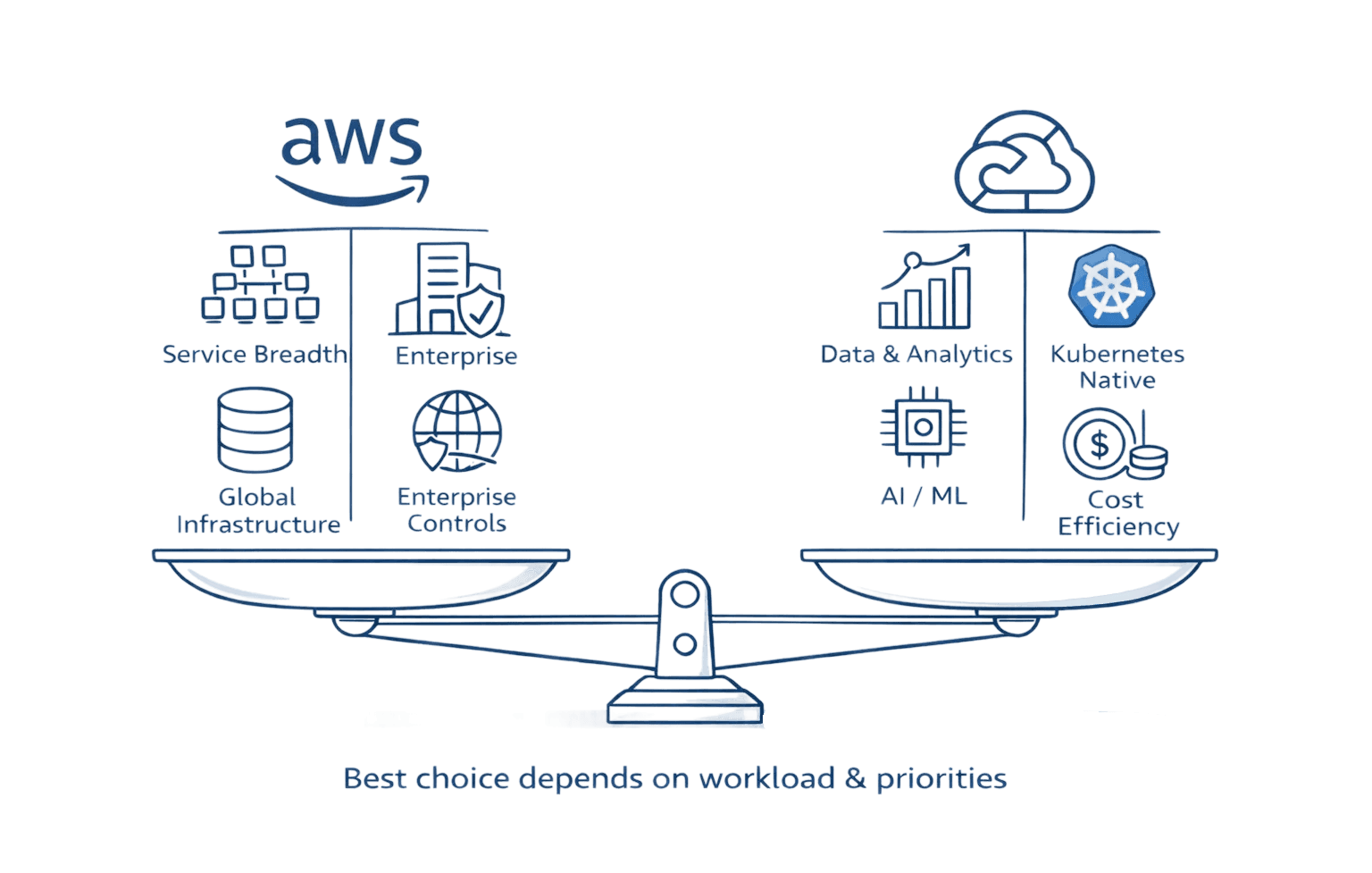
Amazon Web Services dominates the cloud market with 31% share and over 240 services. But that dominance comes at a cost: complexity, unpredictable billing, and a learning curve that demands dedicated DevOps teams. If your finance team dreads the monthly AWS bill, or your engineers spend more time decoding IAM policies than building features, you're not alone.
Organizations are discovering that AWS's one-size-fits-all approach doesn't always fit. Startups need simplified deployment, not 200+ services. Enterprises running AI workloads want specialized infrastructure, not general-purpose compute. Businesses watching costs spike by 40% quarter-over-quarter need predictable pricing, not surprise charges. The right AWS alternative can cut your cloud costs by 30-60% while delivering exactly what your workloads need.
This guide examines the cloud platforms challenging AWS's dominance. You'll discover which alternatives excel at specific use cases, how pricing models actually compare, and what migration really involves.
Why Teams Are Evaluating AWS Alternatives
AWS's complexity isn't accidental. With 240+ services, each with dozens of configuration options, AWS rewards scale and specialization. That works brilliantly for enterprises with dedicated cloud teams. For everyone else, it creates problems with AWS Cost Management.
The pricing challenge hits first. AWS's pay-per-use model sounds simple until you're tracking data transfer costs across regions, decoding Reserved Instance recommendations, and explaining why your S3 bill jumped 200% last month. Teams without FinOps expertise regularly overspend by 40-50% simply because they can't predict what things actually cost.
Then comes the operational burden. Basic tasks require deep expertise like AWS Tags. Setting up a development environment involves configuring VPCs, security groups, IAM roles, and load balancers before you deploy a single container. That's powerful flexibility for large engineering teams. For startups with three developers, it's three days of infrastructure work before writing code.
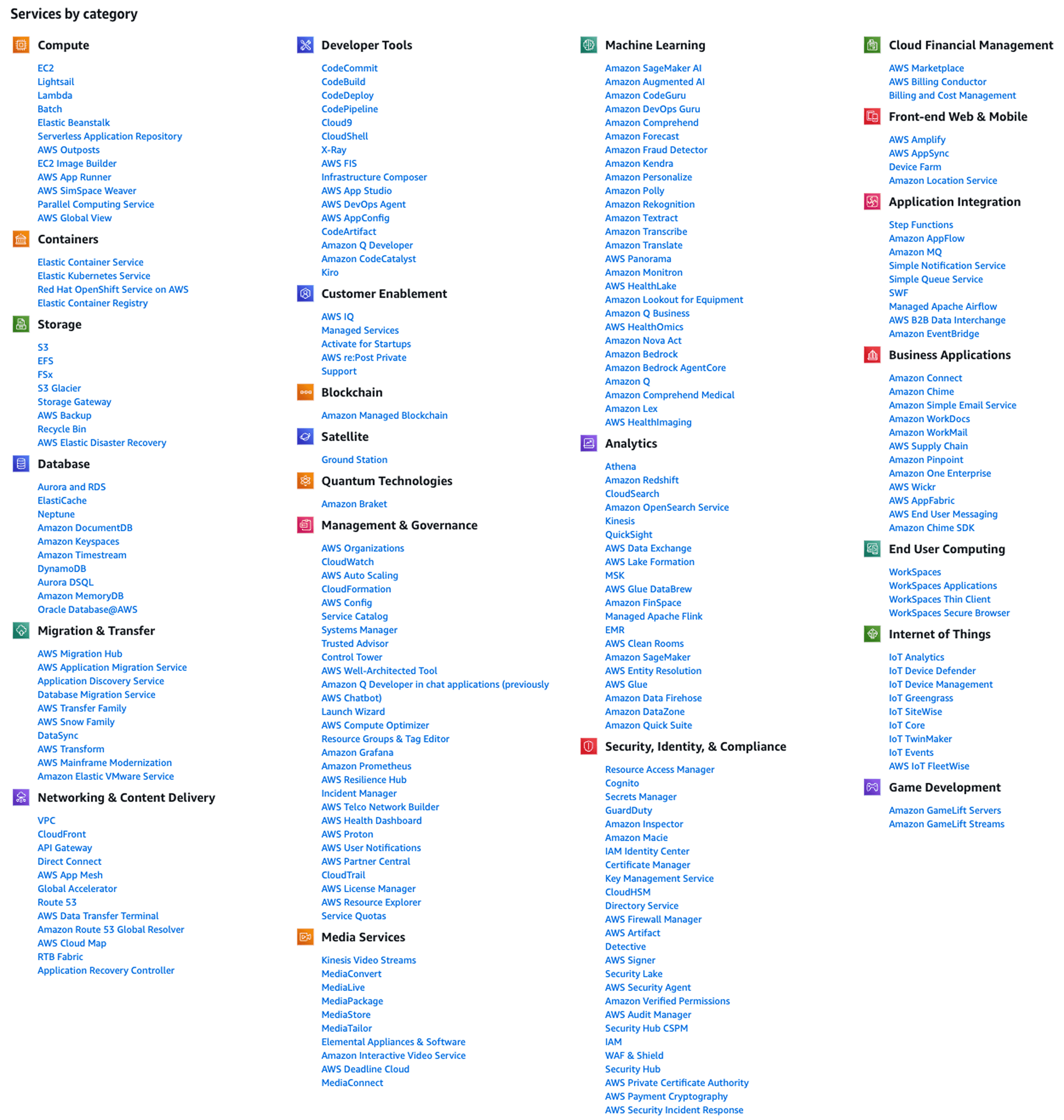
Migration complexity creates another barrier. Once you're running production workloads on AWS, switching feels impossible. Proprietary services like DynamoDB, Lambda, and API Gateway lock you into AWS-specific architectures. Rewriting these integrations for another platform means months of engineering time.
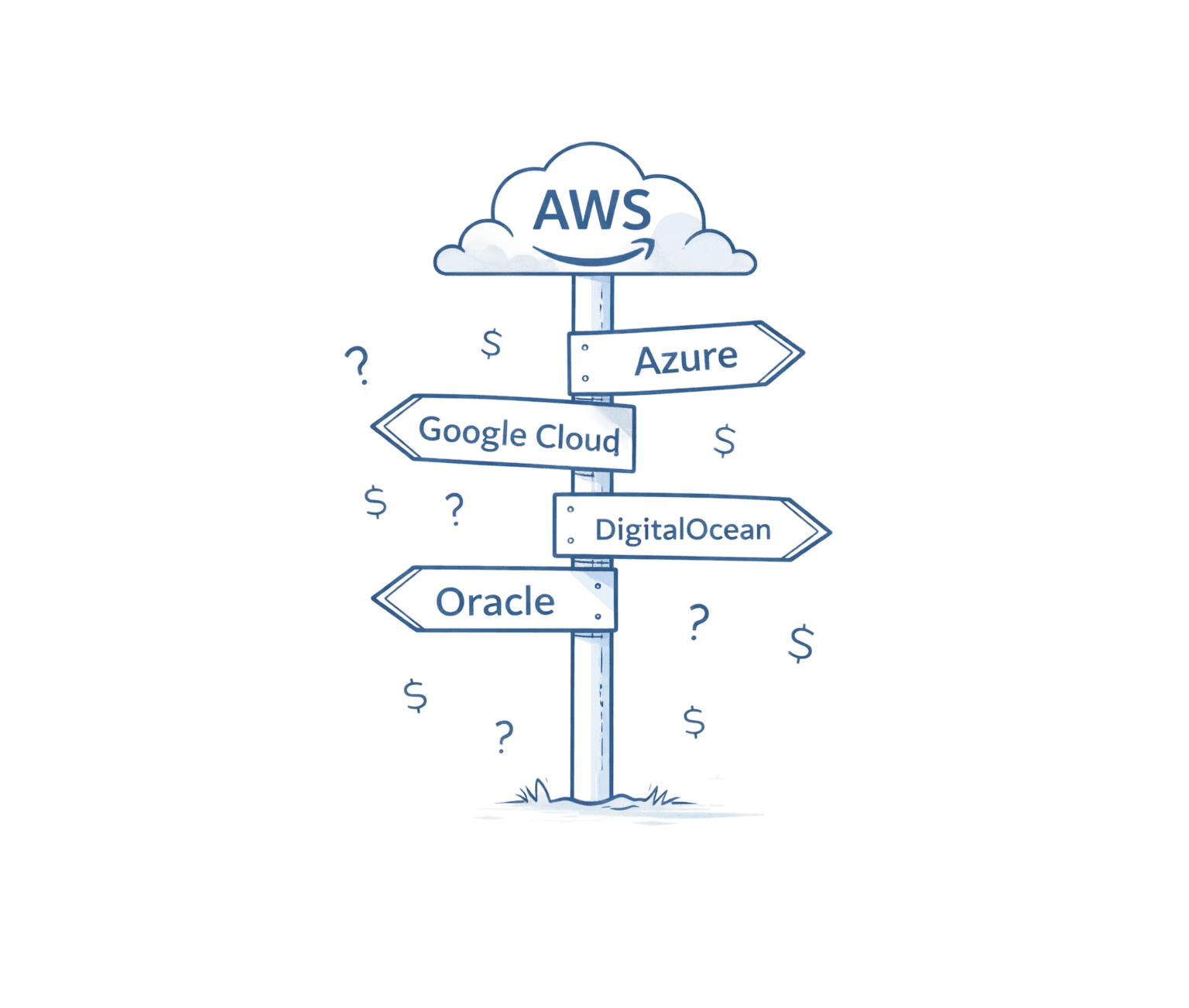
But the competitive landscape has shifted. Alternative platforms now offer enterprise-grade reliability with dramatically simplified experiences. Microsoft Azure matches AWS's scale while integrating seamlessly with existing Microsoft infrastructure. Google Cloud Platform delivers superior AI/ML capabilities for data-intensive workloads. DigitalOcean provides startup-friendly simplicity with predictable flat-rate pricing.
The question isn't whether AWS alternatives are viable anymore. It's which alternative fits your specific needs.
Microsoft Azure: The Enterprise Integration Play
Azure holds 25% of the cloud market for good reason. Microsoft built Azure specifically for enterprises already running Windows Server, Active Directory, and Office 365. That integration advantage translates directly into cost savings and operational efficiency.
Azure Hybrid Benefit exemplifies this approach. Organizations with existing Microsoft licenses can reuse them in Azure, cutting Windows Server VM costs by up to 40%. No complex license transfer process, no vendor negotiations. You're already paying for those licenses; Azure lets you apply them to cloud infrastructure.
The platform architecture mirrors AWS's breadth while simplifying management. Azure Resource Manager provides unified infrastructure-as-code capabilities across all services. Role-based access control integrates directly with Active Directory, eliminating the IAM complexity that plagues AWS deployments.
Azure vs AWS: Key Differentiators
Factor | Azure | AWS |
Market Share | 25% | 31% |
License Portability | Azure Hybrid Benefit (40% savings) | Limited |
Learning Curve | Moderate (familiar for MS shops) | Steep |
Pricing Model | Simpler tiers, clearer documentation | Complex, usage-based |
Best For | Enterprises with MS infrastructure | Broad use cases, high scale |
Azure's pricing structure favors predictability over granular optimization. Reserved Instances offer straightforward 1-year and 3-year commitments with clear discount tiers. Azure Cost Management provides built-in cost analysis without requiring third-party tools. For finance teams burned by AWS's surprise charges, Azure's approach feels refreshingly transparent.
The platform excels at hybrid scenarios. Azure Arc extends Azure management to on-premises infrastructure and even competitor clouds. Organizations maintaining data centers for compliance or performance reasons can manage everything through a single control plane. AWS Outposts offers similar hybrid capabilities, but with AWS's typical complexity premium.
Google Cloud Platform: AI and Data Analytics Leader
Google Cloud Platform claims 11% market share by specializing where it matters. While AWS offers broad services and Azure integrates Microsoft ecosystems, GCP dominates AI/ML workloads and massive-scale data analytics.
Vertex AI consolidates machine learning workflows into a unified platform. Data scientists train models using the same infrastructure powering Google Search and Gmail. That's not marketing hyperbole. Google's custom Tensor Processing Units (TPUs) deliver 20x faster training for large language models compared to general-purpose GPUs. Organizations building AI-powered products need that performance edge.
BigQuery demonstrates GCP's data analytics leadership. The serverless data warehouse queries petabytes in seconds using Google's internal Dremel technology. AWS's Redshift requires cluster sizing, performance tuning, and capacity planning. BigQuery simply works. You write SQL, it returns results, you pay only for queries executed.
The pricing advantage extends beyond simplicity. GCP's sustained-use discounts automatically kick in as you run instances longer, delivering 30% savings without upfront commitments. AWS requires you to purchase Reserved Instances proactively. GCP rewards actual usage retroactively.
Google Kubernetes Engine (GKE) showcases another strength. Google invented Kubernetes, and it shows. GKE offers Autopilot mode that manages nodes, scaling, and security configurations automatically. AWS's Elastic Kubernetes Service requires manual cluster management. For teams embracing containers, GKE eliminates operational overhead.
The challenge? GCP's smaller ecosystem means fewer third-party integrations and community resources compared to AWS. Organizations building standard web applications may find AWS's mature tooling ecosystem more valuable than GCP's AI/ML advantages.
DigitalOcean: Simplified Infrastructure for Developers
DigitalOcean targets the massive gap between AWS's enterprise complexity and individual developers' needs. The platform delivers 99.99% uptime with pricing that starts at $5 monthly and stays predictable.
That predictability matters more than the absolute cost. AWS's $3.50 monthly t2.micro instance accumulates data transfer charges, EBS volume costs, and snapshot storage fees. Three months later, you're paying $18 monthly for services you didn't realize you'd enabled. DigitalOcean's $5 Droplet includes 1TB transfer, 25GB SSD storage, and no surprise charges.
The developer experience focuses on speed. Deploying a new application takes 55 seconds from clicking "Create Droplet" to receiving a public IP address. AWS requires configuring VPCs, launching EC2 instances, setting up security groups, and attaching load balancers. DigitalOcean handles networking automatically with sensible defaults.
A Forrester study quantified the operational savings: organizations switching from AWS to DigitalOcean saved $545,000 over three years. That's not just infrastructure costs. It's the engineering hours not spent debugging IAM policies, optimizing EBS volumes, and explaining AWS bills to finance.
DigitalOcean Pricing Clarity
Basic Droplet: $5/month |
The platform's limitations are equally clear. DigitalOcean offers 14 services compared to AWS's 240+. No managed AI/ML platforms, limited serverless options, basic analytics capabilities. Organizations needing specialized services eventually outgrow DigitalOcean's simplicity.
But for SaaS startups, developer tools, and small business applications, DigitalOcean delivers exactly what teams need: reliable infrastructure that doesn't require a dedicated DevOps engineer to operate.
Oracle Cloud Infrastructure: Database Workload Specialist
Oracle built OCI specifically for organizations running Oracle databases, and that specialization shows in both performance and pricing. Migrating Oracle Database workloads from AWS to OCI typically reduces costs by 30-50% for equivalent compute and storage resources.
The Always Free tier offers genuinely useful resources: two AMD-based VMs with 1GB RAM each, 200GB block storage, and 10GB object storage. AWS's free tier expires after 12 months; Oracle's never does. Organizations can run production lightweight applications permanently without costs.
OCI Autonomous Database removes administrative overhead entirely. The service handles patching, tuning, backups, and scaling automatically. AWS's RDS for Oracle provides managed hosting but still requires performance optimization and capacity planning. Autonomous Database literally self-tunes based on workload patterns.
The catch? OCI makes sense primarily if you're already in the Oracle ecosystem. Organizations running PostgreSQL or MySQL gain little from OCI's specialized database capabilities.
Evaluating Cloud Alternatives: The Decision Framework
Choosing an AWS alternative requires matching platform strengths to your specific requirements. Start with workload characteristics.
AI/ML workloads? Google Cloud Platform's Vertex AI and TPUs deliver training performance that justifies migration complexity. Organizations building machine learning products need GCP's specialized infrastructure.
Microsoft-heavy infrastructure? Azure's integration advantages and Hybrid Benefit licensing create immediate 40% savings for Windows Server workloads. The platform seamlessly extends existing Active Directory and Office 365 deployments.
Developer productivity focus? DigitalOcean eliminates configuration overhead with sensible defaults and flat-rate pricing. Startups spending more time managing infrastructure than building products benefit from simplified operations.
Oracle database workloads? OCI's specialized performance and 30-50% cost advantages make it the obvious choice for Oracle-dependent applications.
Cost comparison requires examining total ownership, not just compute pricing. AWS's $50 monthly EC2 instance accumulates data transfer fees, storage costs, and load balancer charges. DigitalOcean's $40 Droplet includes everything. Azure's pricing sits between AWS's granularity and DigitalOcean's simplicity.
Compliance requirements matter. Azure offers 90+ compliance certifications, AWS provides 75+, GCP maintains 50+. Regulated industries like healthcare and finance often choose based on specific certifications rather than technical capabilities.
Team expertise influences platform selection more than organizations admit. AWS skills are common but expensive. Azure expertise overlaps with Windows administration. GCP and DigitalOcean require less specialized knowledge but offer smaller talent pools.
Migration: Planning the Platform Switch
Switching cloud providers involves complexity that varies dramatically based on architecture decisions. Applications built with portability in mind migrate in weeks. Systems using proprietary services require months of refactoring.
The assessment phase identifies dependencies. Serverless functions using AWS Lambda need rewriting for Azure Functions or Google Cloud Functions. DynamoDB applications require database migrations. S3 integrations translate easily to Azure Blob Storage or Google Cloud Storage.
Phased migration minimizes risk. Move non-critical workloads first to validate the process. Test performance, confirm cost projections, and train teams before touching production systems. Organizations attempting big-bang migrations usually discover unexpected dependencies mid-transition.
Data transfer represents both a technical and financial challenge. Moving 10TB from AWS to another provider costs $900 in egress fees plus transit time. Plan transfers during low-traffic periods and leverage AWS Snowball for massive datasets.
Testing requirements double during migration. Validate functionality in the new environment while maintaining production stability in the old. Budget 30-40% of migration time for parallel testing and validation.
Frequently Asked Questions
Q: What is the most cost-effective AWS alternative? A: DigitalOcean and Vultr offer the lowest entry costs with flat-rate pricing starting at $5-6 monthly. These platforms include generous bandwidth and eliminate AWS's complex cost structure, potentially saving 40-60% for small to medium workloads. However, total cost-effectiveness depends on your specific usage patterns and required services.
Q: Can Google Cloud Platform handle enterprise workloads? A: Yes. GCP serves major enterprises with 11% market share and powers Google's own services. The platform excels at AI/ML workloads, data analytics, and container orchestration. GCP offers enterprise support, compliance certifications, and 99.99% uptime SLAs comparable to AWS.
Q: How long does cloud migration typically take? A: Simple applications migrate in 2-4 weeks. Complex systems with proprietary service dependencies require 3-6 months. Migration duration depends on architecture complexity, data volume, testing requirements, and team familiarity with the target platform.
Q: Which alternative works best for startups? A: DigitalOcean leads for startups due to predictable pricing, intuitive interfaces, and minimal DevOps requirements. The platform delivers 99.99% uptime and easy scaling while letting small teams focus on product development rather than infrastructure management.
Q: Does Azure really save money for Microsoft shops? A: Yes. Azure Hybrid Benefit lets you reuse existing Microsoft licenses in the cloud, cutting Windows Server costs by up to 40%. Combined with Active Directory integration and familiar management tools, Azure delivers both cost savings and operational efficiency for Microsoft-centric organizations.
Q: What are the biggest migration risks? A: Application downtime during transition, unexpected compatibility issues, data transfer complications, cost overruns from misconfiguration, and team skill gaps with new platforms. Mitigate risks through phased migrations, comprehensive testing, detailed planning, and possibly external expertise.
Q: Should we use multiple cloud providers? A: Multi-cloud strategies help avoid vendor lock-in, optimize costs, and leverage specialized capabilities. However, they increase operational complexity and require expertise across multiple platforms. Consider multi-cloud if you're large enough to manage the overhead.
Making Your Cloud Platform Decision
AWS alternatives have matured beyond niche players into legitimate enterprise options. Microsoft Azure delivers seamless integration for Windows-based infrastructure. Google Cloud Platform provides superior AI/ML capabilities. DigitalOcean simplifies operations for developer-focused teams. Oracle excels at database workloads.
The decision framework centers on matching platform strengths to your requirements: workload characteristics, cost priorities, compliance needs, and team capabilities. Organizations optimizing for simplicity choose DigitalOcean. Teams building AI products select GCP. Microsoft-heavy enterprises migrate to Azure.
Cloud strategy in 2026 embraces flexibility over dogma. The question isn't which platform dominates but which combination of platforms serves your specific needs best. AWS remains powerful for broad requirements and massive scale and also has AWS Savings Plans. Alternatives deliver better fits for specialized use cases.
Next Steps:
Audit current AWS spending to identify optimization opportunities
Map workloads to alternative platform strengths
Pilot non-critical applications on shortlisted alternatives
Calculate total ownership costs including migration and training
Develop phased migration plan minimizing business disruption
The cloud market's maturation benefits organizations willing to evaluate options objectively. Your infrastructure strategy should serve your business goals, not the other way around.