Introduction
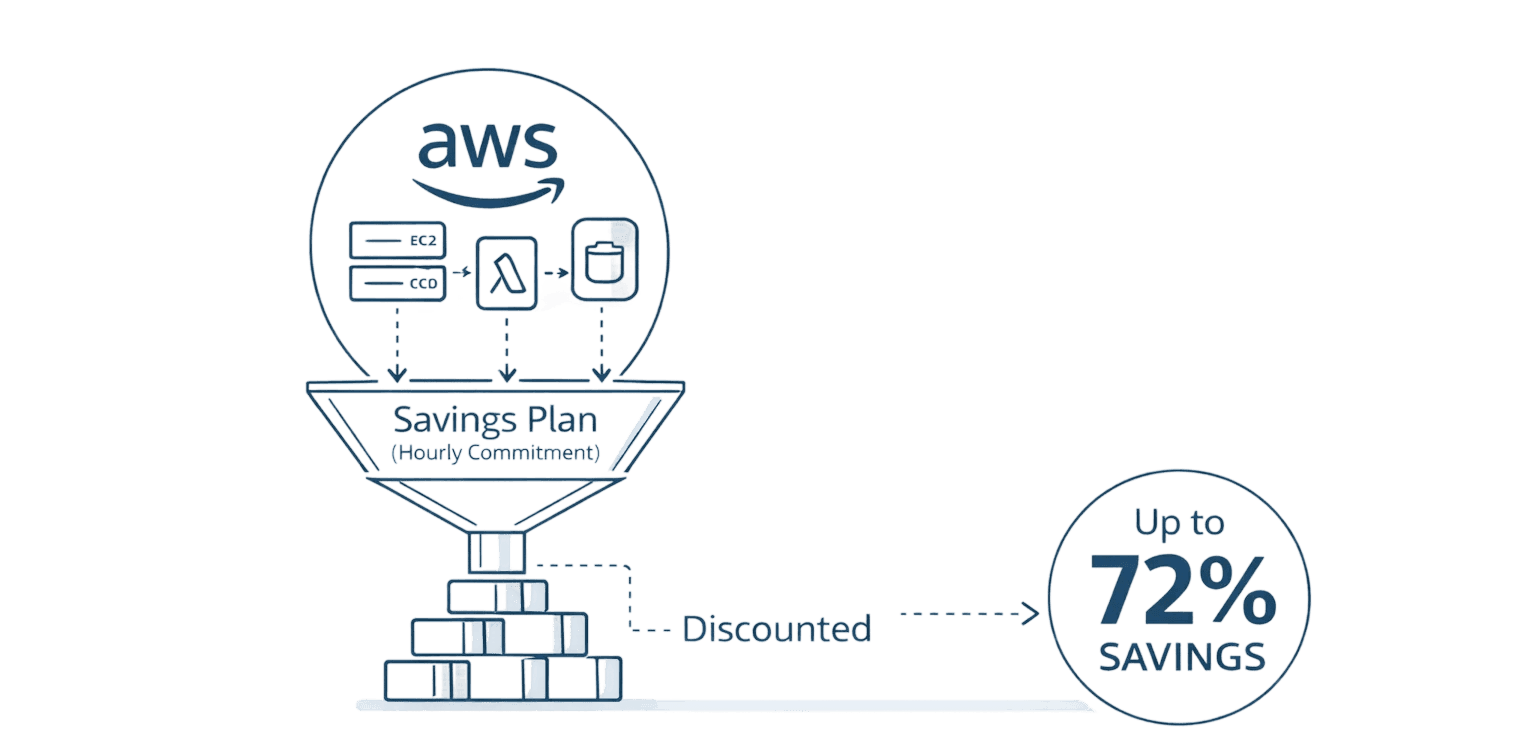
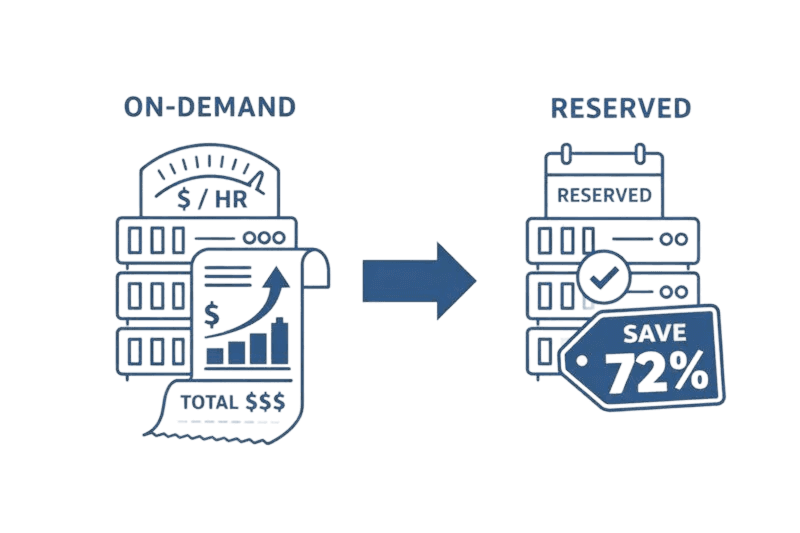
Reserved Instances can cut AWS EC2 costs by up to 72%, but only if you choose the right type and use them correctly.
Many teams lose money on Reserved Instances because they buy too much, buy the wrong type, or don’t monitor utilization.
Understanding your actual usage patterns is more important than the discount percentage.
Standard RIs give maximum savings, while Convertible RIs give flexibility for changing instance types.
Regional RIs offer flexibility, while Zonal RIs guarantee capacity when you need it most.
The biggest mistake: unused reservations while on-demand instances still run at full price.
Opsolute’s FinOps platform helps avoid RI waste by analyzing coverage, tracking expirations, and recommending the right purchases.
With proper monitoring, companies typically gain 15–25% extra savings beyond basic AWS recommendations.
What Reserved Instances Actually Are
Reserved Instances aren't physical servers. They're billing discounts AWS Savings Plans automatically applies to your on-demand instance usage when attributes match.
You're running on-demand instances at full price. You purchase a Reserved Instance with matching specifications. AWS immediately bills your running instance at the discounted rate. Nothing changes with your infrastructure.
When you purchase a Reserved Instance: if you have matching instances running, the discount applies immediately. If you don't have matching instances, the reservation sits unused until you launch one. If usage exceeds your reservations, extra instances get billed at on-demand rates.
Reserved Instances work for EC2 compute and RDS database instances with identical mechanics: commit to a configuration for one or three years, receive discounted hourly rates.
The Break-Even Math That Determines Success
Standard Reserved Instances deliver up to 72% savings for three-year commitments. One-year Standard Reserved Instances provide 40% savings. Convertible Reserved Instances offer 54% for three years and 31% for one year.
The critical metric: break-even is approximately 70% utilization. If your instance runs less than 5,110 hours annually, on-demand pricing might cost less despite higher hourly rates.
Reserved Instances charge you for every hour whether you use them or not. That idle m5.xlarge reservation during weekend shutdowns burns money on unused capacity.
Mumbai region example: A t3.large in ap-south-1 costs $0.0832 per hour on-demand ($60.74 monthly). With a three-year Standard Reserved Instance using All Upfront payment, you'd pay $0.023 per hour ($16.79 monthly).
Over three years, on-demand totals $2,186 versus Reserved Instance total of $605, saving $1,581. But only if running continuously. At 50% utilization, you'd spend $605 on the reservation while consuming $1,093 worth of on-demand usage, losing $512.
Understanding utilization patterns before purchasing determines success or failure.
Standard vs Convertible: Trading Savings for Flexibility
Standard Reserved Instances lock you into the instance type with maximum savings (72% for three years). You can modify availability zones and split or merge AWS Tags reservations within the same family, but cannot change instance families or operating systems. You can sell them on the Reserved Instance Marketplace.
Convertible Reserved Instances provide 54% savings and let you change instance attributes through exchanges for reservations of equal or greater value. When infrastructure evolves from m5.2xlarge to c6g.4xlarge for compute workloads, Convertibles let you exchange. You pay any value difference, but you're not stuck.
Choose Standard when: you have high confidence in long-term requirements, workloads run on stable instance types, you want maximum savings, or you might sell unused capacity.
Choose Convertible when: infrastructure is evolving, you might migrate to newer generations, you value flexibility over maximum savings, or you expect AWS to release better instances.
Many teams start with 50% coverage using Convertibles, balancing commitment savings with adjustment flexibility.
Regional vs Zonal: Flexibility or Capacity Guarantee
Regional Reserved Instances apply across all Availability Zones within a region. Purchase one for m5.large in ap-south-1, and the discount covers instances in ap-south-1a, 1b, or 1c.
Regional Reserved Instances for Linux provide instance size flexibility within the same family. One m5.2xlarge regional reservation automatically covers two m5.xlarge or four m5.large instances proportionally.
Zonal Reserved Instances tie to a specific Availability Zone with a capacity reservation. AWS guarantees you can launch that instance type even during high demand. The trade-off: zonal reservations require exact instance type matches with no size flexibility, and discounts only apply to that zone.
Regional and zonal cost the same. The difference is operational: flexibility versus guaranteed capacity.
Most teams should use regional scope. Use zonal only when mission-critical applications require guaranteed capacity, compliance mandates a particular zone, or you've experienced capacity constraints during peak demand during AWS Cost Management.
Instance Size Flexibility Explained
Regional Reserved Instances for Linux/UNIX on shared tenancy automatically apply discounts across sizes within the same instance family through normalization factors:
Instance Size | Factor |
small | 1 |
medium | 2 |
large | 4 |
xlarge | 8 |
2xlarge | 16 |
4xlarge | 32 |
One m5.2xlarge reservation (factor 16) covers two m5.xlarge (8+8), four m5.large (4×4), or eight m5.medium (2×8) instances. AWS applies reservations to smallest instances first to maximize discount coverage.
Critical limitations: Only works with regional Reserved Instances, only Linux/UNIX on shared tenancy, only within the same instance family. Windows, RHEL, and dedicated instances lack size flexibility. Exact instance size matching is required.
Payment Options: Cash Flow and Savings Balance
AWS offers three payment models balancing upfront cost against total savings:
All Upfront: Pay 100% at purchase, zero hourly charges. Maximum discount (72%) but requires significant capital.
Partial Upfront: Pay approximately 50% upfront, then discounted hourly rates. Balances upfront cost with ongoing charges, slightly lower discount.
No Upfront: Zero upfront payment, discounted hourly rates throughout the term. Lowest discount but best cash flow. Requires successful billing history.
Three-year Standard Reserved Instance in Mumbai:
Payment Type | Upfront | Monthly | 3-Year Total | Savings |
On-Demand | $0 | $182 | $6,552 | Baseline |
All Upfront | $1,816 | $0 | $1,816 | 72% |
Partial Upfront | $908 | $28 | $1,916 | 71% |
No Upfront | $0 | $57 | $2,052 | 69% |
m5.large instance example
The percentage difference is small (72% vs 69%), but cash flow impact is substantial. Most enterprises use Partial Upfront for capital efficiency with strong savings.
Purchase Strategy: Avoiding Costly Mistakes
Start with analysis. AWS Cost Explorer provides Reserved Instance recommendations based on historical usage. Analyze which instance types run continuously, average fleet size, and whether instances run 24/7 or scale down.
Calculate target coverage: Start with 50% for dynamic workloads, 70-80% for stable production. Never purchase 100% coverage unless extremely predictable.
Select attributes: instance type matching your common types, platform (Linux/UNIX, Windows, RHEL), tenancy (shared for most), scope (regional for flexibility), term (three years for maximum savings), and payment option based on cash flow.
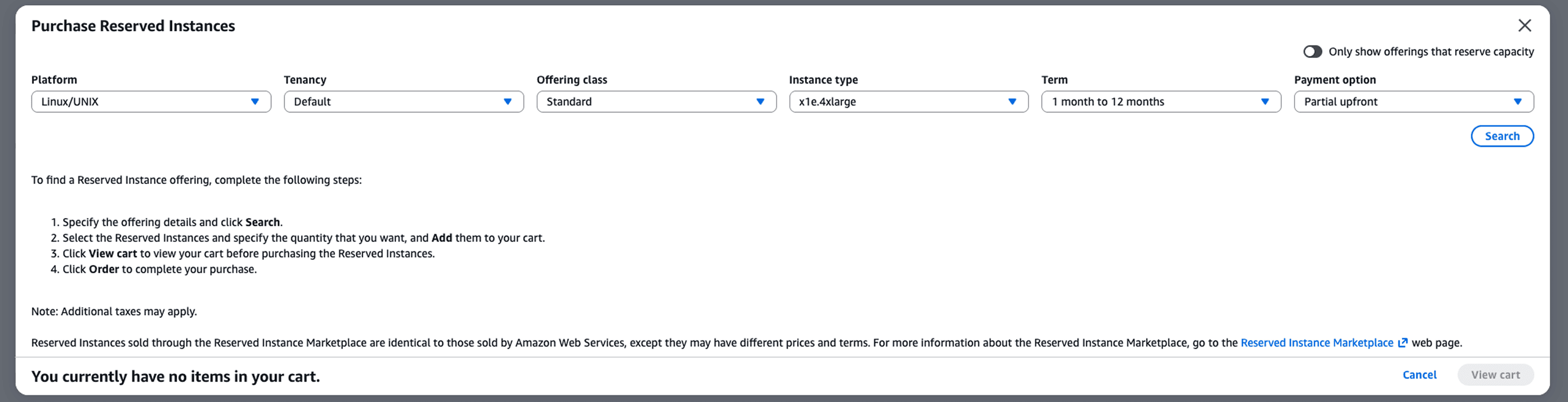
The gradual approach protects from over-committing. After three to six months of stable utilization above 70%, increase coverage to 70-80%.
Avoid these mistakes: Purchasing for expected growth rather than current usage, ignoring new instance generation releases when buying three-year Standard reservations, matching development and production patterns when dev environments scale to zero, and forgetting operating systems don't cross-apply.
The 30/60/90-Day Reserved Instance Implementation Plan
Days 1-30: Analysis Phase
Pull 90 days of Cost Explorer data identifying instances running continuously. Calculate average hourly instance counts by type and region. Flag workloads with 70%+ uptime as reservation candidates. Document instance families, platforms, and tenancy requirements.
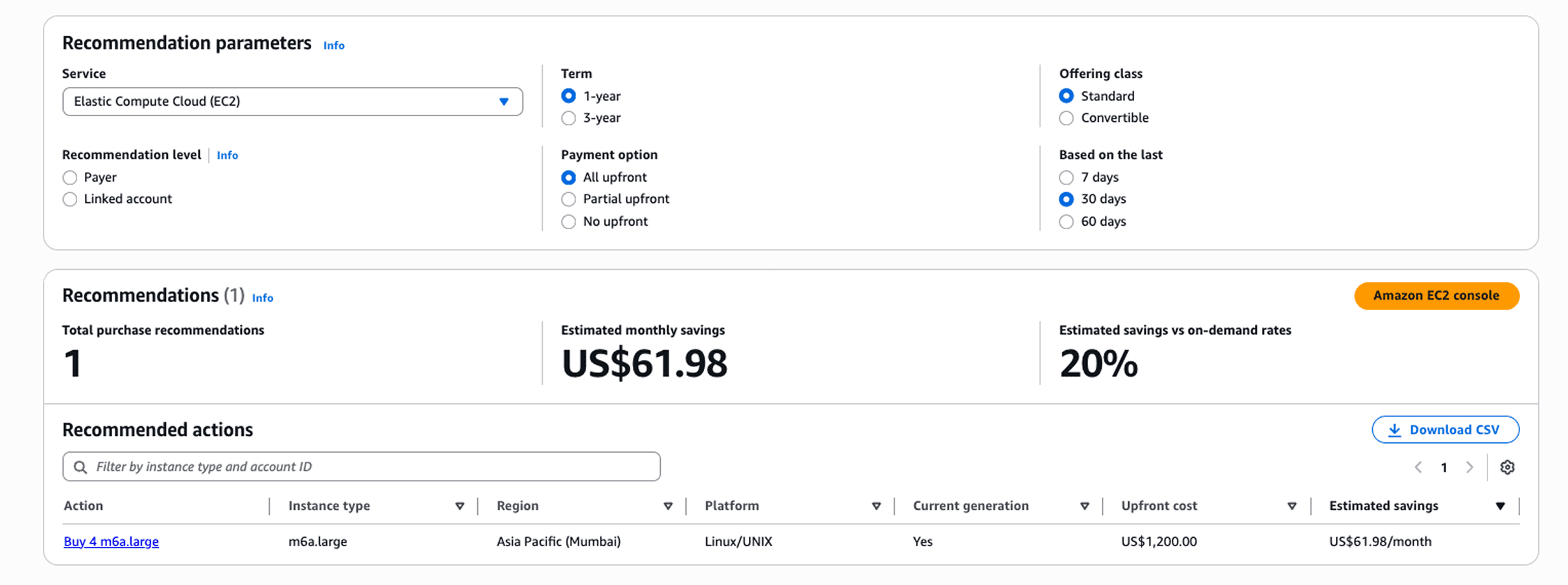
Days 31-60: Controlled Rollout
Purchase Reserved Instances covering 40-50% of identified steady-state capacity. Start with three-year Convertible reservations for production workloads and one-year Standard for stable but evolving environments. Use regional scope for maximum flexibility. Select Partial Upfront payment to balance capital and savings.
Days 61-90: Optimization
Monitor utilization daily in Cost Explorer. Target 90%+ utilization across all reservations. If utilization exceeds 95% consistently, purchase additional 10-20% coverage. If utilization falls below 80%, investigate mismatches in instance type, region, or platform. Adjust future purchases based on actual consumption patterns rather than projections.
This phased approach reduces commitment risk while capturing 60-70% of potential savings in the first quarter, with room to increase coverage as patterns stabilize.
Reserved Instance Marketplace
The marketplace lets you sell Standard Reserved Instances you no longer need or purchase shorter-term commitments from others.
As a seller, you must register (requires U.S. bank account) and can only sell EC2 Standard Reserved Instances with at least one month remaining. AWS retains 12% as a service fee. Sales are limited to $50,000 annual value or 5,000 instances.
Important: India accounts cannot sell on the marketplace. Convertible Reserved Instances cannot be sold—exchange them for different configurations instead.
The marketplace is useful when project scope changes, you're consolidating infrastructure, migrating to different regions, or testing shorter commitments before three-year terms. Don't rely on it as a primary exit strategy. Not every reservation sells.
When You Shouldn't Use Reserved Instances
AWS officially recommends Savings Plans over Reserved Instances for most use cases. Savings Plans commit to dollar-per-hour spending rather than specific configurations, automatically applying to any matching compute usage across instance families, regions, and services like Fargate and Lambda.
Skip Reserved Instances when workloads are highly variable (scaling from 10 to 100 instances), you're rapidly experimenting with architectures, infrastructure is migrating to containers or serverless, growth trajectory is uncertain, or you need frequent instance type changes.
Consider alternatives: Savings Plans for compute flexibility, Spot Instances for fault-tolerant workloads (up to 90% savings), or on-demand for utilization below 50%.
The biggest risk isn't buying Reserved Instances. It's buying wrong quantities or types, then paying for unused capacity while running on-demand instances that don't match your reservations.
Common Reserved Instance Failure Patterns
Development Environment Shutdowns
Teams purchase Reserved Instances matching dev and QA environments that shut down nights and weekends. A reservation for instances running 40 hours weekly (24% utilization) wastes 76% of the commitment cost. Development environments should use on-demand or Spot Instances exclusively.
Platform Mismatches
Purchasing Linux Reserved Instances when running Windows instances, or vice versa. The discount never applies because platforms don't cross-match. One organization discovered $47,000 in annual waste from Linux reservations while their Windows fleet ran on-demand.
Tenancy Confusion
Default tenancy reservations don't cover dedicated instances. Teams running compliance workloads on dedicated hosts purchased standard reservations, resulting in zero utilization and parallel on-demand charges.
Instance Family Drift
Buying three-year Standard reservations for m5.xlarge while the team migrates to m6i.xlarge over 18 months. The old reservations sit unused while new instances incur on-demand costs. Convertible reservations or Savings Plans would have prevented this.
Scope Specification Errors
Purchasing zonal Reserved Instances for us-east-1a when instances run across multiple availability zones. The reservation applies to only one zone, leaving others at on-demand rates.
Monitoring Reserved Instance Utilization
AWS provides Cost Explorer RI Utilization Reports showing what percentage of reservation hours are used (target 90%+), Cost and Usage Reports with granular detail, and AWS Budgets for alerts.
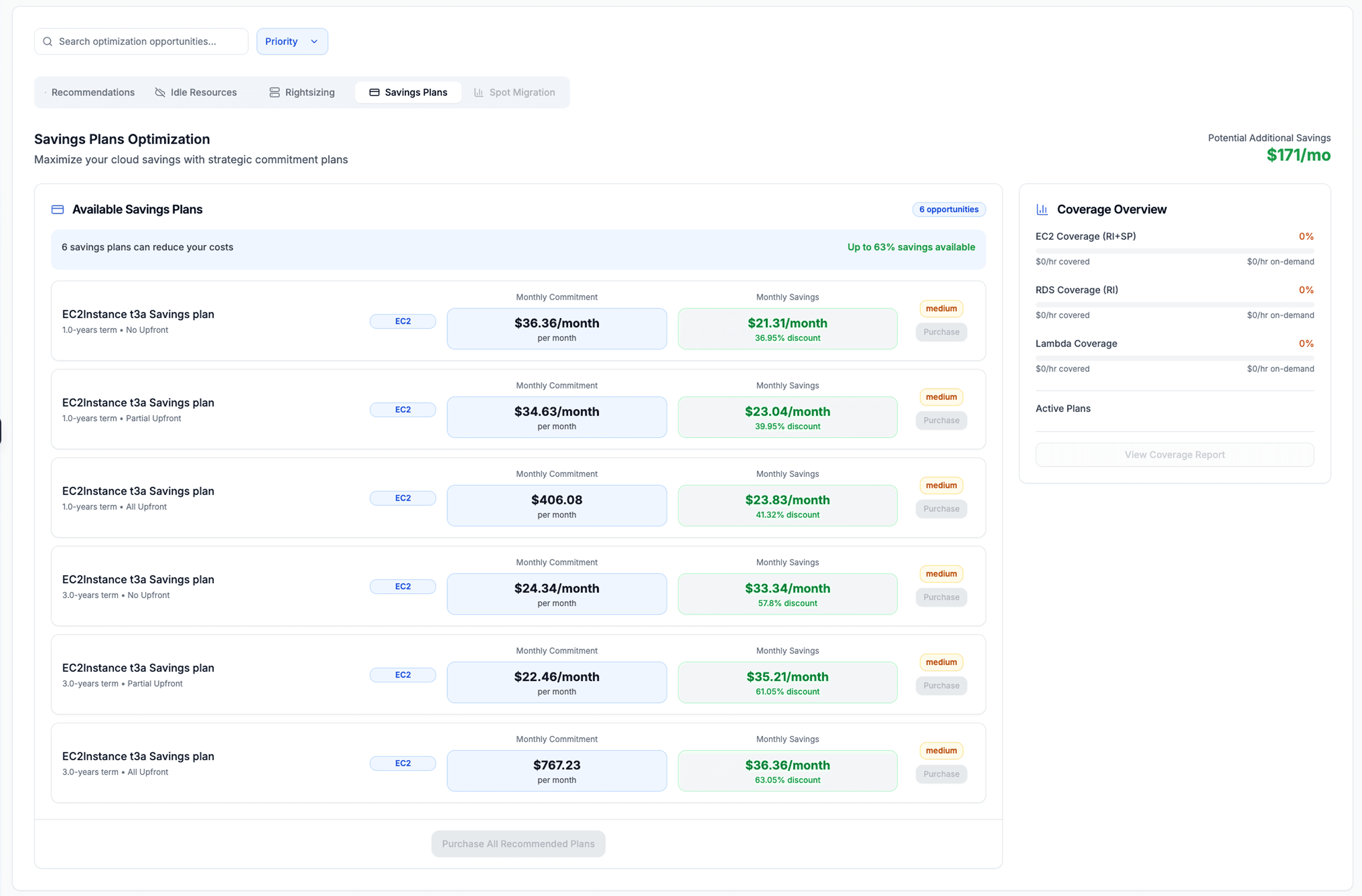
The challenge: native tools require manual monitoring and lack proactive alerts.
Opsolute’s FinOps platform enhances Reserved Instance management through real-time coverage analysis that identifies gaps where on-demand usage can be converted into reservations, expiration tracking that alerts teams well in advance, utilization monitoring that flags underused reservations, a recommendation engine that suggests precise purchases based on actual consumption patterns, and an active plans dashboard that displays all reservations along with their expiration timelines and cost impact.
Teams using FinOps platforms typically achieve 15-25% additional savings beyond basic purchases by optimizing coverage, catching expirations, and eliminating underutilized reservations.
Set up monitoring: weekly utilization reviews, monthly comparison of Reserved Instance spend versus on-demand spillover, quarterly analysis of whether reservations match workload patterns, and 60-day expiration alerts. Missing an expiration can increase monthly bills by 50-70%.
Frequently Asked Questions
Q: What's the difference between Reserved Instances and Savings Plans? A: Reserved Instances commit to specific instance configurations while Savings Plans commit to dollar-per-hour spending that automatically applies to any compute usage. AWS recommends Savings Plans for flexibility, though Reserved Instances remain valuable for capacity reservations and RDS databases.
Q: Can I cancel Reserved Instances if needs change? A: No, purchases are non-refundable. However, Convertible can be exchanged, Standard can be modified or sold on the marketplace (except India accounts). Start with 50% coverage to reduce risk.
Q: How does instance size flexibility work? A: Regional Linux reservations use normalization factors. One m5.2xlarge (16 units) covers two m5.xlarge (8 each) or four m5.large (4 each) in any availability zone within the region. Only for regional scope, Linux/UNIX on shared tenancy.
Q: What's the break-even point versus on-demand? A: Approximately 70% utilization (5,110 hours annually). Below this, on-demand may be cheaper because you're not paying for unused reservation capacity.
Q: Should I choose Standard or Convertible? A: Standard for maximum savings (72%) with stable requirements. Convertible for flexibility (54%) when infrastructure evolves. Many start with 50% Convertible coverage.
Q: Do Reserved Instances work across multiple AWS accounts? A: Standard Regional reservations automatically share discounts across all accounts in an AWS Organization's consolidated billing, allowing centralized purchasing to benefit the entire organization.
Schedule a free consultation with Opsolute's FinOps experts to analyze your AWS spending, identify Reserved Instance opportunities tailored to your workload patterns, and implement automated monitoring to maximize savings without manual overhead.