Introduction
Your cloud bill just doubled. Again.
The dev environments running 24/7, oversized production instances, and forgotten storage volumes, organizations waste nearly 30% of their cloud budgets. That's not pocket change, for a company spending $100K monthly, that's $360K annually burning a hole in your balance sheet.
Key Highlights
Organizations waste 27–32% of cloud spend due to idle resources, overprovisioning, and inefficient pricing models
Visibility is the foundation of savings - tagging, dashboards, and alerts make waste immediately actionable
Rightsizing alone can unlock 15–25% savings by aligning compute, storage, and databases with real usage
Strategic pricing models (Reserved Instances, Savings Plans, Spot) routinely deliver 30–50% total cost reduction
Continuous monitoring and anomaly detection prevent spending from silently creeping back up
Businesses that treat cost as a first-class engineering metric improve margins without compromising performance or reliability
Who This Guide Is For
This explores what is cloud cost optimization and is designed for technical and financial decision-makers responsible for cloud infrastructure and spending:
CTOs and VPs of Engineering managing cloud architecture strategy and budget allocation
FinOps Practitioners building financial accountability into cloud operations
CloudOps and DevOps Teams implementing day-to-day infrastructure optimization
Finance Leaders tracking cloud COGS and seeking to improve gross margins
Engineering Leads making architectural decisions that impact long-term cost efficiency
Whether you're wrestling with runaway bills, preparing for budget season, or building cost-conscious engineering culture, these strategies provide actionable frameworks for immediate impact.
Understanding Cloud Cost Optimization: Beyond Simple Cost Cutting
Cloud cost optimization strategies are critical to ensuring every dollar spent delivers maximum business value.
The goal is to eliminate waste, oversized instances, idle resources, and inefficient architectures while maintaining the performance and reliability your applications demand.
Here's the critical difference: cost cutting reduces expenses without regard to impact. Cost optimization aligns spending with business value. If your costs increase 50% but revenue grows 100%, you're winning. What matters is unit economics and ROI.
Understanding Unit Economics
Unit economics means measuring cost efficiency at the most granular business level rather than aggregate spending. Instead of tracking total monthly cloud costs, you calculate the infrastructure cost for each meaningful business unit.
Common unit economic metrics include:
Cost per customer – Total cloud spend divided by active customers, revealing whether you're scaling efficiently or burning more resources per user as you grow
Cost per transaction – Infrastructure cost for each API call, payment processed, or user action completed
Cost per workload – Expense of running specific features, microservices, or data pipelines, showing which capabilities are profitable vs cost drains
When a SaaS company discovers their cost per customer dropped from $8 to $5 while revenue per customer held at $50, they've just improved gross margins from 84% to 90%. That's unit economics driving business value, not just IT cost management.
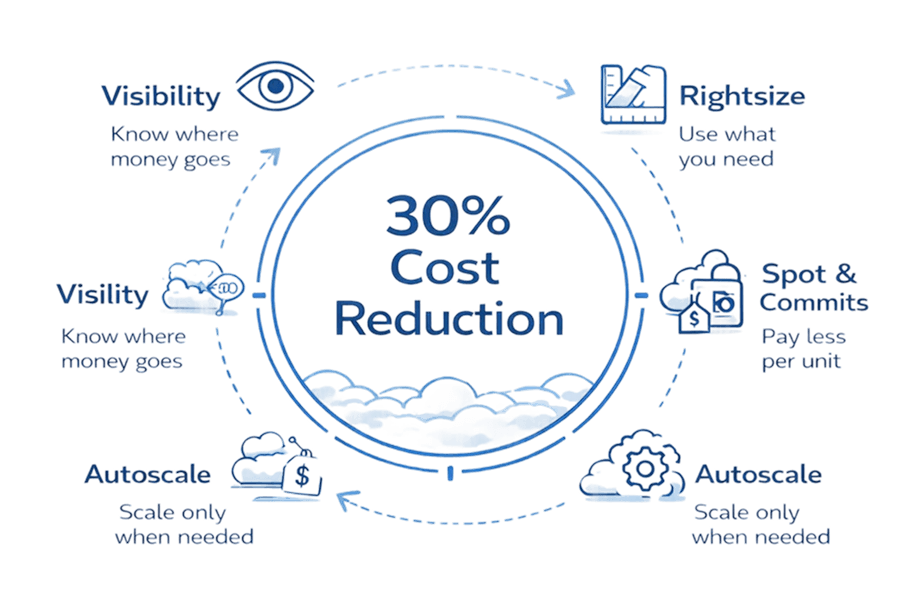
The four pillars of effective optimization:
Eliminate waste – Remove unused resources and overprovisioned capacity
Rightsize resources – Match instance sizes to actual workload requirements
Optimize pricing – Use reserved capacity and spot instances strategically
Enable visibility – Track costs by team, project, and feature for accountability
When done right, optimization improves margins, enables competitive pricing, and frees up budget for innovation rather than infrastructure bloat.
The Real Cost of Cloud Waste: Why This Matters Now
Research shows organizations waste 27-32% of cloud spending on resources that deliver zero business value.
A development team spins up 20 test instances for a weekend load test. They forget to tag them. Three months later, finance discovers $4,000 in mystery costs no team will claim. Sound familiar?
Where Your Cloud Budget Actually Goes to Waste
Category | Waste Impact | Description | Quick Fix |
Overprovisioned Resources | 20% | Instances, databases, and storage sized for worst-case scenarios that rarely occur | Rightsize based on 90-day utilization metrics |
Idle Resources | 15% | Zombie instances, unused volumes, forgotten test environments still running | Automated discovery and termination policies |
Wrong Pricing Models | 13% | Steady-state workloads running on expensive on-demand pricing | Convert baseline capacity to Reserved Instances or Savings Plans |
Storage Inefficiency | 10% | Hot storage tiers for cold data, uncompressed backups, redundant snapshots | Lifecycle policies, compression, retention review |
Untracked Dev Environments | 12% | Development and staging environments operating 24/7 like production | Auto-shutdown schedules, ephemeral environments |
Data Transfer Costs | 8% | Cross-region traffic, inefficient CDN usage, poor architecture placement | Regional optimization, caching strategies |
Unoptimized Databases | 7% | Oversized RDS instances, inefficient queries, unnecessary read replicas | Performance tuning, connection pooling, read replica audit |
Other Inefficiencies | 15% | Logging overhead, monitoring redundancy, license waste, networking costs | Periodic audits, consolidation efforts |
Total typical waste: 27-32% of cloud spending delivering zero business value
The cascading impact hits multiple fronts:
Financial drain – Money spent on waste can't fund new features or hire engineers. For a $1M annual cloud budget, 30% waste means $300K unavailable for business growth.
Margin pressure – High cost of goods sold (COGS) compresses gross margins, making you less attractive to investors and limiting pricing flexibility against competitors.
Competitive disadvantage – this multiplies cloud cost optimization tools running lean cloud operations can price products more aggressively or reinvest savings into R&D.
The scenario that keeps CTOs awake: your monthly bill spirals from a manageable $5,000 to a shocking $50,000 over a few quarters. Without visibility into what's driving costs, you're flying blind until the invoice arrives.
Establishing Cost Visibility: The Foundation of Optimization
You can't optimize what you can't measure.
Cost visibility means knowing precisely what you're spending on supporting each customer, team, product, feature, and environment. Not just "We spent $87K on AWS last month," but "Feature X costs $2.30 per transaction" or "Customer segment Y runs at 45% margins."
Implement a comprehensive tagging strategy:
Every resource needs consistent tags identifying its purpose and ownership. At minimum, tag resources with:
Environment – Production, staging, development, testing
Team – Engineering, data science, marketing, customer success
Project – New mobile app, analytics platform, API v2
Cost Center – Which budget this should hit
Owner – Who's responsible for this resource
Create a tagging policy that's enforced through Infrastructure as Code (IaC) tools. New resources should inherit tags automatically, preventing the "who owns this mystery instance?" conversations three months later.
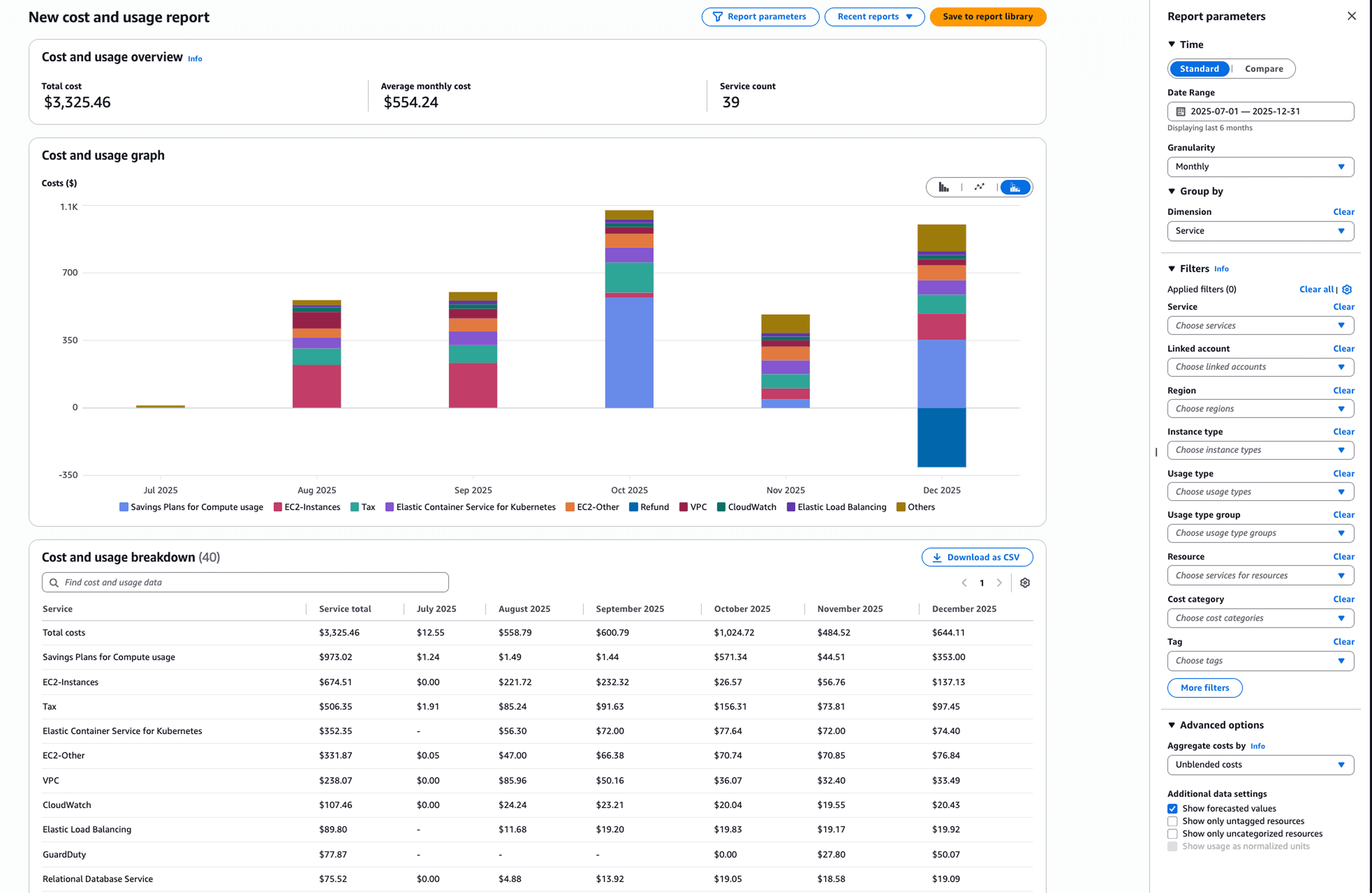
Set up native cost monitoring tools:
Each cloud provider offers built-in cost tracking:
Provider | Primary Tool | Key Features |
AWS | Cost Explorer + Trusted Advisor | Detailed breakdowns, rightsizing recommendations, savings plans analysis |
Azure | Cost Management + Advisor | Budget alerts, cost allocation, optimization suggestions |
GCP | Billing Reports + Recommender | Custom dashboards, commitment analysis, idle resource detection |
Configure these tools to send real-time alerts when spending exceeds thresholds. Don't wait for month-end surprises, catch anomalies within 24 hours.
Make cost data accessible to engineers:
Finance tracking costs in spreadsheets while engineers deploy blindly creates dysfunction. Engineers need dashboards showing the cost impact of their decisions in real-time, right alongside performance metrics.
When developers see that refactoring a data pipeline reduced costs from $800/day to $200/day, optimization becomes a natural part of engineering culture rather than a finance department mandate.
Right-Sizing Resources: Match Capacity to Actual Usage
Most organizations run instances larger than workloads require. That's expensive guesswork.
Right-sizing means analyzing actual CPU, memory, and network utilization over 30-90 days, then adjusting instance sizes to match real-world usage patterns, not worst-case scenarios someone imagined during planning.
The analysis process:
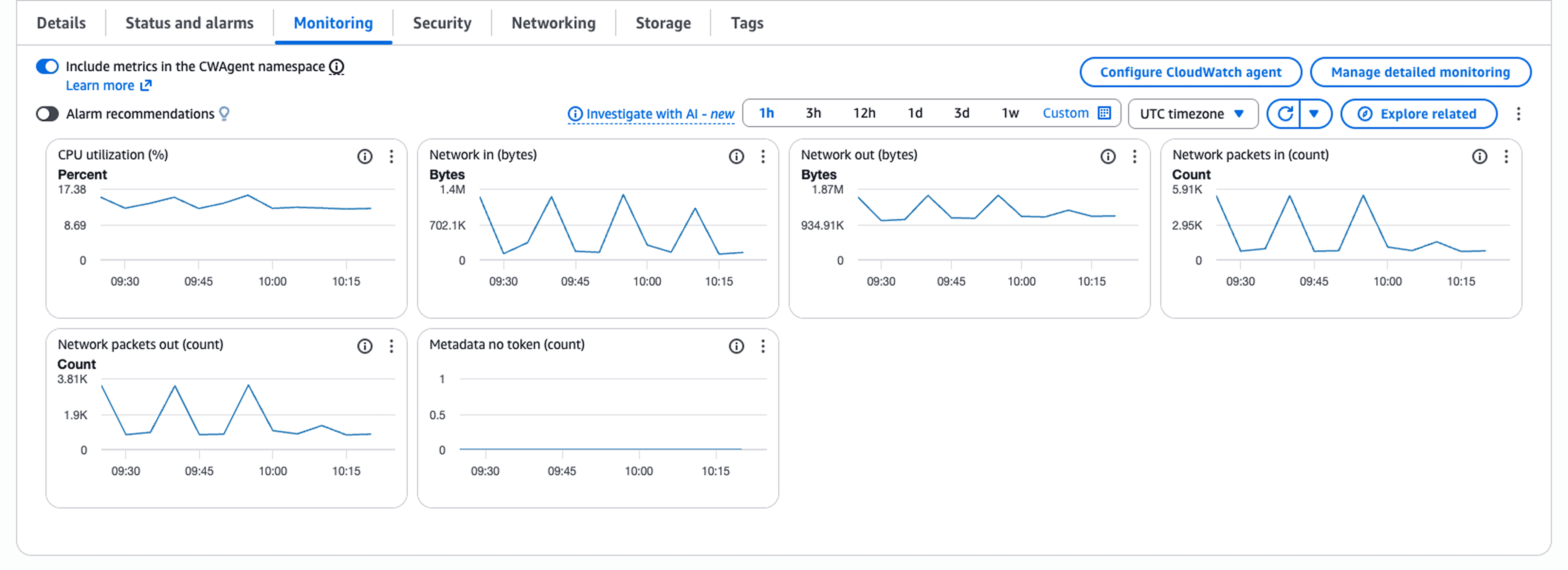
Pull utilization metrics from your monitoring stack (CloudWatch, Azure Monitor, Cloud Monitoring). Look for instances consistently running below 40% CPU and memory utilization. Those are prime candidates for downsizing.
But don't make blind cuts. Sometimes a slightly larger instance offers better price-performance. An m5.xlarge might seem oversized at 30% utilization, but the next size down (m5.large) could max out CPU during traffic spikes, degrading user experience. The goal is optimal sizing, not minimal sizing.
Automation tools that help:
AWS Compute Optimizer – Analyzes CloudWatch metrics and recommends instance type changes with expected cost savings
Azure Advisor – Provides rightsizing recommendations across VMs, databases, and storage
GCP Recommender API – Suggests optimal machine types based on actual usage patterns
These tools typically identify 15-25% in immediate savings opportunities. The catch? You need to actually implement the recommendations. Many teams run these reports monthly, identify savings, then never execute the changes.
Beyond compute instances:
Rightsizing applies to storage, databases, and network resources too. That RDS instance running at 20% capacity? Downsize it. The 10TB storage volume with 2TB used? Reduce it. Data transfer costs eating your budget? Review which services need to be in which regions.
Leveraging Strategic Pricing Models: Reserved, Spot, and Savings Plans
Pricing model selection might deliver your biggest single cost reduction.
Cloud providers offer steep discounts for commitment. The trade-off? You're paying upfront or committing to minimum usage in exchange for 30-75% off on-demand pricing.
Pricing Model Comparison
Model | Discount | Commitment | Best For | Risk |
On-Demand | 0% (baseline) | None | Variable workloads, new projects | Highest cost |
Savings Plans | up to 72% | 1-3 years, hourly spend | Flexible compute needs | Must hit commit |
Reserved Instances | up to 72% | 1-3 years, specific type | Steady-state workloads | Instance lock-in |
Spot Instances | up to 90% | None (interruptible) | Fault-tolerant jobs | Can be terminated |
Match workloads to pricing models:
Use Reserved Instances for: Databases running 24/7, core application servers with predictable traffic, services you'll definitely run for 1-3 years without architectural changes.
Use Savings Plans for: Compute capacity you'll consistently use but instance types might change. Savings Plans offer flexibility across instance families, sizes, and even services (Lambda, Fargate) while maintaining strong discounts.
Use Spot Instances for: Batch data processing, CI/CD pipelines, machine learning training, rendering farms, anything that can handle interruptions gracefully. Design applications to checkpoint progress and resume when spot capacity returns.
Keep On-Demand for: Variable traffic components, new workloads where usage patterns aren't clear, peak capacity beyond reserved baseline.
The hybrid strategy that works:
Analyze your baseline usage, the compute capacity you run 24/7 regardless of traffic fluctuations. Purchase Reserved Instances or Savings Plans covering 70-80% of that baseline. This locks in discounts for predictable usage while maintaining flexibility for growth and variability through on-demand and spot instances.
A SaaS company with consistent 100-instance baseline might reserve 75 instances, use spot for 10-15 batch jobs, and handle traffic spikes with on-demand. This typically achieves 40-50% savings vs pure on-demand while maintaining operational flexibility.
Continuous Monitoring, Forecasting, and Anomaly Detection
One-time optimization isn't optimization. It's a temporary fix.
Cloud environments change constantly—new features deploy, traffic patterns shift, team experiments run. Without continuous monitoring, waste creeps back in, often worse than before because no one's watching.
Implement real-time cost anomaly detection:
Configure tools that establish baseline spending patterns and alert when costs deviate significantly. A 50% cost spike on Tuesday at 3 AM? That's not normal traffic—something's wrong.
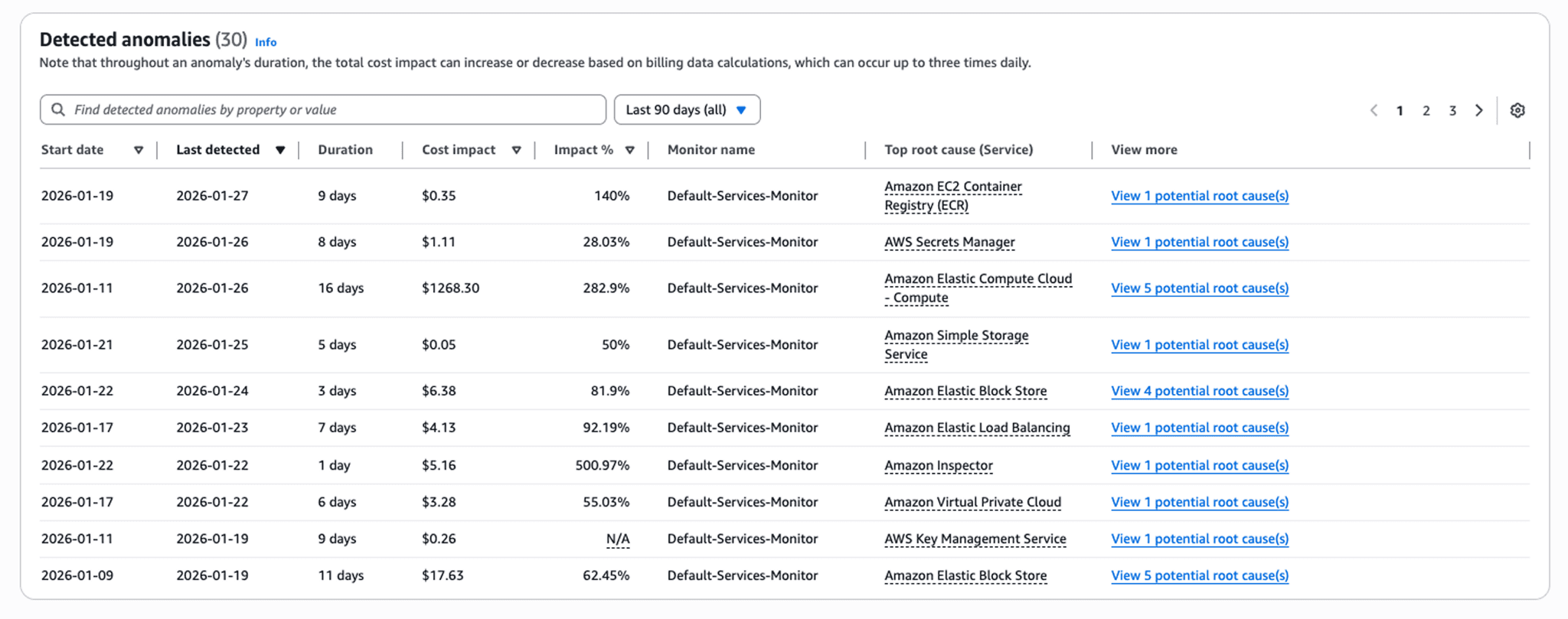
Modern platforms use machine learning to understand seasonal patterns, growth trends, and normal variability. They distinguish between "expected increase from new customers" and "unexpected spike from runaway script."
Track these critical metrics:
Unit cost – Cost per customer, transaction, API call, or whatever unit makes sense for your business. If this rises without corresponding revenue growth, you have efficiency problems.
Idle cost – Your baseline cost with zero customer load. High idle costs indicate overprovisioned infrastructure or architectural inefficiencies.
Cost per team/project – Who's driving spending? Which projects deliver positive ROI vs burning budget?
Optimization coverage – What percentage of resources use reserved capacity, have rightsizing implemented, or follow cost best practices?
Forecast future spending:
Use historical patterns and growth projections to predict costs 3-6 months out. This enables proactive capacity planning rather than reactive "our budget just doubled" conversations.
Forecasting works best when broken down by workload type rather than aggregate spending. Predict separately for production workloads (usually steady growth), development (spiky based on feature development cycles), and data processing (seasonal patterns often present).
Establish a cadence:
Daily – Automated anomaly alerts for spikes requiring immediate investigation
Weekly – Quick review of spending trends and any new cost drivers
Monthly – Comprehensive analysis of optimization opportunities and budget variance
Quarterly – Strategic review of reserved capacity, architectural efficiency, and long-term trends
This rhythm catches issues early (daily/weekly) while making time for deeper optimization (monthly/quarterly).
Measuring Success: Key Metrics and KPIs
You can't manage what you don't measure.
Cost optimization needs clear metrics showing progress and identifying areas needing attention. Track these KPIs consistently and share them across engineering and finance teams.
Essential optimization metrics:
Cost per customer – Total cloud costs divided by active customers. Should trend down or stay flat as you scale, not increase linearly.
Gross margin – (Revenue - COGS) / Revenue. Cloud infrastructure is often your largest COGS component. Improving cloud efficiency directly improves gross margins.
Optimization coverage percentage – What portion of your infrastructure uses cost optimization tactics (reserved capacity, rightsizing, auto-scaling)? Target 70-80% coverage.
Idle resource ratio – Costs for unused resources / total costs. Under 5% is excellent, 10-15% needs work, above 20% means significant waste.
Forecast accuracy – How closely do predicted costs match actual spending? Within 10% is good, within 5% excellent.
Mean time to detect cost anomalies – How quickly do you discover unexpected cost spikes? Under 24 hours is good, real-time is ideal.
Savings realized from recommendations – Track recommendations from rightsizing tools and measure what percentage actually get implemented. Many teams have huge backlogs of unimplemented suggestions.
Setting baseline and targets:
Establish current baseline metrics, then set realistic improvement targets. If your current optimization coverage is 40%, targeting 80% within one quarter is aggressive. A 60% target in three months with 80% by year-end is achievable.
Connect metrics to business outcomes:
Don't just report "we saved $50K this month." Connect it: "Optimization improvements reduced cost per customer from $12 to $8, improving gross margins from 65% to 73% and enabling more competitive pricing in enterprise market."
When executives see cost optimization driving business strategy rather than just cutting IT budgets, it gets the priority and resources it deserves.
Frequently Asked Questions
Q: What is cloud cost optimization and how is it different from cost cutting?
A: Cloud cost optimization maximizes business value from cloud investments by eliminating waste, rightsizing resources, and aligning spending with revenue-generating activities. Unlike simple cost cutting, which reduces expenses without regard to business impact, optimization balances cost efficiency with performance, reliability, and growth objectives.
Q: How much can organizations typically save through cloud cost optimization?
A: Organizations typically reduce spending by 30-50% through systematic optimization. Quick wins like removing idle resources often deliver 15-25% immediate savings, while comprehensive strategies including rightsizing, reserved capacity, and automation compound to 40-50% total reduction.
Q: What are the most common causes of cloud cost waste?
A: The top causes are overprovisioned compute and storage (20%), zombie resources running unused (15%), development environments operating 24/7 (12%), using on-demand pricing for predictable workloads instead of reserved instances (13%), and inefficient storage tiers for archival data (10%).
Q: Which cloud cost optimization tools should I use?
A: Start with native provider tools—AWS Cost Explorer and Trusted Advisor, Azure Cost Management and Advisor, or GCP Billing Reports and Recommender. For advanced multi-cloud management and engineering-focused insights, consider third-party platforms like CloudZero, Kubecost for Kubernetes environments, or Spacelift for IaC-based infrastructure.
Q: Should I use reserved instances or savings plans?
A: It depends on workload predictability. Use reserved instances for steady-state workloads with consistent instance type requirements like databases running 24/7. Choose savings plans for more flexibility across instance families while getting 30-72% discounts. Most organizations benefit from a hybrid approach: reserved instances for baseline capacity, savings plans for predictable growth areas, and on-demand for variable spikes.
Q: How often should I review and optimize cloud costs?
A: Implement continuous monitoring with automated alerts for anomalies, conduct lightweight weekly reviews of spending trends, and perform comprehensive optimization audits monthly or quarterly. Major changes like new deployments or architecture updates should trigger immediate cost reviews.
Q: What's the best way to get engineering teams engaged in cost optimization?
A: Make cost visible and actionable by providing real-time dashboards showing per-team spending, making cost a deployment metric alongside performance, establishing cost budgets with team ownership, celebrating optimization wins, and ensuring engineers have tools to make cost-effective decisions. When engineers see the impact of their choices immediately, optimization becomes natural.
Q: Can I optimize costs without impacting performance or reliability?
A: Absolutely. Effective optimization targets waste without sacrificing business requirements. Rightsizing matches resources to actual usage, auto-scaling maintains performance during spikes while reducing idle capacity, and spot instances work perfectly for fault-tolerant workloads. Start with obvious waste like unused resources before touching production workloads.
Take Control of Your Cloud Costs Today
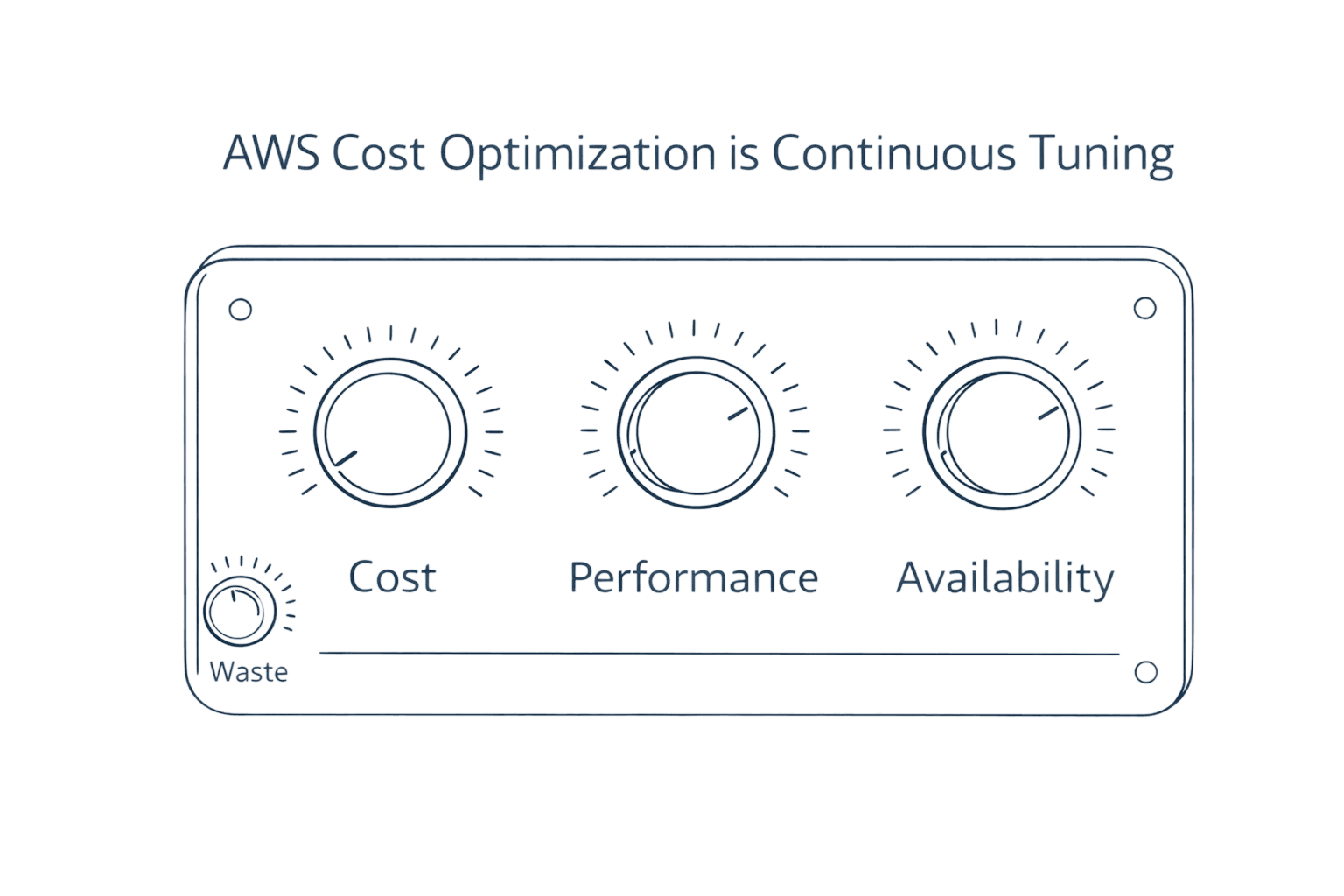
Cloud cost optimization isn't a one-time project. It's an ongoing practice combining visibility, automation, and cultural change.
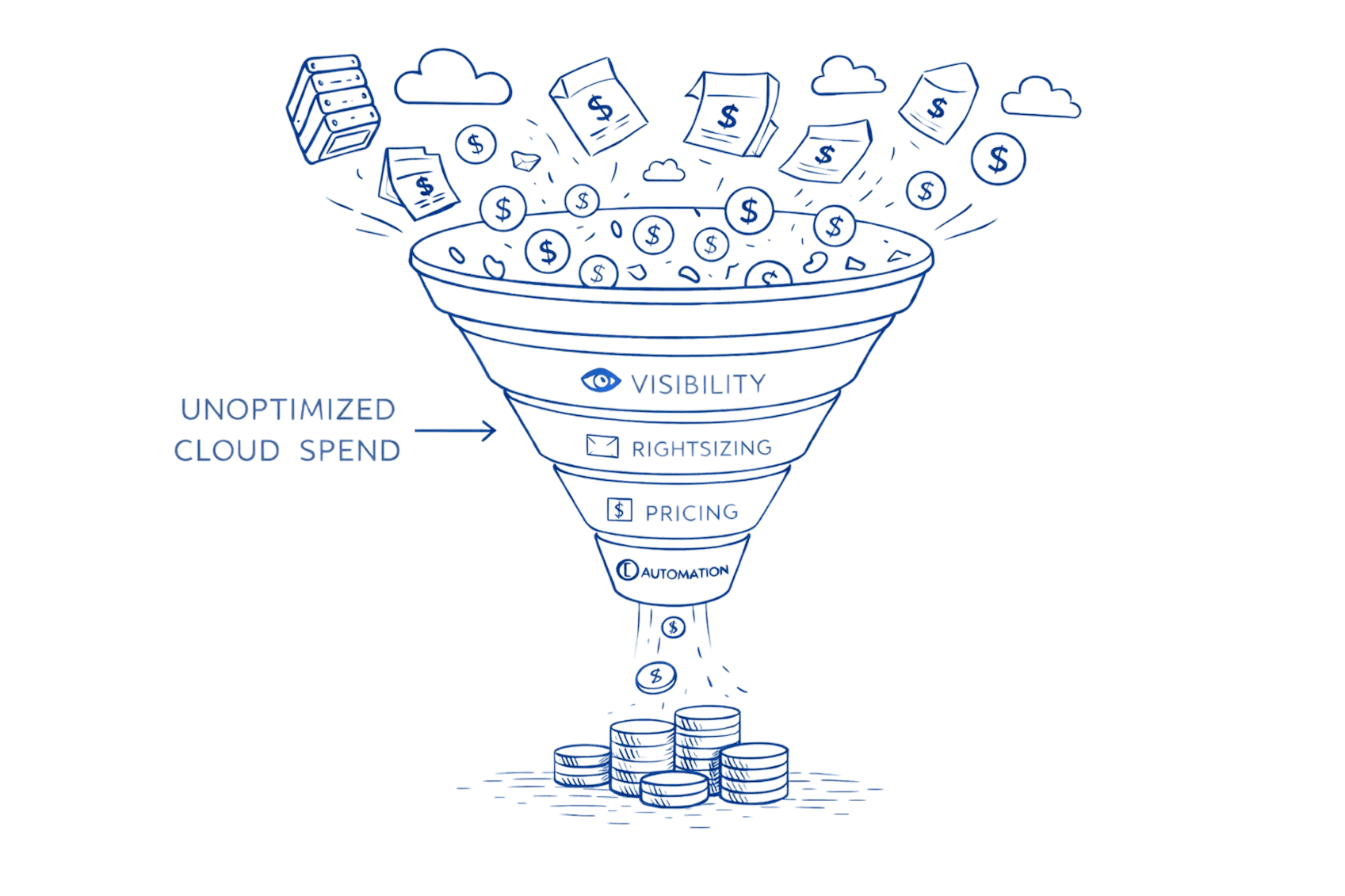
Start with the quick wins—eliminate zombie resources, implement tagging, set up budget alerts. These deliver immediate 15-25% savings while building the foundation for deeper optimization.
Next, tackle rightsizing and pricing model optimization. Analyze your workloads, match them to appropriate instance sizes and purchasing models. This typically compounds savings to 35-45%.
Finally, build sustainable practices through governance, continuous monitoring, and engineering culture that treats cost as a first-class metric alongside performance and reliability.
Ready to cut your cloud waste by 30-50%? Schedule a 30-minute Cloud Cost Assessment with Opsolute's team. We'll analyze your environment, identify your biggest opportunities, and provide a customized optimization roadmap.
Request a FinOps Implementation Demo to see how we help engineering teams build cost-conscious culture that scales with your business.