Introduction
Most teams know they're overspending on S3. You've got 300 buckets consuming $47K monthly, and somewhere in that mess are easy wins worth thousands. The problem isn't finding the AWS documentation, it's translating theory into actual dollar savings.
I've watched engineering teams pour over pricing pages, only to walk away more confused than when they started. S3 billing is deceptively complex. What looks like simple storage charges quickly morphs into a multi-dimensional cost model with cloud cost optimization strategies where request fees, retrieval charges, and KMS encryption can eclipse your actual storage costs.
This playbook gives you the decision framework, real math with USD examples, and copy-paste lifecycle policies you can deploy this week. More importantly, you'll know exactly which buckets to target first and how to measure ROI within 30 days.
Key Highlights
S3 costs are driven by five levers: storage class, requests, retrieval fees, lifecycle transitions, and KMS operations
Intelligent-Tiering removes guesswork for unpredictable access patterns and eliminates small-object penalties under 128 KB
Minimum storage durations (30/90/180 days) and small-object overhead are the most common cost traps engineering teams miss
Lifecycle recipes can drop log-storage costs by 60–70% and eliminate 5–15% waste from incomplete multipart uploads
Glacier classes offer 10–20x savings, but retrieval modeling is mandatory to avoid surprise bills
S3 Bucket Keys reduce KMS API costs by up to 99% with no code changes
Intelligent Tiering becomes cheaper than manual lifecycle rules at scale (5M+ objects) due to reduced operational overhead
Real-world teams routinely save 50–90% by combining lifecycle rules, data-shape optimization, and version-cleanup
A structured 30-day rollout enables measurable ROI within one quarter through Storage Lens insights, targeted policies, and tagging discipline
1. How S3 Actually Charges You (The Five Cost Levers)
Before touching any lifecycle rule, you need to see where your money goes. Too many teams optimize storage costs while bleeding cash on requests or KMS fees.
Storage costs are the obvious starting point. You pay per GB-month, but rates swing wildly by storage class. S3 Standard in the US East costs $0.023/GB-month. Glacier Deep Archive? $0.00099/GB-month. That's a 23x difference sitting right there in your console.
For a 100 TB bucket, you're looking at $2,300 monthly in Standard versus $99 in Deep Archive. Same data, same durability (11 nines), drastically different price tag. The gap between these numbers is where optimization lives, and where most teams leave money on the table.Request costs blindside teams running analytics pipelines. Every PUT, COPY, POST, and LIST costs $0.005 per 1,000 operations. GETs run $0.0004 per 1,000. Sounds cheap until you're scanning millions of small objects daily.
Here's a scenario I see constantly: A data processing job reads 5 million objects daily. That's 150 million GET requests monthly, costing $60 in requests alone. Meanwhile, the data itself costs $2K to store. When your request costs hit 3% of storage costs, you've got a data shape problem that lifecycle policies won't fix.Data retrieval fees hit when you pull from Infrequent Access or Glacier classes. Standard-IA charges $0.01 per GB retrieved. Glacier Flexible Retrieval ranges from free for bulk retrievals to $0.03/GB for expedited. Archive aggressively, but model your retrieval patterns first. If you're pulling 20% of archived data monthly, you might pay more in retrieval than you save in storage.
Lifecycle transition costs are the hidden tax on optimization. Moving objects between storage classes costs $0.01 per 1,000 transitions for Standard-IA, but $0.05 per 1,000 for Glacier Deep Archive. Move 10 million small files to Glacier and you'll pay $500 just in transition fees before seeing any savings. For buckets with billions of objects, this adds up fast. You either batch the transitions, accept the toll, or keep smaller objects in warmer tiers.
KMS encryption costs deserve special attention because they're completely avoidable in most cases. Each SSE-KMS operation costs $0.03 per 10,000 requests. An application making 10 million S3 operations monthly on KMS-encrypted data pays $30 in KMS API calls alone. Scale that to billions of operations and you're looking at thousands monthly.
The fix? Enable S3 Bucket Keys. This single checkbox reduces KMS requests by up to 99%. I've seen teams drop KMS costs from $1,500 daily to $300 with this one change. No code changes needed, no compliance impact, just enable Bucket Keys and watch your KMS bill crater. At its core, cloud cost optimization is the continuous practice of aligning cloud spend with actual business value—exactly what understanding S3’s five cost levers enables at a storage, request, and lifecycle level.
2. The Cost Traps That Burn Everyone
Three patterns separate teams spending smartly from teams hemorrhaging cash.
1) Minimum storage durations are a common pitfall. Standard-IA requires objects to remain for at least 30 days, Glacier Instant and Flexible Retrieval require 90 days, and Deep Archive mandates 180 days. Deleting objects early still incurs charges for the full duration.
Move 1,000 GB to Glacier Flexible, then delete after 30 days? You owe $252 in early deletion fees (60 days × 1,000 GB × $0.0042/GB-day). These aren't penalties, AWS is just billing you for the commitment you made when you chose that storage class.
2) Small object overhead in IA classes kills cost efficiency. Any object under 128 KB gets charged as 128 KB in Standard-IA. Store 1 million 10 KB log files and AWS bills you for 122 GB instead of 10 GB. That's a 12x cost multiplier: $21.75/month versus $1.81 for the same data.
Here's the elegant solution: Intelligent-Tiering doesn't have this penalty. Objects under 128 KB stay in the Frequent Access tier with no monitoring charge and no minimum size inflation. This is one of those rare cases where the automated solution actually costs less than manual optimization.
3) Cross-region replication doubles your storage footprint at minimum, but teams enable it reflexively for "availability." S3 already gives you 11 nines durability. You don't need three replicas unless compliance demands it or you're serving global users who genuinely need local access.
Replicate 50 TB cross-region and you pay $1,000 upfront in transfer fees at $0.02/GB, plus ongoing triple storage costs. Run the math on whether CloudFront caching might solve the same problem for less.
3. Getting Visibility in One Hour
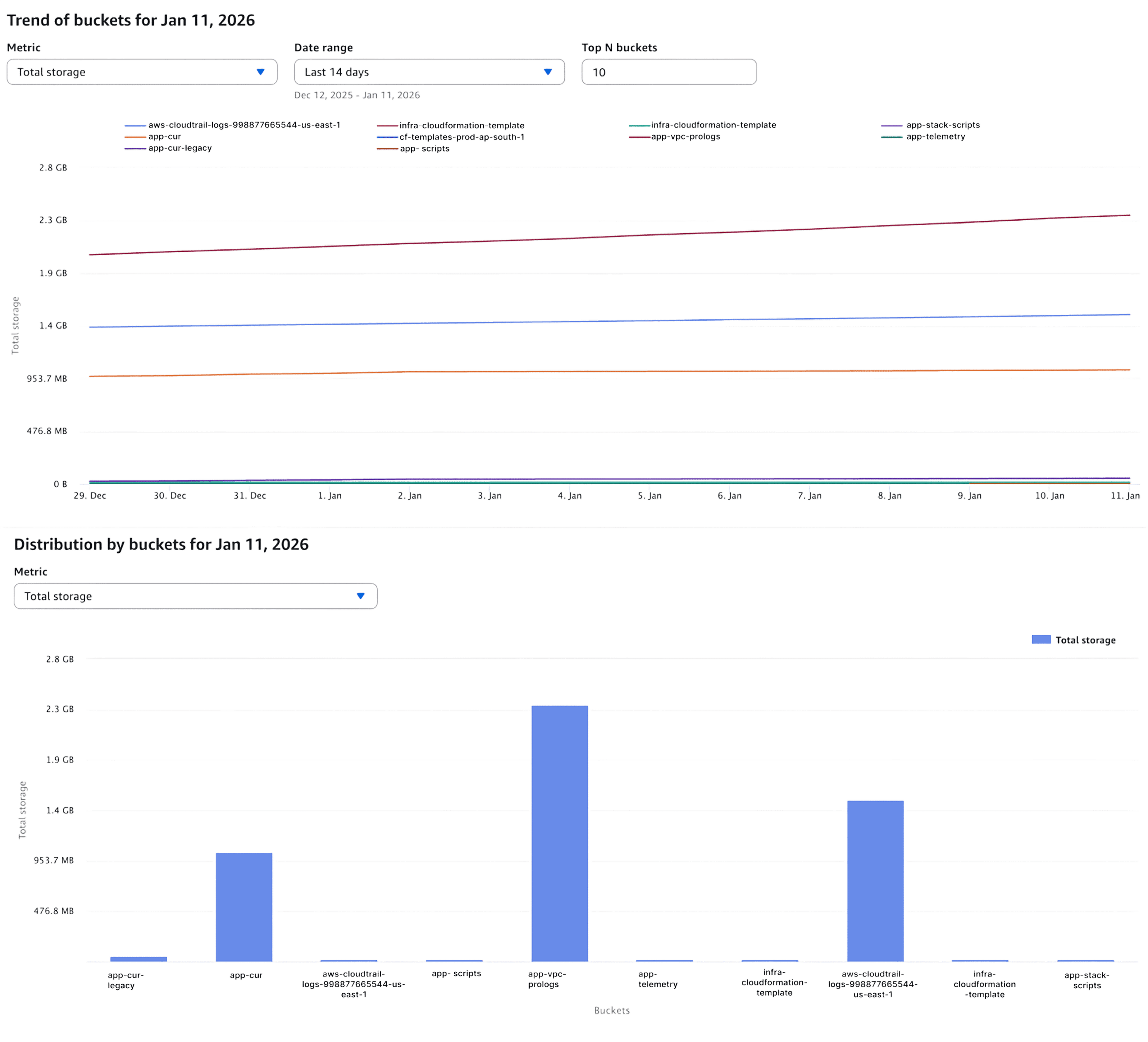
Enable S3 Storage Lens first. The free tier gives you 28 metrics with 14-day retention. That's enough to spot the big problems: buckets without lifecycle rules, incomplete multipart uploads eating 5-10% of costs, cold data sitting in hot storage. Metrics such as cost per GB-month, retrieval-to-storage ratio, request costs as a percentage of total spend, and cold-data percentage are foundational cloud cost optimization metrics that turn Storage Lens insights into prioritised action.
Advanced Metrics costs $0.20 per million objects monthly for the first 25 billion objects, dropping to $0.16 and then $0.12 at higher tiers. For most teams, the free tier covers what you need for initial discovery.
aws s3control put-storage-lens-configuration \ |
Configure S3 Inventory for object-level analysis. Daily exports show you exactly what's sitting in each bucket, how old it is, and whether it's encrypted.
aws s3api put-bucket-inventory-configuration \ |
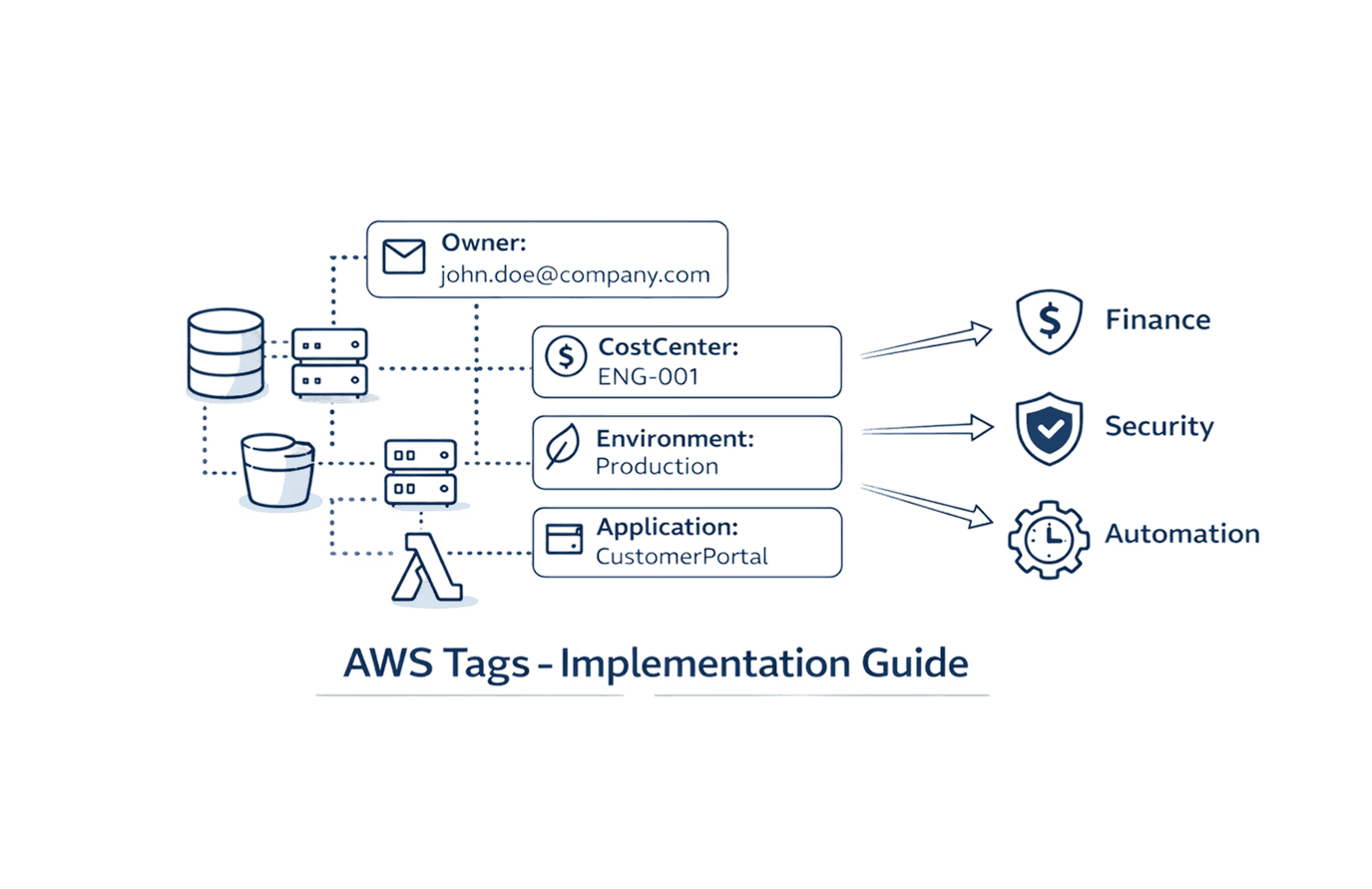
Tag your buckets for cost allocation. Without tags, you can't attribute spend to teams or projects. This matters when you're trying to show ROI or enforce governance.
aws s3api put-bucket-tagging \ |
Storage Lens will show you patterns immediately. That 300-bucket estate? Probably 60% of the data hasn't been touched in 90+ days. That's your first target. Native AWS services like S3 Storage Lens, Cost Explorer, S3 Inventory, lifecycle policies, and tagging together form a practical stack of cloud cost optimization tools that deliver measurable savings without adding operational overhead.
4. Storage Class Decision Framework
Choosing storage classes isn't about memorizing pricing tables. It's pattern matching your access frequency to cost profiles.
Access Pattern | Min Duration | Storage Class | $/GB-month | Retrieval | Latency |
Daily+ access | None | Standard | $0.023 | Free | ms |
Unpredictable | None | Intelligent-Tiering | $0.023 + monitoring | Free | ms-min |
Weekly-monthly | 30 days | Standard-IA | $0.0125 | $0.01/GB | ms |
Multi-AZ not needed | 30 days | One Zone-IA | $0.01 | $0.01/GB | ms |
Quarterly | 90 days | Glacier Instant | $0.004 | $0.03/GB | ms |
Rarely, can wait | 90 days | Glacier Flexible | $0.0036 | Free-$0.03/GB | 5-12h |
Long-term archive | 180 days | Deep Archive | $0.00099 | $0.0025-$0.02/GB | 12-48h |
Standard-IA breaks even when you access less than 1-2% of data monthly. Pull 100 GB from a 10 TB bucket and you spend $1 in retrieval while saving $115 in storage. Still winning by a mile.
Intelligent-Tiering automatically moves objects between access tiers based on actual usage. It costs $0.0025 per 1,000 objects monthly, but only for objects over 128 KB. Smaller objects stay in Frequent Access with no monitoring charge.This matters more than you'd think. User-generated content, research datasets, anything with unpredictable access patterns, Intelligent-Tiering saves you from guessing wrong on lifecycle rules. It's automation that actually reduces cost instead of adding overhead.
5. Lifecycle Policies You Can Deploy Today
Standard Logs: 7d → IA → Glacier → Expire
Application logs follow predictable patterns. Hot for debugging recent issues, rarely accessed after a week, basically never touched after 90 days.
{ |
This policy typically delivers 60-70% cost reduction for log buckets. The seven-day buffer keeps recent logs instantly accessible while older logs transition to cheaper storage.

Analytics Hot-Warm-Cold Pipeline
Data science teams access recent experiments frequently, reference older work occasionally, and almost never touch completed projects from six months ago.
{ |
The noncurrent version handling is critical here. Without it, versioned buckets balloon to 10x their logical size as old versions accumulate in expensive storage tiers.
Cleanup Incomplete Multipart Uploads
This is the easiest money you'll ever save on S3.
{ |
Incomplete multipart uploads sit in your bucket accumulating charges indefinitely. Storage Lens typically reveals these consuming 5-15% of costs in buckets with heavy upload activity. Apply this rule to every bucket. There's no downside.
Backup Rotation Strategy
Database backups need fast restoration for recent data, but year-old backups only matter for compliance.
{ |
Test these policies on non-production data first. Create a test bucket and set transition days to 1 instead of 7 to validate the policy logic within days instead of weeks.
6. Intelligent-Tiering vs Manual Lifecycle: When to Use What
Manual lifecycle rules win for predictable workloads. Logs, backups, anything following a clear access pattern, you know when data goes cold, so write an explicit rule. Zero monitoring fees, complete control, easier troubleshooting.
Intelligent-Tiering excels at unpredictable access. User uploads, research datasets, anything where you can't confidently predict which objects will be accessed next month. The automation adapts to actual usage patterns without you babysitting lifecycle rules.
The breakeven math: 50 million objects in a 250 TB bucket. Manual lifecycle costs roughly $4,200/month in storage plus $500 in transition fees. Intelligent-Tiering runs $3,800/month in storage plus $125 in monitoring. IT saves $275 monthly and eliminates the maintenance burden.
Below 5 million objects, manual rules usually cost less. Above that threshold, Intelligent-Tiering's automation pays for itself. Once lifecycle rules and access patterns stabilise through either Intelligent-Tiering or manual policies, forecasting cloud costs becomes significantly more accurate because storage growth, retrieval behaviour, and transition timing are now predictable rather than reactive. Once lifecycle rules and access patterns stabilise through either Intelligent-Tiering or manual policies, forecasting cloud costs becomes significantly more accurate because storage growth, retrieval behaviour, and transition timing are now predictable rather than reactive.
7. Archive Strategy: Picking the Right Glacier Tier
Glacier Instant Retrieval costs $0.004/GB-month for storage and $0.03/GB for retrieval with millisecond latency. Use this for data accessed 1-4 times yearly that needs immediate availability. Medical imaging, legal archives, anything where "fast enough" means "right now."
Glacier Flexible Retrieval drops storage to $0.0036/GB-month. Retrieval ranges from free for bulk (5-12 hours) to $0.03/GB for expedited (1-5 minutes). Bulk retrievals are criminally underused, 10 TB costs $0 versus $300 for expedited. You just need to plan ahead.
Glacier Deep Archive hits $0.00099/GB-month, the absolute floor for S3 storage. Retrieval runs $0.0025-$0.02/GB with 12-48 hour latency. At essentially $1 per TB monthly, you can afford to keep everything forever. But retrieving 100 TB costs $2,000-$10,000, so this really is write-once, rarely-read storage.
Model your worst-case retrieval scenario before archiving. Archive 100 TB, restore 10% annually for compliance audits, that's 10 TB × $0.01/GB = $100 versus $23,000 you'd pay keeping it in Standard. Even with occasional retrievals, the math works.
8. Request and KMS Optimization
Batch operations reduce API calls dramatically. Use S3 Batch Operations instead of millions of individual PUTs when copying or updating objects at scale.
S3 Select pulls only the data you need. Scanning a 1 GB CSV for 10 rows costs $0.0024 versus retrieving the entire file plus egress fees. For analytics workloads hitting the same large files repeatedly, this adds up.
Client-side caching for frequently accessed objects. If you're fetching the same config file 100,000 times hourly, cache it for five minutes. That drops from 100K GET requests hourly to one GET per five minutes, a 30,000x reduction.
KMS cost reduction comes down to one setting: enable S3 Bucket Keys. This checkbox reduces KMS API calls by up to 99% with zero code changes and no security trade-offs. You're still using KMS, AWS just batches the key operations at the bucket level instead of per-object.
Organizations running KMS-encrypted workloads at scale see $1,200+ monthly savings from this single change. Enable it everywhere unless you have specific compliance requirements for per-object key management.
9. Data Shape: Compression and Format Matter
Parquet and ORC reduce storage 60-80% versus JSON or CSV for structured data. The compression alone saves money, but these columnar formats also speed up queries, reducing compute costs downstream.
One TB of gzipped JSON costs $23 monthly in Standard storage. Convert to Parquet and it compresses to 250 GB costing $5.75 monthly. That's $206 yearly savings per TB plus faster query performance.
import pandas as pd |
Compression strategy by workload: Gzip for universal compatibility (2-5:1 ratio), Snappy for fast decompression in analytics pipelines (1.5-2:1), Zstandard for the best balance of compression and speed (3-8:1).
Bundle small objects before archiving to Infrequent Access classes. One million 10 KB files in Standard-IA get charged as 122 GB (12x inflation) due to the 128 KB minimum. Bundle them into 100 MB tar.gz archives first and you pay for actual size.
10. Three Real-World ROI Examples
1) SaaS Analytics Platform: 69% Cost Reduction
Starting point: 180 TB across 600 buckets, mostly logs and analytics outputs. Monthly spend: $4,300.
They applied 7d → IA → Glacier lifecycle to 120 TB of logs, enabled Intelligent-Tiering on 40 TB of user content, bundled 15 TB of small objects into archives, and deleted 8 TB of incomplete multipart uploads.
After 90 days: Storage dropped to 165 TB. 100 TB in Glacier Flexible at $360/month, 40 TB in Intelligent-Tiering at $520/month, 25 TB in Standard/IA at $450/month. New monthly cost: $1,330.
Savings: $2,970 monthly (69% reduction). Annual savings of $35,640 for eight hours of engineering time.
2) Healthcare Imaging: 74% Reduction Plus KMS Savings
Starting point: 450 TB of medical images (2.5 billion DICOM files averaging 180 KB). Monthly spend: $10,800.
They moved 90% to Glacier Instant after 30 days (maintains millisecond retrieval for compliance), switched from SSE-KMS to SSE-S3 where approved, and implemented viewer caching that cut requests by 85%.
After 120 days: 405 TB in Glacier Instant at $1,620/month, 45 TB hot at $1,035/month. KMS costs dropped from $400 to $0. Request costs fell from $1,350 to $200.
New cost: $2,855/month. Savings of $7,945 monthly (74% reduction) $95,340 annually.
3) Media Production: 93% Reduction Through Version Management
Starting point: 1.2 PB raw video with versioning enabled. Actual storage: 3.5 PB due to old versions. Monthly spend: $82,000.
They expired noncurrent versions after seven days (eliminated defensive over-retention), moved completed projects older than 180 days to Deep Archive, and converted metadata to compressed Parquet.
After 180 days: Storage collapsed from 3.5 PB to 1.3 PB. 1.1 PB in Deep Archive at $1,089/month, 200 TB active at $4,600/month.
New cost: $5,689/month. Savings of $76,311 monthly (93% reduction) $915,732 annually.
Your 30-Day Implementation Plan
Week 1: Discovery
Enable Storage Lens, export your top 50 buckets by cost from Cost Explorer, and check which buckets lack lifecycle rules. This takes two hours and gives you your target list.
Week 2-3: Pilot
Pick three non-production buckets with clear patterns. Write lifecycle policies, apply them with accelerated timelines (one-day transitions), and monitor for a week. Refine based on what you see.
Week 4: Production Rollout
Deploy multipart cleanup to every bucket (universal win, no risk). Apply lifecycle policies to logs and backups (lowest-risk, highest-ROI). Enable Intelligent-Tiering for unpredictable workloads. Tag everything for cost allocation. Set CloudWatch alarms for unexpected retrieval spikes.
Week 5-6: Measure and Document
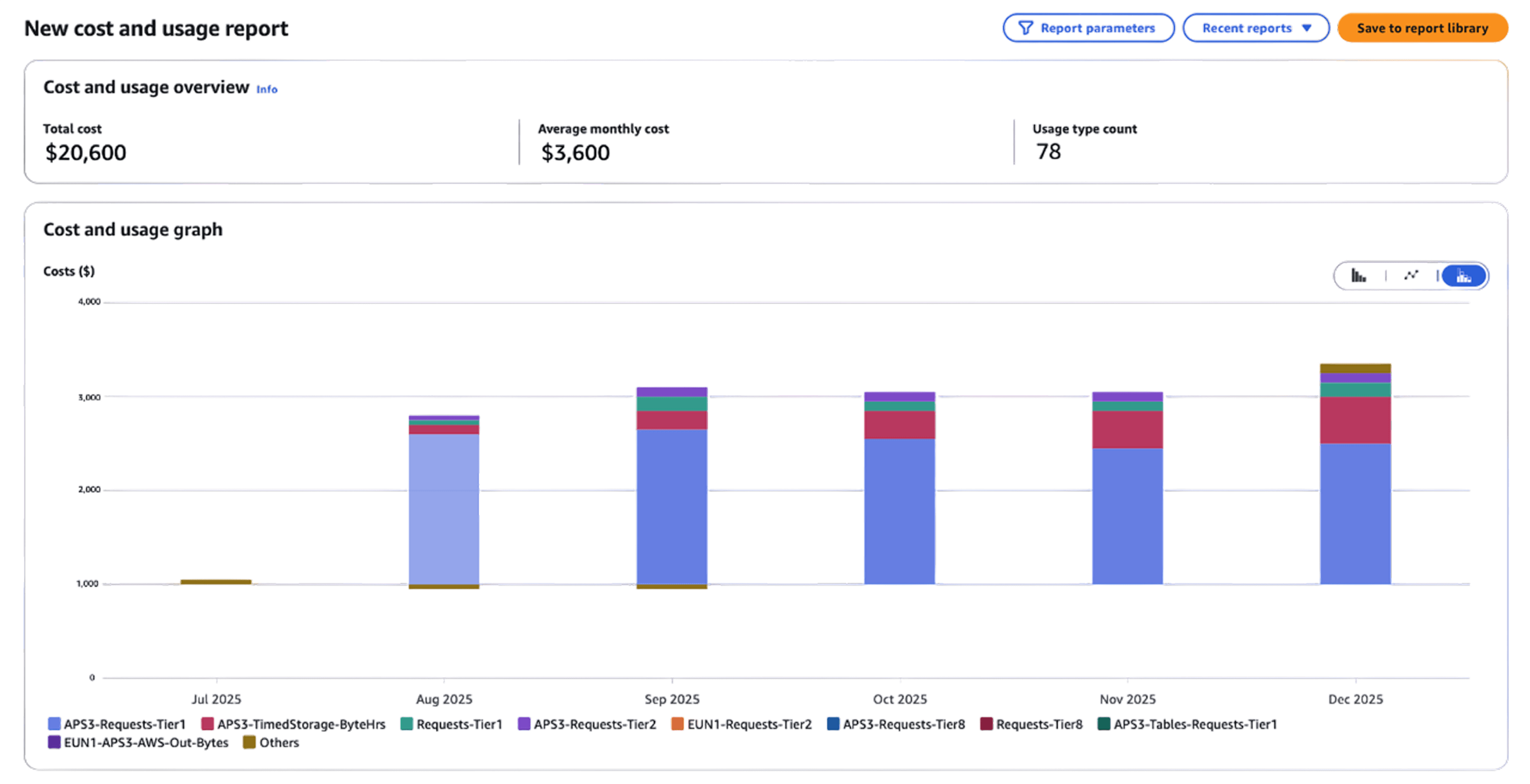
Compare 90-day historical spend to current run rate. Calculate realized savings, document edge cases you discovered, and create your quarterly audit runbook. Present ROI to stakeholders before momentum fades.
Quarterly: Keep It Running
Review new buckets without lifecycle rules, clean up any multipart uploads Storage Lens flags, verify tagging compliance, and analyze cost trends for policy adjustments.
Quick Wins in 30 Minutes
Enable Storage Lens free tier
Tag your 20 biggest buckets with Owner, CostCenter, RetentionDays
Identify largest buckets in Cost Explorer grouped by bucket name
Find buckets without lifecycle rules
Apply multipart upload cleanup to everything
Set CloudWatch alarm for Glacier retrievals over $100 daily
Then spend two hours deploying lifecycle policies to logs, enabling Intelligent-Tiering where access patterns are unclear, enabling S3 Bucket Keys on KMS-encrypted buckets, and expiring noncurrent versions after 30 days.
Expected outcome: 30-50% cost reduction within 90 days.
Frequently Asked Questions
Q: Should I use Intelligent-Tiering or manual lifecycle policies for my data lake?
It depends on access predictability. If you're running scheduled ETL jobs on defined datasets, manual lifecycle rules cost less, you know exactly when data goes cold. But if data scientists are exploring unpredictably, Intelligent-Tiering adapts automatically. The monitoring fee ($0.0025 per 1,000 objects) pays for itself above 5 million objects when you factor in the operational overhead of maintaining manual rules. For mixed workloads, use both: manual rules for logs and backups, Intelligent-Tiering for research and user-generated content.
Q: How do I estimate Glacier retrieval costs before archiving production data?
Model your worst case, not your average case. If you archive 100 TB and might need to restore 10% during an audit, that's 10 TB × $0.01/GB = $100 for bulk retrieval versus $300 for expedited. Compare this to $23,000 annually you'd pay keeping it in Standard. Even with quarterly retrievals, you save significantly. Test on a small sample first, archive 1 TB, restore it using bulk retrieval, measure the actual time and cost, then extrapolate. Set CloudWatch alarms for retrieval costs exceeding your budget threshold.
Q: What's the minimum tagging strategy I need for cost allocation?
Start with four mandatory tags: Environment (prod/staging/dev), Owner (team email), CostCenter (department), and RetentionDays (30/90/365/2555). Enable these in AWS Cost Allocation Tags so Cost Explorer can slice spend by dimension. Enforce at bucket creation using AWS Config rules or Service Control Policies. Without tags, you can't attribute costs to teams or calculate project-level ROI, which kills optimization momentum when stakeholders can't see their savings.
Q: When will I actually see cost savings after applying lifecycle policies?
Request cost reductions (from multipart cleanup, reduced KMS calls) appear within days. Storage class savings materialize based on minimum duration requirements, Standard-IA savings after 30 days, Glacier after 90 days. Full optimization impact becomes visible after one quarter. Set stakeholder expectations appropriately: week 1 shows early wins from cleanup, month 2 shows IA transitions, month 4 shows full Glacier savings. Track weekly in Cost Explorer to show the trend line improving even before full savings materialize.
Q: How many PUT requests determine my overall S3 costs?
A: PUT, COPY, POST, and LIST requests cost $0.005 per 1,000 operations, roughly 12.5x more than GET requests at $0.0004 per 1,000. A workload doing millions of small PUTs can rack up meaningful request costs even with modest storage volume, so request pattern matters as much as data volume.
Q: How do I estimate which S3 buckets are driving the most PUT cost?
A: Enable S3 Storage Lens and cross-reference request-count metrics against your bucket inventory. Buckets with high PUT/LIST volume relative to their storage size are your "most offending" candidates. Batch operations and client-side caching typically cut this cost fastest.
Q: How do I bring down S3 GET costs quickly?
A: Client-side caching of frequently-fetched objects is the fastest lever. Caching a config file fetched 100,000 times hourly for just five minutes can cut GET volume by 30,000x. Pairing this with CloudFront in front of read-heavy buckets typically brings costs down within days, not weeks.
Q: How do I make S3 storage a pass-through cost instead of a margin hit?
A: Pass through storage costs by billing customers or internal teams proportional to the S3 spend they actually generate, using per-customer or per-tenant bucket prefixes and Storage Lens usage data as the allocation source. Combined with lifecycle policies, teams typically see request cost savings in the $110-$180/day range once storage is no longer an undifferentiated shared cost.
The Bottom Line
S3 cost optimization isn't a one-time sprint. It's a practice you build into how your team operates, lifecycle rules in infrastructure-as-code, mandatory tagging in CI/CD pipelines, quarterly audits on the calendar.
Start with the easy wins this month. Deploy the lifecycle recipes, enable Storage Lens, clean up multipart uploads. Measure after 30 days. Then build the governance that keeps costs down as data grows.
You've got the decision matrices, the math, and the ready-to-deploy JSON. The hard part isn't finding tactics, it's execution. Block 10 hours over the next month, run the audit, deploy policies, and watch the savings compound.
Ready to optimize beyond S3? Opsolute helps engineering teams gain visibility, reduce waste, and build cost-aware culture across AWS, Azure, and GCP. From automated rightsizing to multi-cloud FinOps governance, we turn cost optimization from quarterly fire drills into competitive advantage.
All pricing reflects US East (N. Virginia) region rates as of October 2025. Verify current pricing at aws.amazon.com/s3/pricing before making budget decisions.
Last Update: January 12 2026