Introduction
Cloud computing transformed IT economics from capital-intensive hardware purchases to usage-based operational expenses, but this flexibility comes with a hidden cost: complexity. Unlike traditional data centers where costs are fixed and predictable, cloud environments charge for every compute second, storage byte, and data transfer. Organizations leveraging cloud computing face unique optimization challenges that simply don't exist on-premises, from unpredictable auto-scaling costs to multi-region data egress fees that can exceed compute expenses. This guide explores what is cloud cost optimization and why cost optimization in cloud computing requires completely different strategies than traditional IT cost management.
Who This Guide Is For
This guide is designed for technology and finance leaders navigating the economic complexities of cloud infrastructure. Whether you're a CTO evaluating cloud migration costs, a FinOps practitioner implementing cost governance, a Cloud Architect designing cost-efficient systems, or a Finance Leader reconciling unpredictable monthly bills with annual budgets, you'll find actionable strategies for managing operational expenses in elastic environments. The concepts apply across AWS, Azure, GCP, and hybrid cloud deployments.
Key Highlights
Cloud computing replaces fixed CapEx with variable OpEx, making costs change every hour instead of once per year
Hidden expenses like data egress, API requests, NAT gateways, and load balancers can represent 25–35% of total cloud spend
Elastic scaling without governance often leads to over-provisioning and unnecessary compute charges
Distributed and multi-cloud architectures make cost tracking and allocation significantly more complex
Scheduling non-production environments and using reservations or Spot capacity can cut infrastructure costs by 30–70%
FinOps practices align finance and engineering teams to continuously monitor, optimize, and control cloud spending
Why Cloud Computing Economics Are Fundamentally Different
The shift from buying servers to renting compute time isn't just a procurement change, it's an economic revolution. Traditional data centers operate on a CapEx model: you purchase hardware, depreciate it over 3-5 years, and costs remain fixed regardless of utilization. A server sitting idle at 5% CPU still costs exactly what you paid for it.
Cloud computing flips this model. You're paying variable OpEx (operational expenses that change dynamically based on actual resource consumption), costs that fluctuate with every API call, every gigabyte transferred, every second a VM runs.
The psychological shift hits hard. When teams owned physical servers, spinning up new resources required purchase orders, procurement cycles, and capital approval. This friction naturally governed spending. In cloud environments, engineers provision resources in seconds with a single CLI command. That 3-month procurement barrier vanishes, replaced by nothing but good judgment.
Here's where organizations stumble: they apply on-premises budgeting to cloud environments. They set annual budgets based on projected capacity, then watch helplessly as actual usage swings 40% month-over-month. A marketing campaign drives traffic up. Costs spike. The campaign ends. Costs... stay elevated because nobody terminated the extra capacity.
Traditional IT finance asks: "What will infrastructure cost this year?" Cloud computing demands: "What did infrastructure cost in the last hour?" It's the difference between budgeting for a house payment versus tracking Uber rides. Both involve transportation costs, but the management approach couldn't be more different.
Cost Model | Traditional On-Premises | Cloud Computing |
Expense Type | CapEx (Capital Expenditure) | OpEx (Operational Expenditure) |
Cost Pattern | Fixed after purchase | Variable per usage |
Resource Provisioning | Weeks to months | Seconds to minutes |
Utilization Impact | Zero (sunk cost) | Direct correlation |
Budget Predictability | High (known depreciation) | Low (usage-dependent) |
Optimization Window | Purchase decision only | Continuous, 24/7 |
Understanding Cloud Waste: Industry Benchmarks
Organizations new to cloud computing typically waste 30-35% of their cloud spending through idle resources, over-provisioning, and unoptimized configurations. In contrast, mature FinOps teams that have implemented continuous optimization practices maintain waste levels below 10-15%, representing potential savings of $150,000-$350,000 annually per $1M in cloud spend. The cloud cost optimization strategies in this guide target moving your organization from industry average waste toward mature FinOps efficiency levels.
Cloud-Specific Cost Drivers That Don't Exist On-Premises
When you owned servers, you worried about hardware costs and power bills. Cloud computing introduces cost components that would seem Unusual to traditional IT managers.
Data egress fees represent the most shocking difference. Move data into any cloud provider: free. Move data out of the cloud: $0.08-0.12 per GB. For a data analytics company processing 10TB of results monthly, that's $800-1,200 in transfer costs alone, before any compute or storage charges.
Cross-region data transfer adds another layer. Replicating databases between US-East and EU-West? That's billable data movement. An application in one region calling APIs in another region? Every response payload costs money. On-premises networks never charged per byte transferred between your own data centers. Serverless execution time granularity reaches absurd precision. AWS Lambda bills in 1-millisecond increments. Your function runs for 247 milliseconds? You pay for 247 milliseconds.
API request pricing catches teams off-guard. AWS API Gateway charges per million requests. S3 charges per thousand GET requests. CloudWatch charges per API call for retrieving metrics. An application making legitimate API calls to check resource status can generate hundreds in monthly charges that provide zero business value pure observability overhead.
NAT Gateway costs frustrate engineers constantly. Need private instances to reach the internet? AWS charges $0.045/hour for the gateway, plus $0.045/GB processed. A single NAT Gateway running 24/7 costs $32.40 monthly before processing a single byte. Process 10TB? Add another $450.
Load balancers bill hourly regardless of traffic volume. An Application Load Balancer costs $0.0225/hour (~$16/month) even handling zero requests. Traditional hardware load balancers had high upfront costs but no ongoing charges for light usage.
[DIAGRAM NEEDED: Cost iceberg illustration showing visible compute costs (30-40%) above water, with hidden costs below: data transfer (15-20%), API requests (5-10%), NAT/load balancers (8-12%), managed service premiums (20-25%)]
These cloud-specific charges typically represent 25-35% of total spending for organizations at industry average maturity, and 15-20% for mature FinOps teams who've optimized compute and storage
The Cost Complexity of Distributed Cloud Architectures
Monolithic applications running on-premises had simple cost models: a few big servers, some storage arrays, network gear. Easy to budget, easy to attribute.
Cloud-native architectures shatter this simplicity. A single microservices application might include 50 Lambda functions, 20 containerized services in Kubernetes, 15 S3 buckets, 8 databases, 6 API Gateways, multiple load balancers, message queues, and caching layers, etc. Each component bills independently with different pricing models.
Tracking costs across ephemeral containers becomes nearly impossible without specialized tools. Containers spin up, process work for 6 minutes, and terminate. They shared a node with 20 other containers. How do you attribute that EC2 instance's cost to specific business services?
Kubernetes clusters magnify this problem. A shared cluster runs workloads for product team A, product team B, and platform services. Finance wants costs allocated by team. But pods don't align to billing dimensions. You need custom tooling to track resource consumption per namespace, apply showback models, and estimate each team's share of shared infrastructure.
Inter-service communication costs vanish from view in distributed architectures. Service A calls Service B 10,000 times per hour. If they're in different regions, that's 10,000 billable data transfers. If they communicate through an API Gateway, add 10,000 API request charges. The application works perfectly, but you're paying infrastructure taxes on internal communication that cost nothing when everything ran on one server.
Over-engineering for cloud-native patterns creates hidden expenses. Teams adopt microservices because "that's how you do cloud," then discover their 5-user internal tool now costs 10x more because it uses 15 managed services orchestrated through Step Functions calling Lambda functions behind API Gateway. The on-premises version ran fine on a single VM for $50/month.
Elastic Scaling: The Double-Edged Sword of Cloud Computing
Cloud providers market elastic scaling as pure upside: automatically add capacity during traffic spikes, pay only for what you use, infinite scalability. In reality, elasticity becomes a cost trap without governance.
Auto-scaling groups excel at scaling up. Traffic increases, instances launch, capacity grows. Perfect. But they're surprisingly bad at scaling down. Teams configure aggressive scale-up policies ("add 10 instances when CPU hits 60%") but conservative scale-down ("remove 1 instance when CPU stays below 20% for 30 minutes"). Result? You scale up in 2 minutes, scale down over 2 hours.
A real scenario: an e-commerce site sees traffic surge during a 3-hour flash sale. Auto-scaling adds 50 instances. Sale ends, traffic drops to baseline. Conservative scale-down policies mean 40 "extra" instances keep running for 5 more hours, costing hundreds in unnecessary compute time.
Maintaining headroom for traffic spikes contradicts the entire value proposition of elasticity. Teams configure auto-scaling to maintain 40% spare capacity "just in case", essentially running on-premises-style over-provisioning in a pay-per-use environment. You're paying cloud prices for on-premises thinking.
Over-provisioning for peak loads that rarely occur costs enormously. Black Friday might generate 10x normal traffic for 8 hours annually. Should you architect for that peak or accept some performance degradation during those 8 hours? Many teams choose the former, running infrastructure for extreme peaks 8,760 hours per year despite needing it for 8.
"Infinite scalability" sounds appealing until you realize it also means "infinite costs." Without spending limits or alerts, a misconfigured auto-scaling policy can launch hundreds of instances overnight. One bug in scaling logic maybe a faulty health check triggers continuous replacements, and you wake up to a $50,000 AWS bill.
Effective scaling policies balance performance with cost:
Scale-up trigger: CPU > 70% for 2 consecutive minutes (respond quickly to demand)
Scale-down trigger: CPU < 30% for 10 consecutive minutes (avoid thrashing, but don't waste hours)
Maximum instances: Set reasonable caps based on budget limits
Scheduled scaling: Pre-scale for known traffic patterns (business hours, batch jobs)
Target tracking: Aim for 60-70% average utilization, not 40%
Multi-Cloud and Hybrid Cloud Cost Challenges
Running workloads across AWS, Azure, and GCP multiplies cloud cost optimization tools complexity exponentially. Each provider has different pricing models, billing formats, discount programs, and optimization opportunities.
Comparing equivalent services across clouds reveals pricing chaos. An 8-core, 32GB instance costs differently on each platform, but they're also not truly equivalent. AWS m5.2xlarge, Azure Standard_D8s_v3, and GCP n2-standard-8 have different underlying hardware, network performance, and included features. Direct price comparison misleads without performance normalization.
Data transfer between clouds creates expensive border taxes. Copying 1TB from AWS to Azure costs $90-120 in egress fees from AWS, plus ingress charges from Azure if moving into certain services. Multi-cloud architectures that rely on cross-cloud data synchronization can spend thousands monthly just moving data between providers.
Each cloud provider offers different discount mechanisms that don't translate between platforms:
Discount Type | AWS | Azure | GCP |
Reserved Capacity | Reserved Instances (1-3 year) | Reserved VM Instances | Committed Use Discounts |
Flexible Savings | Savings Plans (Compute/EC2) | Savings Plans | Flexible CUDs |
Spot Pricing | Spot Instances | Spot VMs | Preemptible VMs |
Discount Rate | Up to 72% depending on commitment | Up to 65% depending on term | CUD: up to 55% (3-year commitment); SUD: up to 30% |
Optimizing for one provider's pricing structure doesn't transfer. Mastering AWS Savings Plans doesn't help with Azure's reservation model. GCP's sustained use discounts apply automatically, while AWS requires explicit commitments. Multi cloud cost optimization strategies demand expertise in three different optimization frameworks.
Time-Based Pricing and the Cost of 24/7 Operations
Cloud computing charges continuously for active resources. An EC2 instance running 24/7 costs 720 instance-hours monthly. If you actually use it 8 hours daily on weekdays, you're paying for approx 168 used hours plus 552 wasted hours 76% waste.
Development and test environments represent the lowest-hanging fruit for time-based optimization. Do developers work weekends? No? Then why are dev environments running Saturday and Sunday? Pausing non-production environments outside business hours typically reduces those environment costs at surprising rates.
Automated scheduling transforms waste into savings. Lambda functions or cloud provider scheduling features can:
# Schedule Monday-Friday startup at 8 AM |
These commands create schedules that automatically start development environments weekday mornings and shut them down evenings. No manual intervention, no forgotten instances running over weekends. For a dev environment costing $2,000/month running 24/7, this scheduling typically saves $1,200-1,400/month.
Reserved instance commitments trade flexibility for 30-72% discounts. Buy 1-year or 3-year reservations for workloads you're confident will run continuously. The break-even point for 1-year no-upfront reservations is typically 7-9 months of usage. If you'll definitely use the capacity for 12 months, you're leaving 30-40% savings on the table by staying on-demand.
Spot instances offer 60-90% discounts for interruptible workloads. AWS can terminate spot instances with 2-minute notice when capacity is needed elsewhere. Stateless batch processing, rendering farms, data analysis, and CI/CD jobs work excellently on spot capacity. Production databases and single-instance services don't.
Building a Cloud-Native FinOps Practice
Cost optimization in cloud computing requires operational practices, not just technical tactics. FinOps(Financial Operations), establishes the framework for managing cloud spending as an ongoing operational discipline.
The FinOps lifecycle operates in three continuous phases:
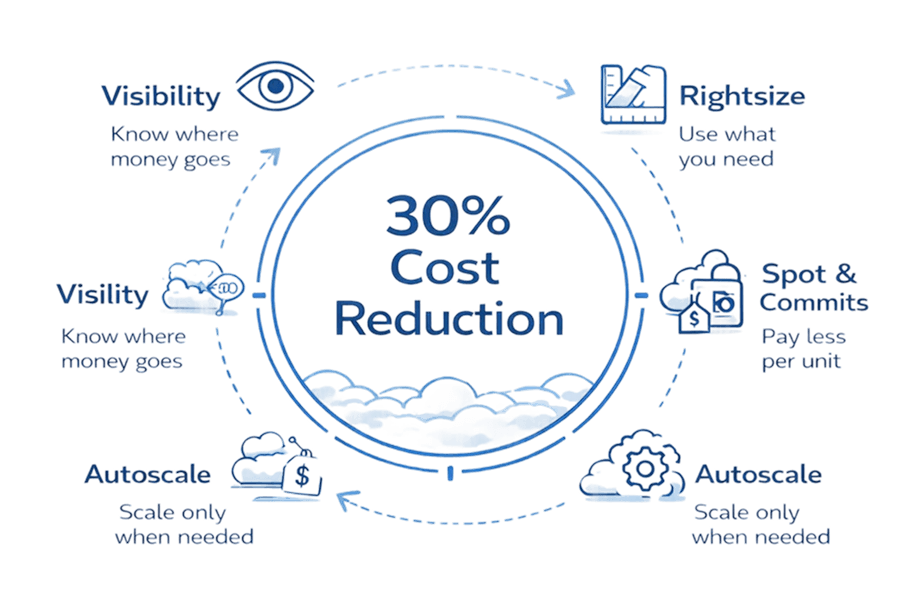
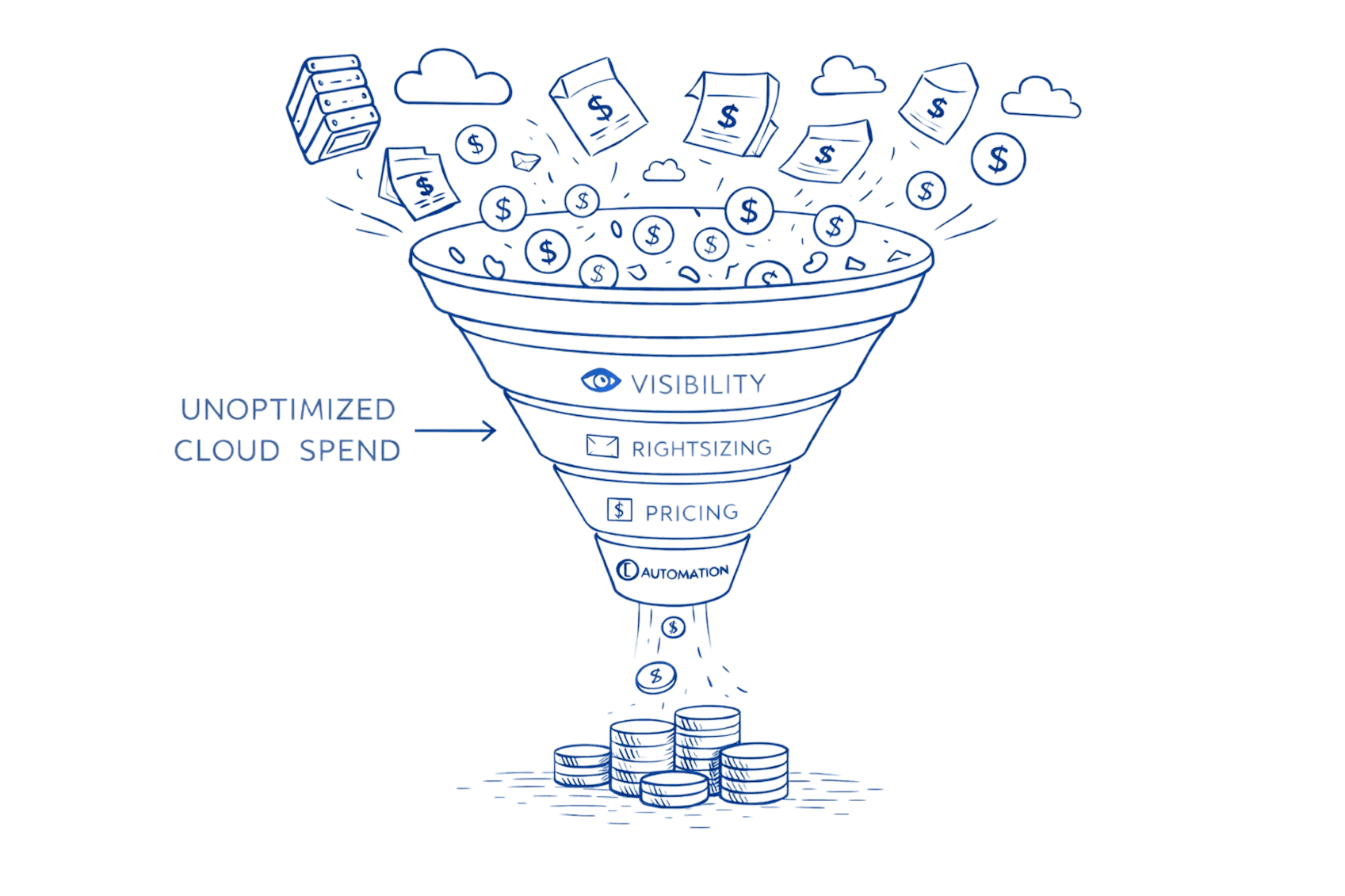
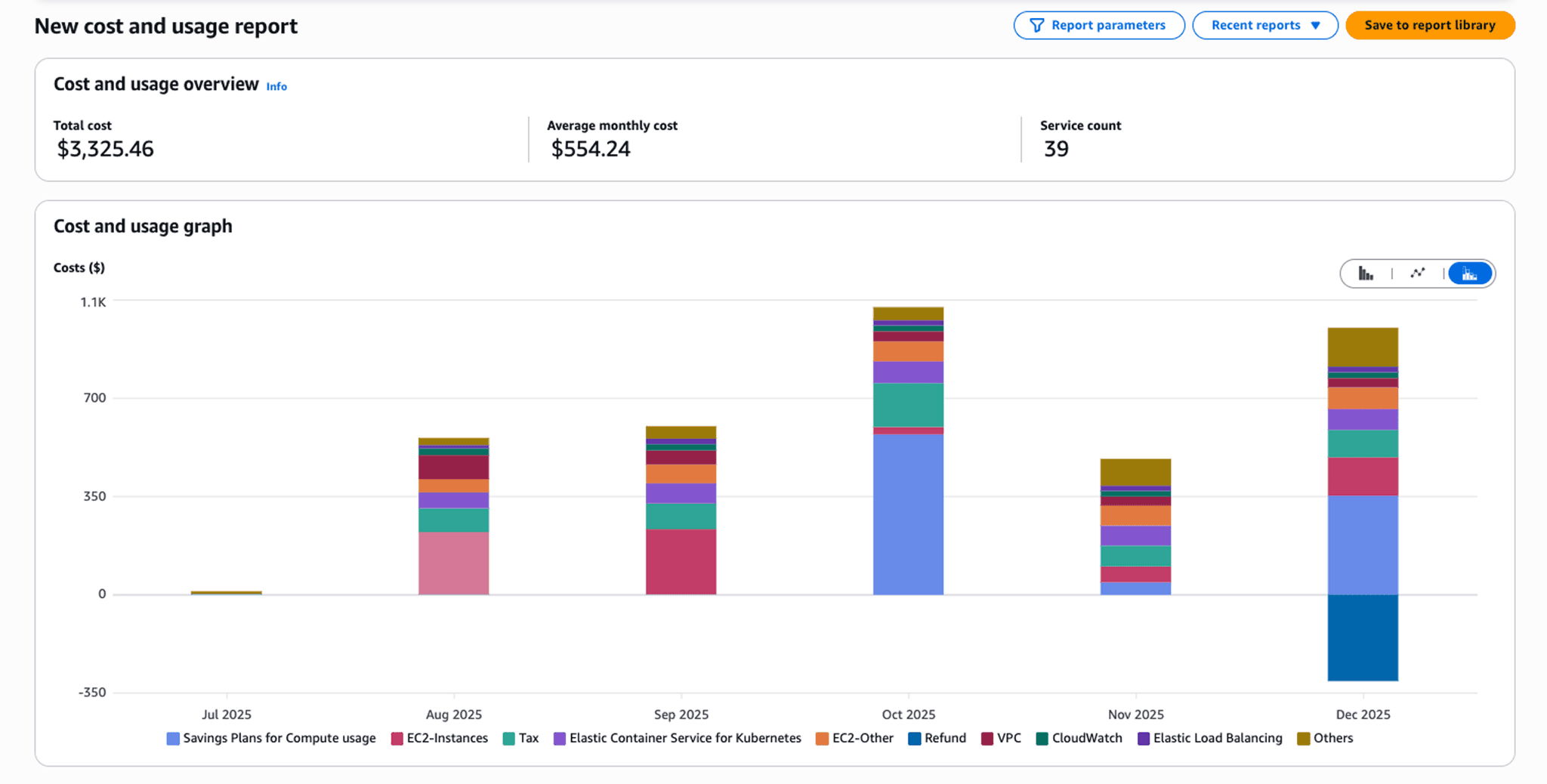
Inform: Provide visibility into cloud spending. Teams can't optimize costs they can't see. Implement tagging strategies, create cost dashboards, establish reporting by business unit, product, and environment. Real-time cost visibility must reach engineers making deployment decisions, not just finance reviewing monthly bills.
Optimize: Identify and eliminate waste. Right-size over-provisioned resources, terminate idle instances, implement reserved capacity for predictable workloads, adopt spot instances for appropriate use cases. Optimization is technical work requiring engineering expertise finance teams can identify problems but can't solve them.
Operate: Build cost awareness into engineering culture. Make cost a first-class metric alongside performance and reliability. Establish budgets with automated alerts, implement approval workflows for large resource deployments, include cost impact in architecture reviews. Cost-conscious engineering prevents problems rather than fixing them after they appear.
Cross-functional collaboration distinguishes successful FinOps practices. Finance teams provide budget context and forecasting. Engineering teams implement optimization. Operations teams maintain governance and automation. Product teams make trade-off decisions between feature velocity and cost efficiency. No single team owns cloud costs, it's a shared responsibility.
Cost allocation through tagging enables accountability. Mandatory tags for Environment, Team, Product, and CostCenter allow precise attribution:
{ |
These tags flow through to billing data, enabling showback reports that show each team their cloud spending. Visibility creates accountability. When teams see their costs publicly, they optimize.
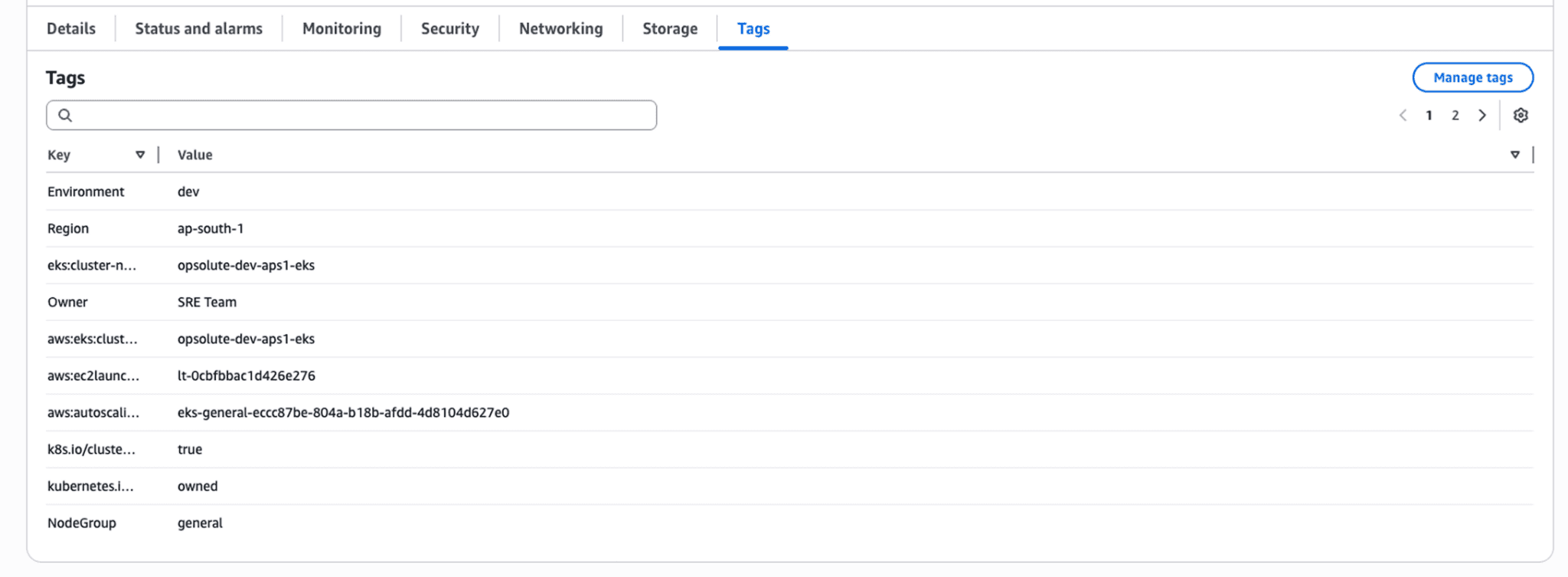
Cloud-native cost management platforms extend beyond provider tools. AWS Cost Explorer, Azure Cost Management, and GCP Cost Management provide basic visibility within their ecosystems. Specialized platforms like Opsolute offer unified multi-cloud visibility, automated optimization recommendations, anomaly detection, and forecasting that provider tools don't match.
FAQ
Q: What makes cost optimization different in cloud computing compared to traditional data centers?
A: Cloud computing uses a consumption-based OpEx model where you pay for actual usage per second, versus on-premises CapEx where costs are fixed after hardware purchase. This creates continuous variable expenses, requires real-time monitoring, and makes cost optimization an ongoing operational practice rather than a periodic procurement decision.
Q: What are cloud-specific costs that didn't exist in on-premises environments?
A: Cloud computing introduces unique charges like data egress fees (moving data out of the cloud), cross-region data transfer costs, API request pricing, NAT gateway charges, serverless execution time, and load balancer hourly costs. These can represent 15-30% of total cloud spending and require completely different optimization strategies than traditional infrastructure.
Q: Why do organizations typically waste 30-35% of their cloud spending (industry average)?
A: The elasticity of cloud computing enables instant resource provisioning but requires active governance to prevent waste. Common issues include resources that scale up automatically but never down, dev/test environments running 24/7 when only needed 8 hours daily, idle resources forgotten after projects end, and over-provisioning "just in case" inherited from on-premises thinking.
Q: How does multi-cloud strategy affect cost optimization?
A: Running workloads across multiple cloud providers (AWS, Azure, GCP) multiplies complexity as each has different pricing models, billing formats, and optimization tools. Multi-cloud requires specialized platforms to normalize cost data, creates challenges with cross-cloud data transfer fees, and demands expertise in each provider's unique discount mechanisms and pricing structures.
Q: When is serverless computing more cost-effective than traditional compute?
A: Serverless excels for workloads with unpredictable or intermittent usage patterns where you'd otherwise pay for idle capacity. However, for consistently running workloads or high-frequency invocations, traditional compute instances may be cheaper due to serverless per-request pricing and cold start costs. Always model both approaches based on actual usage patterns.
Q: How do data transfer costs in cloud computing impact architecture decisions?
A: Data egress fees can exceed compute costs for data-intensive applications. This drives architectural decisions like keeping compute resources in the same region as data storage, implementing CDNs to reduce egress, using direct connect for hybrid scenarios, and carefully planning multi-region deployments to minimize cross-region data transfer.
Q: What is FinOps and why is it essential for cloud computing?
A: FinOps (Financial Operations) is a cloud-specific operational framework that brings financial accountability to cloud computing's variable spend model. It establishes cross-functional collaboration between finance, engineering, and operations teams to make data-driven decisions about cloud usage, balancing speed, cost, and quality in ways traditional IT finance never required.
Take Control of Your Cloud Costs Today
Cost optimization in cloud computing isn't a one-time project, it's an operational discipline that requires continuous attention, specialized tools, and cultural change. The shift from CapEx to OpEx fundamentally changes how organizations must approach IT spending.
Start with quick wins: identify and eliminate idle resources, implement scheduling for non-production environments, and establish tagging standards for cost visibility. These actions typically deliver 15-25% savings within 30-60 days for organizations starting from industry average waste levels
Build toward sustainable optimization: implement FinOps practices, adopt automated recommendations, establish cost awareness in engineering culture, and leverage cloud-native tools for continuous monitoring. Organizations that treat cost optimization as an engineering discipline, not a finance problem consistently maintain 30-40% lower cloud spending than industry average.
The unique economic model of cloud computing rewards organizations that understand its nuances. Data egress fees, elastic scaling behaviors, multi-cloud complexity, and time-based pricing create optimization opportunities that didn't exist in traditional infrastructure. Master these cloud-specific concepts, and you transform variable OpEx from a liability into a competitive advantage.
Ready to identify your cloud-specific waste patterns? Get a free cloud cost assessment with Opsolute to receive automated recommendations for AWS, GCP optimization tailored to your architecture.